

Company settings
Updated November 13, 2026
Company settings holds your business details and the choices that shape your books. Open it with the gear in the top bar, or from Settings › Company settings in the sidebar.
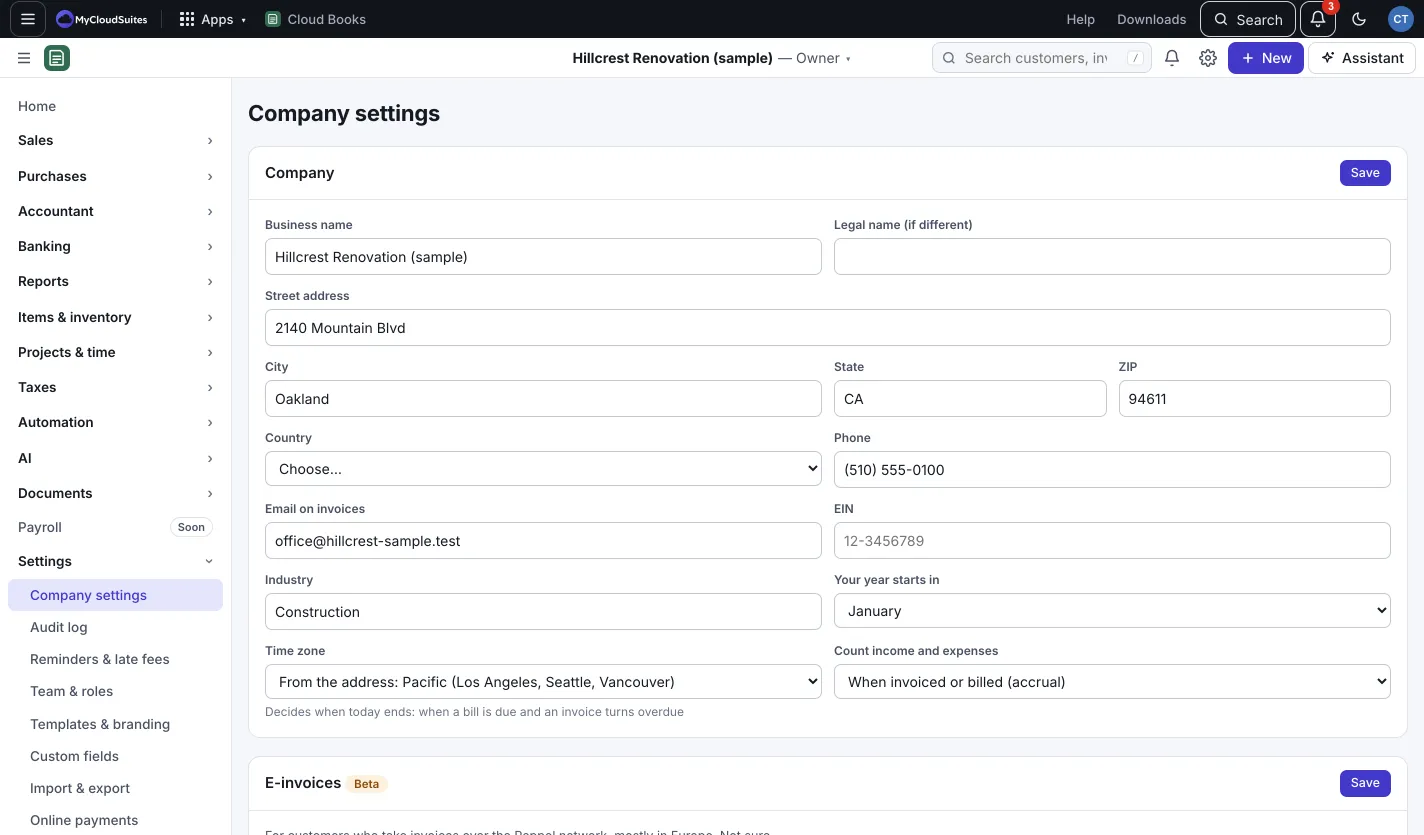
Your company
Under Company, set:
- Business name, and Legal name (if different).
- The address, Country and Phone.
- Email on invoices: the address customers see and reply to.
- EIN: your federal tax ID, needed on 1099s.
- Industry.
- Your year starts in: the first month of your fiscal year.
- Time zone: decides when today ends, so when a bill is due and an invoice turns overdue. Leave it to go by your address.
- Count income and expenses: When invoiced or billed (accrual) or When money moves (cash).
Press Save.
Also on this page
- Online payments: Set up online payments. See Take payments online.
- Cloud Time (owners and admins): Connect or manage. See Bring in hours from Cloud Time.
- Your own address: Set it up, for your portal and invoices at your own web address. See Customer links and the customer portal.
- Close the books: lock the books through a date. See Close the books (lock date).
- Sales tax rates: Add a rate. See Sales tax.
- People with access: who’s in these books. Invite people in Team & roles, and change your logo, colors and layout in Templates & branding.
Other settings
The Settings group in the sidebar has the rest:
- Templates and branding: logo, colors, layout and the words on your documents.
- Team and roles and custom roles.
- Preferences: numbering, default terms, date format and more.
- Custom fields and classes, locations and tags.
- Reminders and late fees, online payments and the bills email.
- Import and export, notifications, plan and billing, AI and apps and integrations.
Delete a company
The owner presses Delete this company… at the bottom of Company settings, types the company’s name, and presses Delete it for good. It deletes everything for everyone straight away and can’t be undone, so press Export everything first to keep a copy.