Cloud Mail by MyCloudSuites

From $7 a mailbox

Email on your company’s own domain

A mailbox for everyone at your company, on the domain you already own, that works the way you already do: threads, labels, snooze, undo send and search. In the browser, your phone’s mail app, or Outlook.

From $7 a mailbox a month, plus tax. No ads, and your mail is never read to sell them.

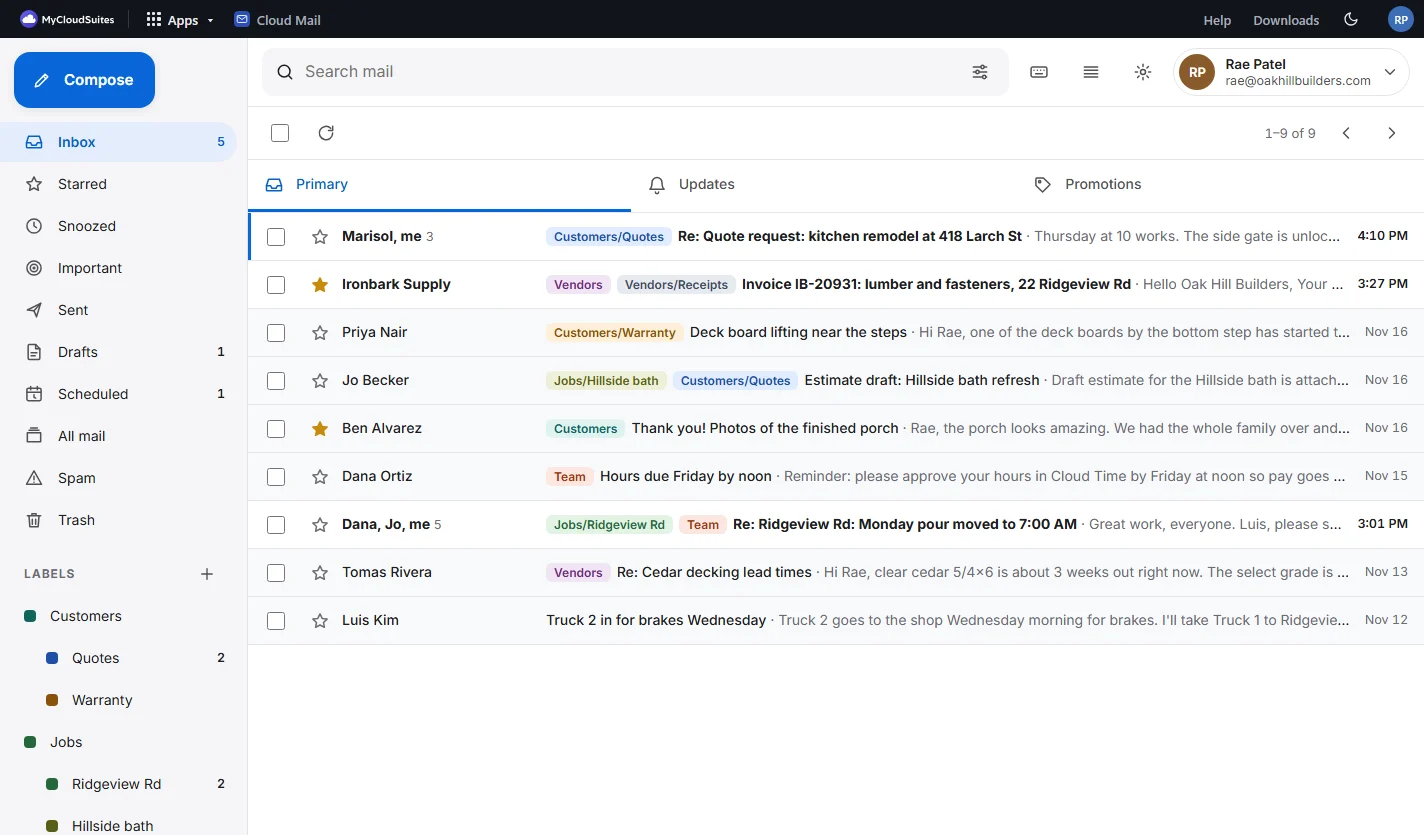
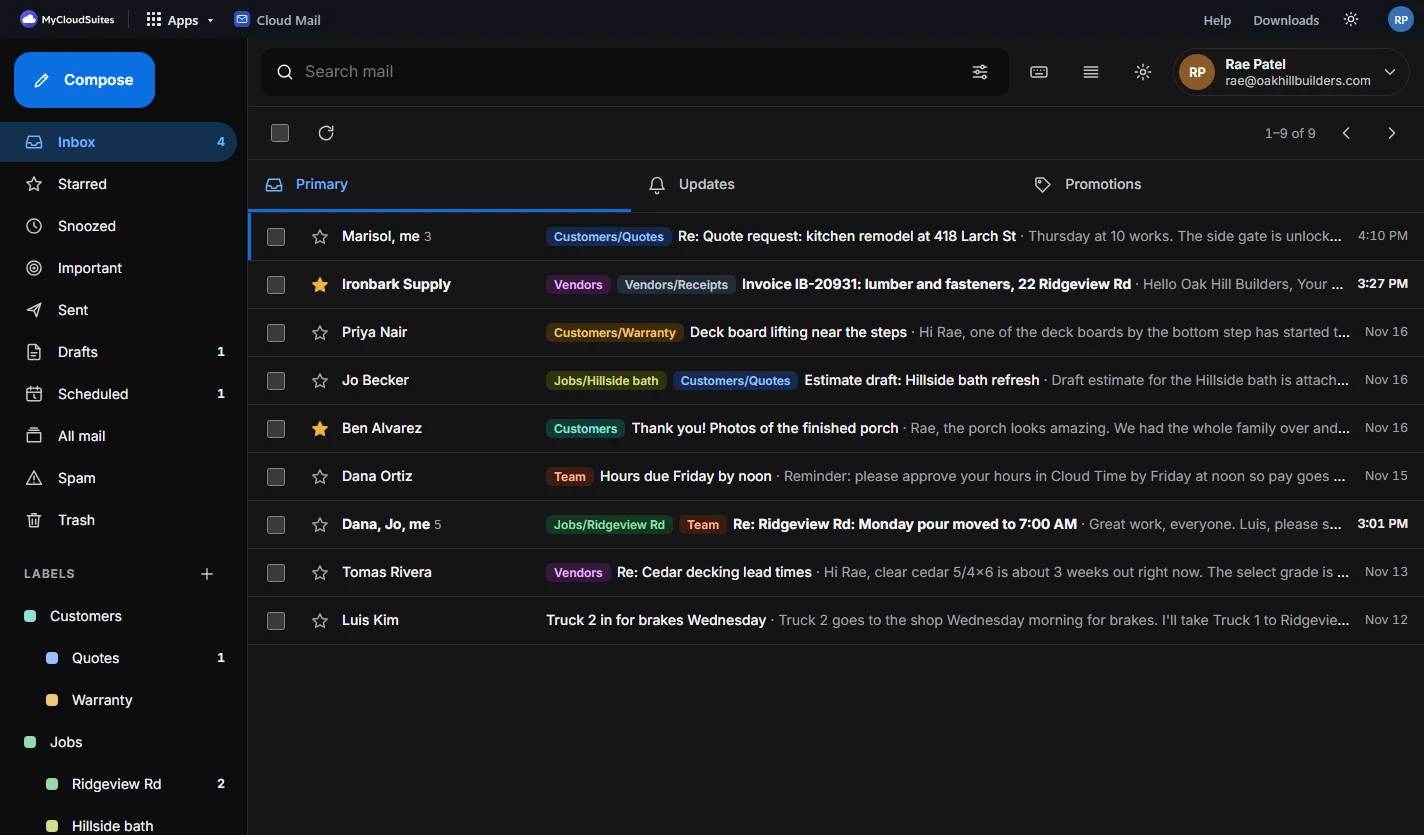
Cloud Mail’s Inbox for a sample company, Oak Hill Builders: conversations with colored labels like Customers/Quotes and Vendors, starred messages, and the folders and labels on the left The same Inbox in dark mode
  • Your company’s own domain
  • A mailbox for every person
  • Your phone’s mail app and Outlook too
  • No ads, never read for ads

What makes Cloud Mail different.

Every one of these works today. Each says how to see it for yourself.

Your domain, set up with you

Add the domain your company already owns. Cloud Mail shows each record to add at your domain’s provider, with Copy, and checks them for you until they’re right. Then every address is yours, like dana@oakhillbuilders.com.

See it: your account page, Company › Domains.

Shared mailboxes, never a shared password

Mailboxes like billing@ or office@ that several people use, each with their own MyCloudSuites sign-in. Activity shows who opened, sent or archived what, and never what the mail says. Take someone off, and they’re out.

See it: the mailbox switcher at the top right, then Activity.

In any mail app, one password per device

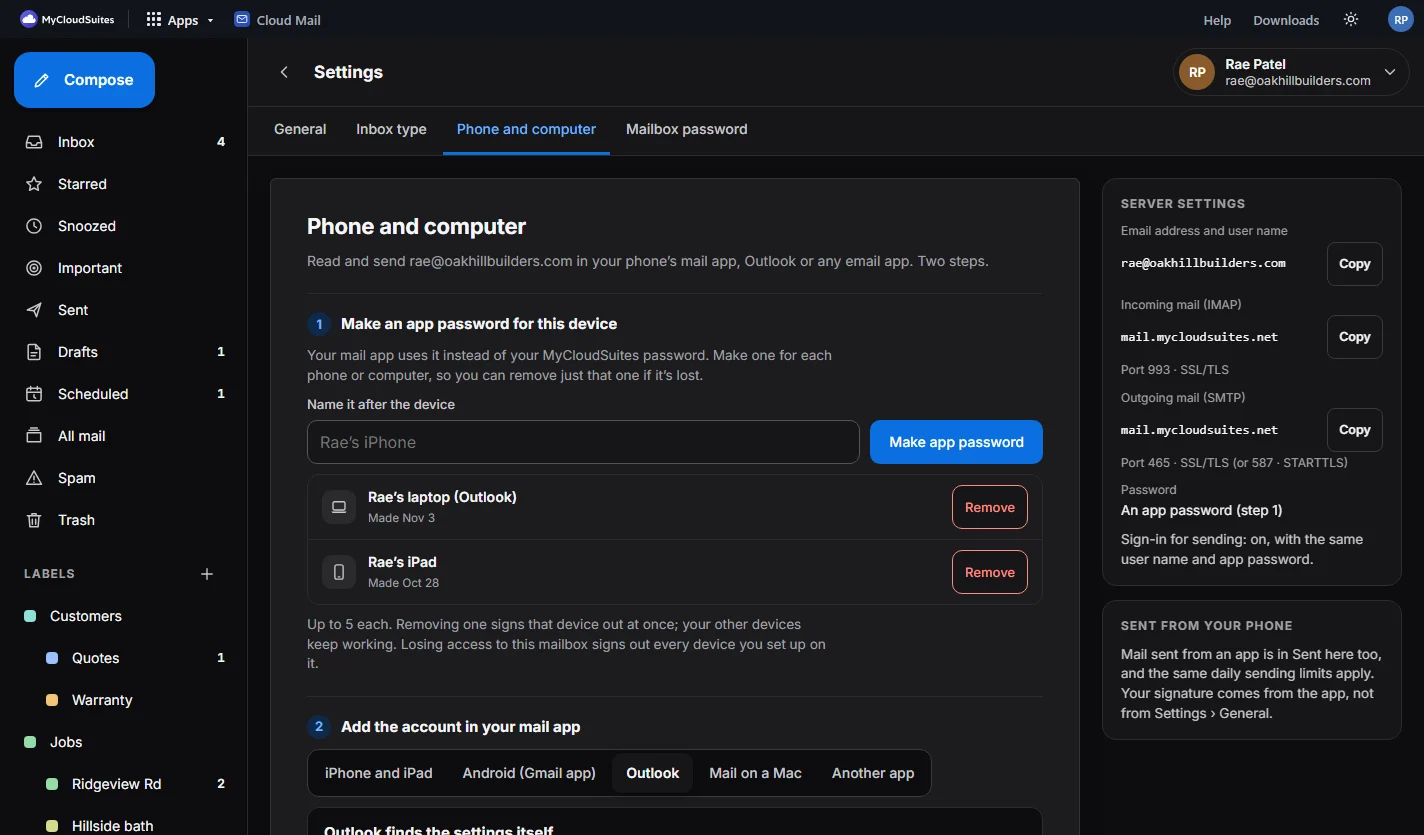
Read and send in your phone’s mail app, Outlook or Mail on a Mac. Make an app password for each phone or computer; on iPhone and Mac, a setup profile does the rest. Lose a phone? Remove just that one.

See it: Settings › Phone and computer.

Snooze, undo send and send later

Snooze a conversation until tomorrow and it comes back to the top of your Inbox. Take back a message in the seconds after Send, or schedule one for Monday morning. Search with operators like from:, has:attachment and older_than:.

See it: the clock on any conversation, and Settings › General for undo send.

Your company’s apps beside every message

From a customer’s email, start a deal in Cloud CRM, make a task, or save the attachments to your company files, in a click. One sign-in for every MyCloudSuites app.

See it: open any conversation; the panel is on the right.

AI only when you press it

Help me write drafts a reply from what you ask, using your company’s AI credits, and only when you click. Nothing reads your mail on its own, and everything else in Cloud Mail uses no credits.

See it: the ✦ button in any message you write.

See it in action.

Real screenshots of Cloud Mail today, with a sample company. Click any picture to see it full size.

Conversations

Every reply in one place.

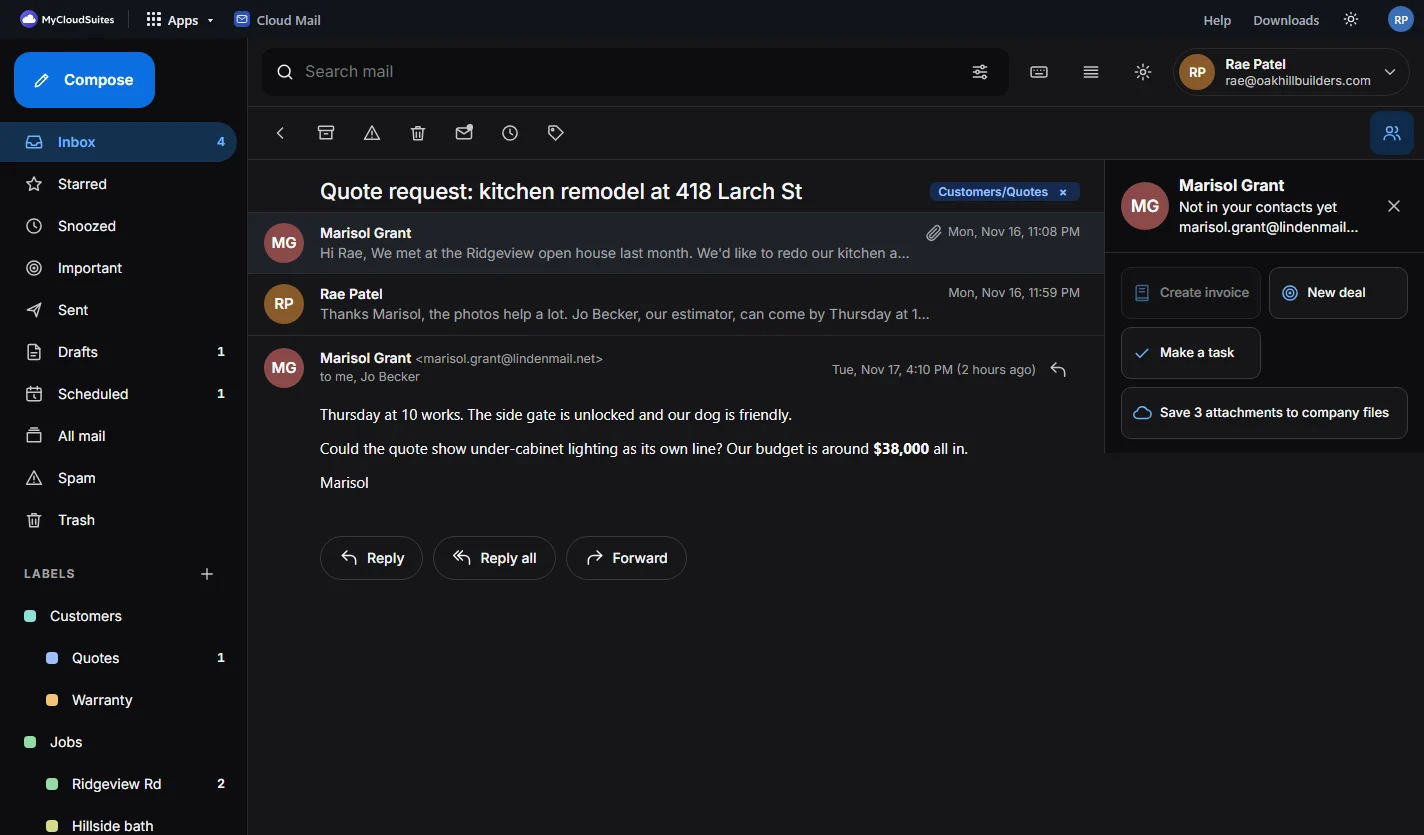
A conversation keeps every message in order, with its labels at the top and what you can do next beside it.

  • Reply, reply all or forward, right there
  • Labels inside labels, like Customers › Quotes
  • Pictures held back until you choose to show them
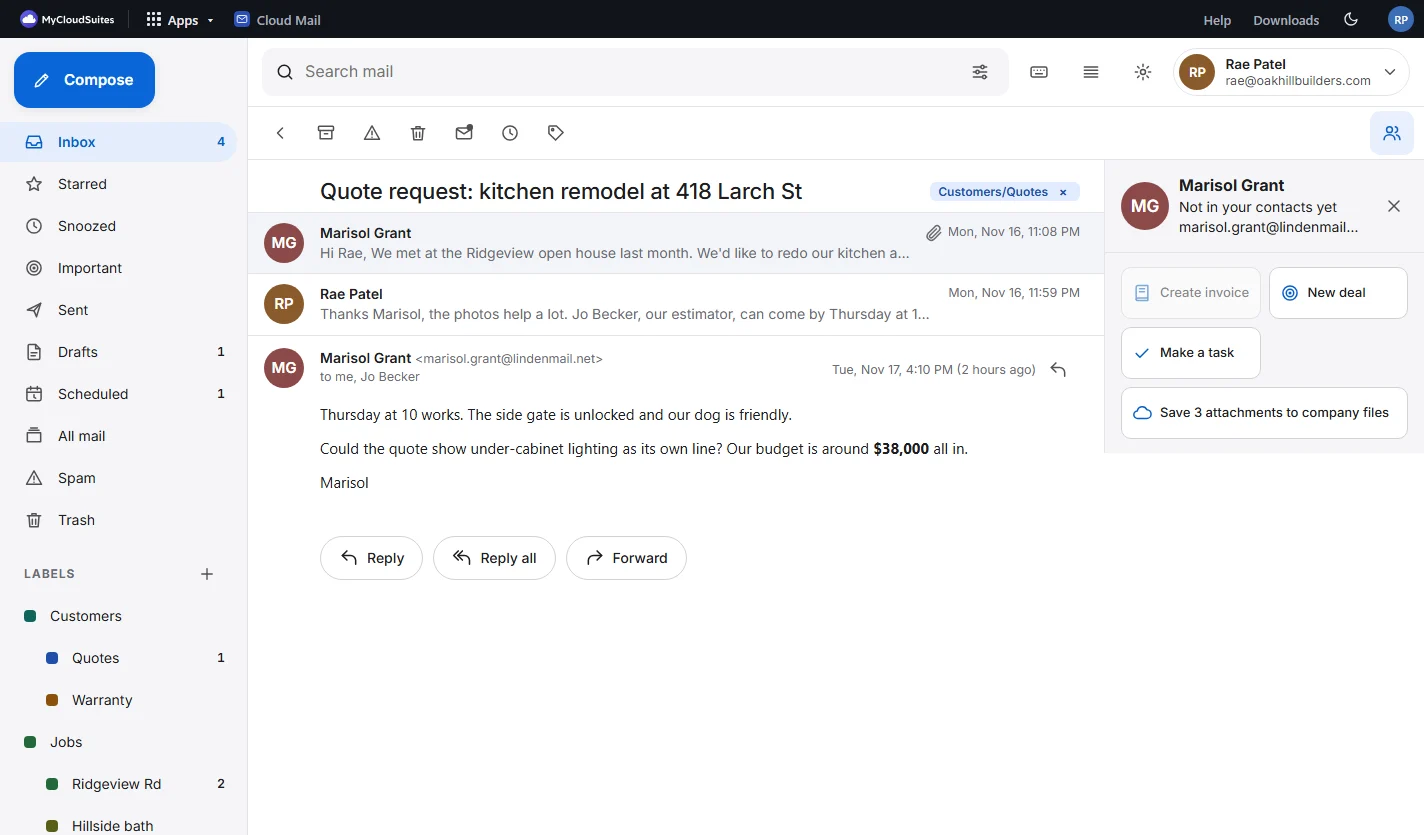
A conversation: a customer’s quote request for a kitchen remodel and the reply, labeled Customers/Quotes, with a panel on the right to make a deal, a task, or save the attachments to company files The same conversation in dark mode
Shared mailboxes

billing@, with everyone’s own sign-in.

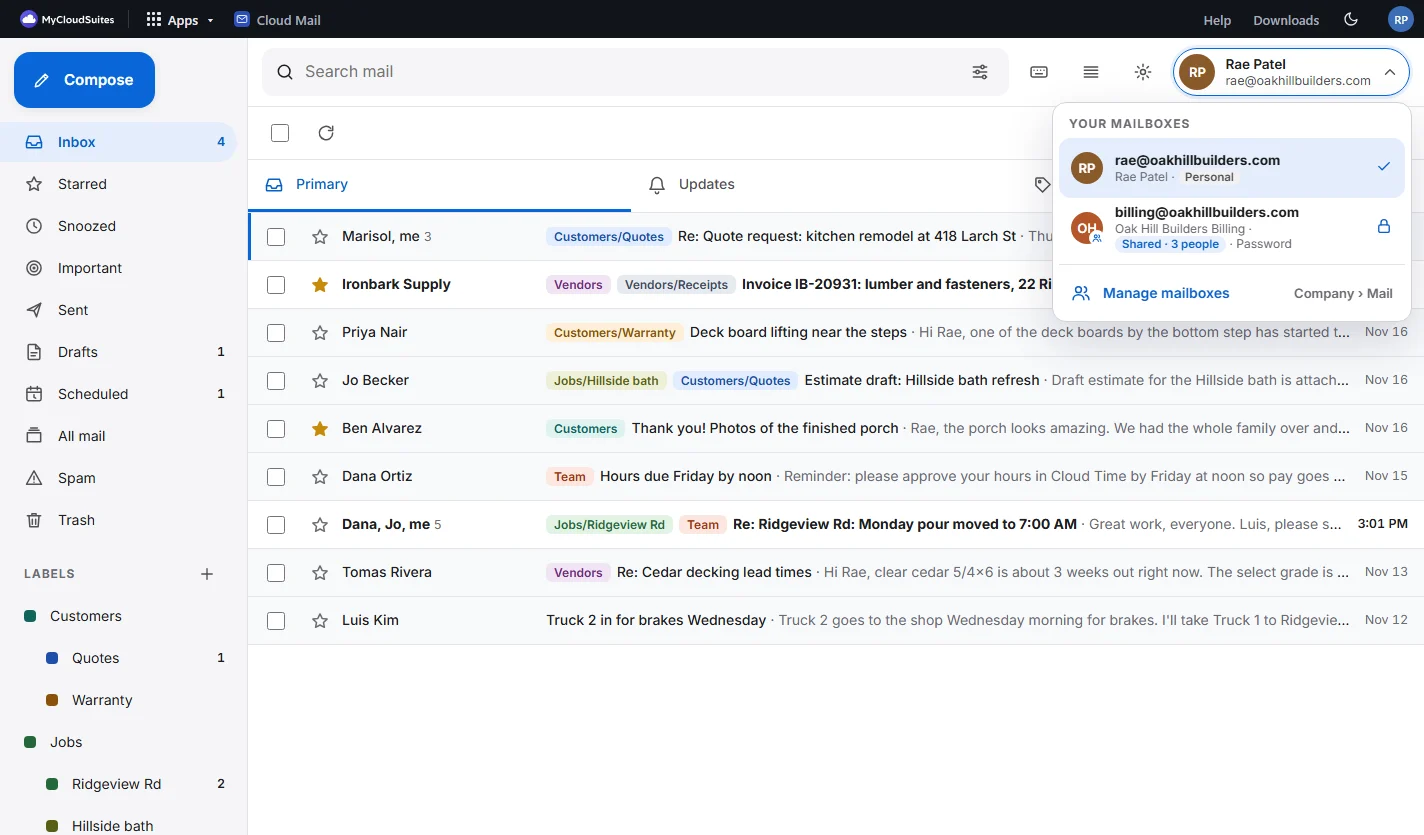
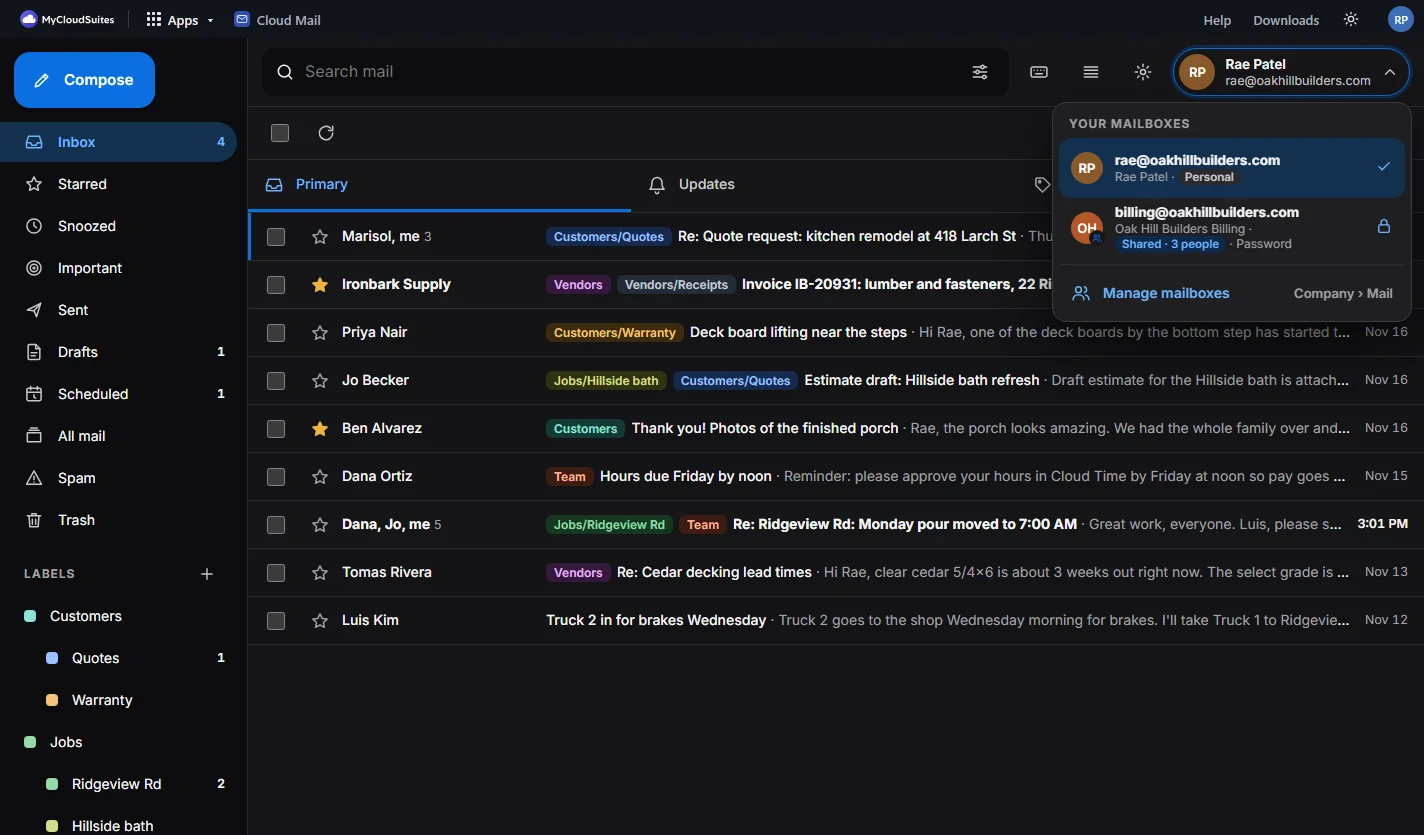
Your own mailbox and the shared ones you’re given, in one list. A shared mailbox can also ask for its own password.

  • Owners give and take away mailboxes in Company › Mail
  • Activity: who did what, never the mail itself
  • Writing from a shared mailbox says so before you send
The mailbox switcher open over the Inbox: rae@oakhillbuilders.com, personal, and billing@oakhillbuilders.com, shared by 3 people with its own password, and Manage mailboxes The same in dark mode
Phone and computer

Use the mail app you like.

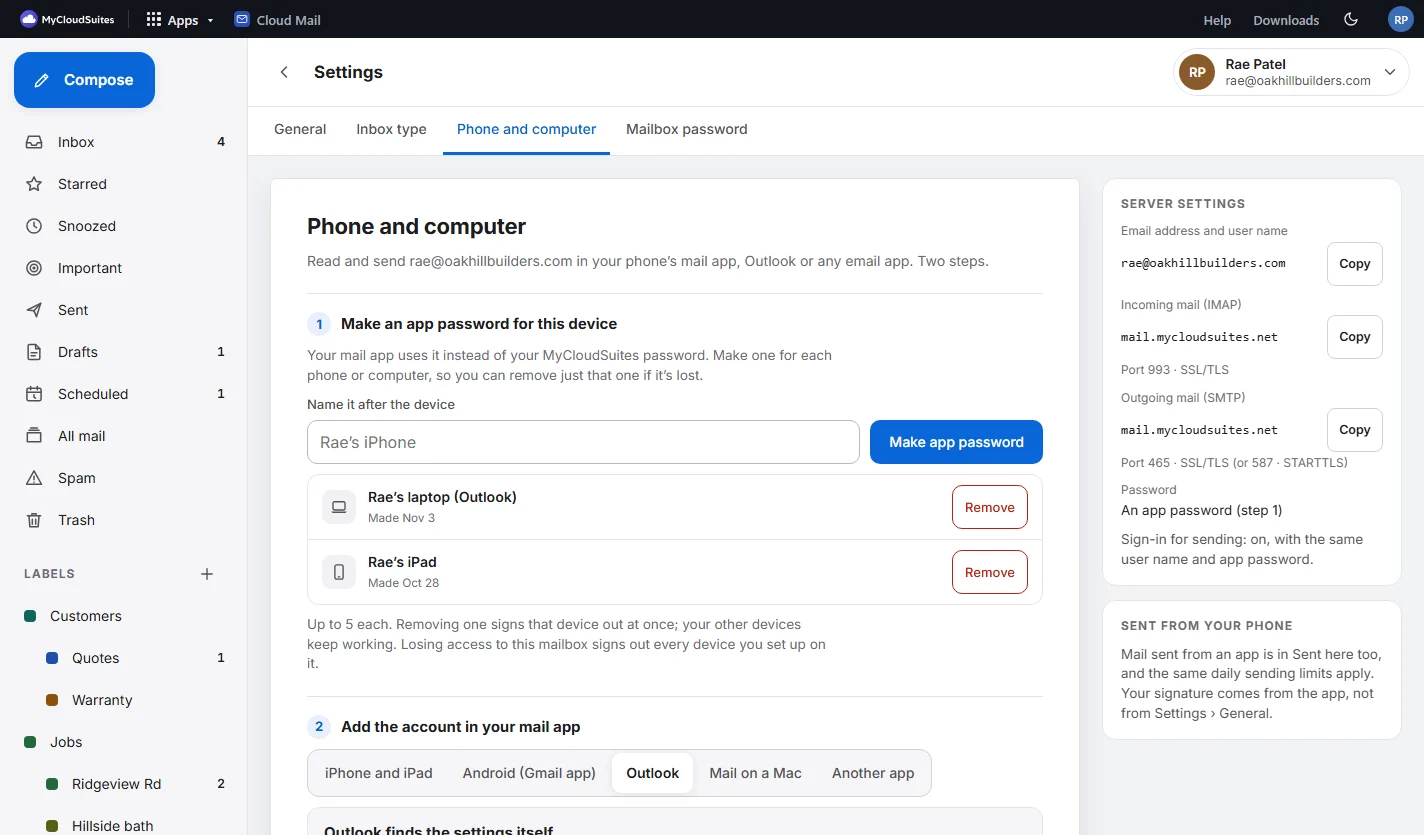
Make an app password for the device, then follow the steps for it, with your address and the server already filled in.

  • iPhone, iPad and Mac: a setup profile does it for you
  • Android’s Gmail app, Outlook, and any app that does IMAP
  • Each device separately: remove one, the others keep working
Settings, Phone and computer: make an app password named after the device, the list of devices with Remove, steps for iPhone, Android, Outlook and Mac, and the server settings The same in dark mode
On your phone

The whole thing, in your phone’s browser.

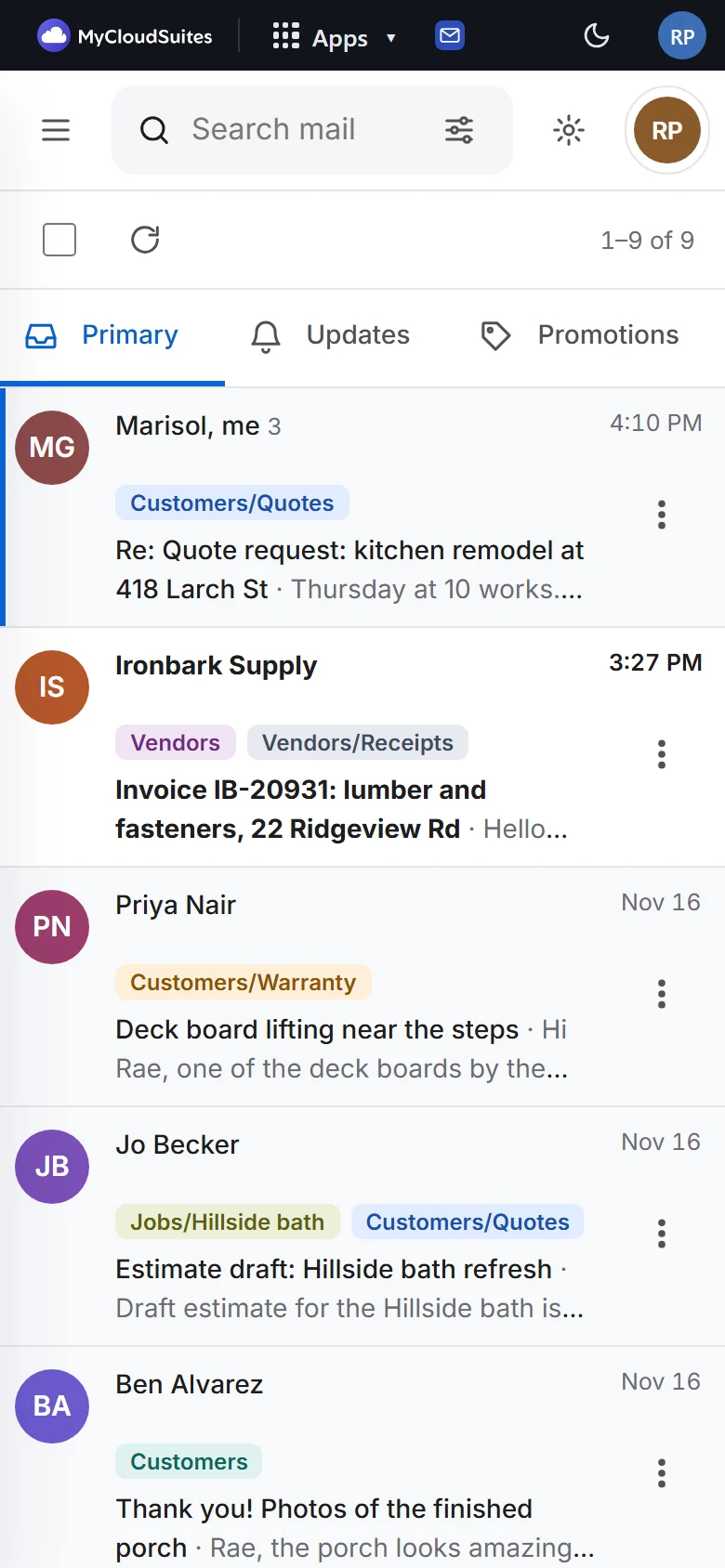
Folders in a drawer, swipe a conversation to archive or snooze it, and big buttons. Add it to your home screen and it opens like an app.

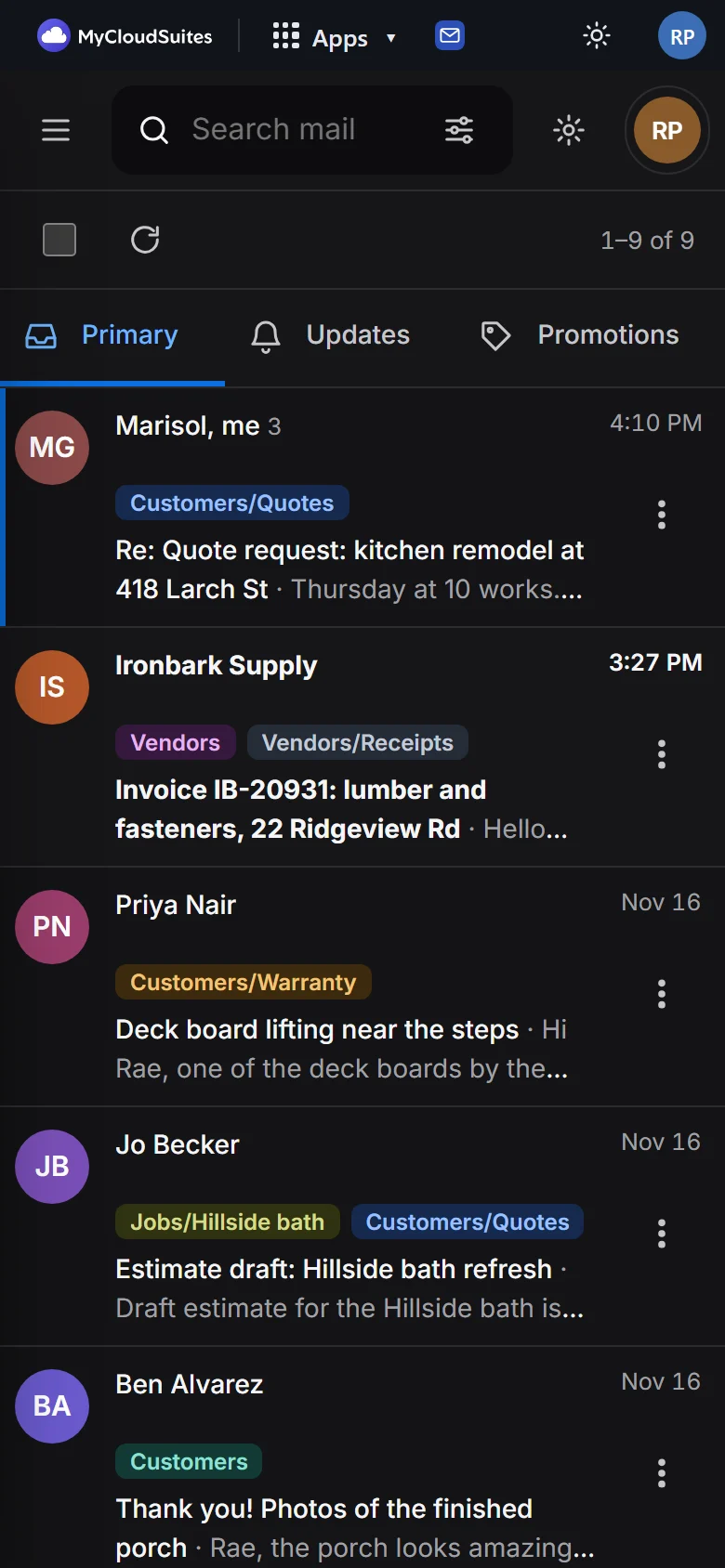
Cloud Mail’s Inbox on a phone: conversations with their senders’ initials and labels The same in dark mode

Priced per mailbox.

Pick a plan for each mailbox; mix them however your company needs. Shared mailboxes are priced the same.

Starter

$7 a mailbox a month

  • 10 GB of mail and attachments
  • Everything on this page

Business

$9 a mailbox a month

  • 30 GB of mail and attachments
  • Everything on this page

Business Plus

$15 a mailbox a month

  • 100 GB of mail and attachments
  • Everything on this page

Prices in US dollars, plus tax where it applies. Billed monthly on your company plan, with your company’s other MyCloudSuites apps. Change a mailbox’s plan or remove it any time in Company › Mail.

How to get started

You need an organization on MyCloudSuites and a domain your company owns.

Add your domain

On your account page, open Company › Domains and add your company’s domain. Copy the records it shows to your domain’s provider; Cloud Mail checks them for you.

Make the mailboxes

In Company › Mail, make a mailbox for each person, and shared ones like billing@. You see the price before you pay.

Give them out

Choose who has each mailbox. They open it with the MyCloudSuites sign-in they already have.

Add phones if you like

In Cloud Mail, Settings › Phone and computer sets up a phone’s mail app or Outlook in a few steps.

The rest of the suite

One free account for every app, on your computer and in your browser.

Questions

How much does it cost?

Each mailbox is $7 a month on Starter (10 GB), $9 on Business (30 GB) or $15 on Business Plus (100 GB), plus tax where it applies, billed monthly on your company plan. Shared mailboxes cost the same as anyone’s. Help me write uses AI credits, only when you click it.

Do I need my own domain?

Yes. Cloud Mail is email on your company’s own domain, like oakhillbuilders.com. If you don’t have one yet, buy it from any domain provider, then add it in Company › Domains.

Can I keep using my phone’s mail app or Outlook?

Yes. Make an app password in Settings › Phone and computer, and follow the steps for your app: iPhone, iPad and Mac (with a setup profile), Android’s Gmail app, Outlook, or any app that does IMAP.

Is my mail read?

No. There are no ads in Cloud Mail and your mail is never read to sell them. Nothing reads it to train AI either: Help me write runs only when you click it, on what you ask.

Who can open a mailbox?

Only the people your company’s owners and admins give it to, each with their own MyCloudSuites sign-in. Anyone can add a password of their own to a mailbox, asked for when they open it. Owners and admins can see who did what in Activity, but never what the mail says.

What happens when someone leaves?

Take them off the mailbox, or out of your company, and they can’t open it any more; the phones and computers they set up on it are signed out too. Their own mailbox can be given to someone else, or removed.

Bring your company’s email to Cloud Mail.

From $7 a mailbox a month, plus tax. In the browser, your phone’s mail app or Outlook.