Cloud Sheets by MyCloudSuites

AvailableFree

Spreadsheets, with everything they need

Open, edit and save .xlsx workbooks with formulas, formatting, tables, charts and printing. What you save opens in Excel the way you left it.

Cloud Sheets is made for a computer. On a phone, send yourself the link and open it there.

A desktop app for Windows 10 and 11 and for Macs (Apple silicon and Intel), and the same app in Chrome or Edge, signed in. Your files stay on your computer unless you save them to MyCloudSuites (MyCloudSuites Plus).

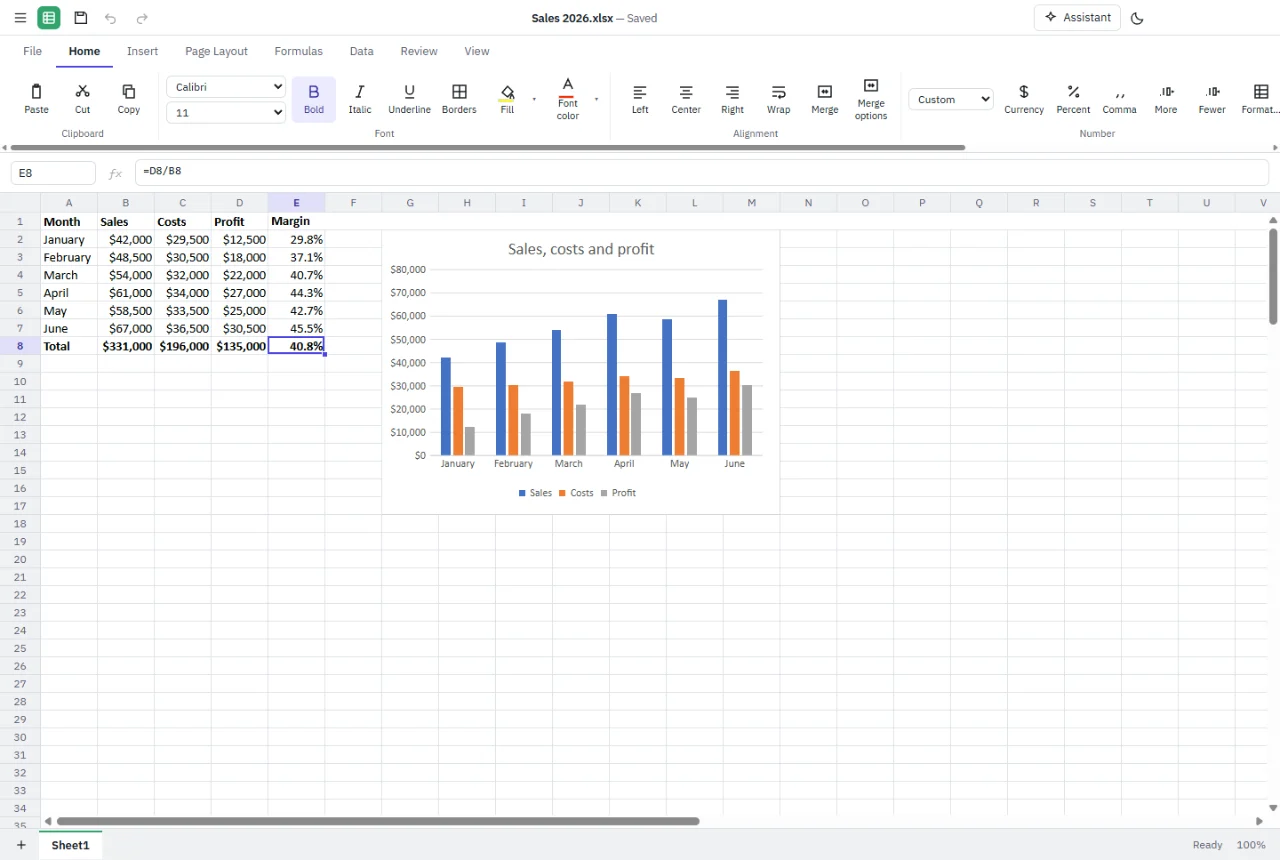
Cloud Sheets with a sales table of six months, profit and margin formulas, and a column chart of sales, costs and profit
  • Excel opens what you save
  • Opens .xlsx, .xls, .xlsb and .csv
  • Your files stay on your computer unless you save them to MyCloudSuites
  • Free, with every feature included

Everything a spreadsheet needs.

From a monthly budget to a workbook of many sheets, tables and charts.

Open and save .xlsx files.

Open and save .xlsx, older .xls and binary .xlsb workbooks, and .csv files, each kept in its own format. Anything Cloud Sheets doesn't edit yet is kept as it was when you save.

Formulas you know.

485 functions, from SUM and VLOOKUP to XLOOKUP, FILTER and the financial and statistical ones, with dynamic arrays that spill. Every function is checked against Excel's own results.

Formatting.

Fonts, fills, borders, alignment and merged cells, number formats for currency, percent and dates, conditional formatting with color scales, data bars and icons, and data validation.

Tables, sort and filter.

Format a range as a table with its own styles and total row. Sort and filter columns, find and replace, remove duplicates, and freeze the rows and columns you want to keep in view.

Charts.

Column, bar, line, pie, area, scatter and radar charts, and combos, made from your cells in a click. They update when the numbers do.

Pictures and shapes.

Put pictures, shapes, arrows and text boxes over your cells, and they move with the cells as you insert rows and columns.

Print and save as PDF.

Margins, paper, orientation, fit to a page, headers and footers and titles repeated on each page, with a preview of the pages before you print or save a PDF.

An assistant, if you want one.

Ask about a workbook or have it build formulas and tables, with your own Claude API key or your ChatGPT plan. Every change it makes is shown to you first and can be undone.

Keeps your work.

A copy of an unsaved workbook is kept every few minutes, so if Cloud Sheets ever closes unexpectedly it's offered when you open it again. It updates itself too.


See it in action.

These are real screenshots of Cloud Sheets. Click any picture to see it full size.

Formulas

The functions you know, with hints as you type.

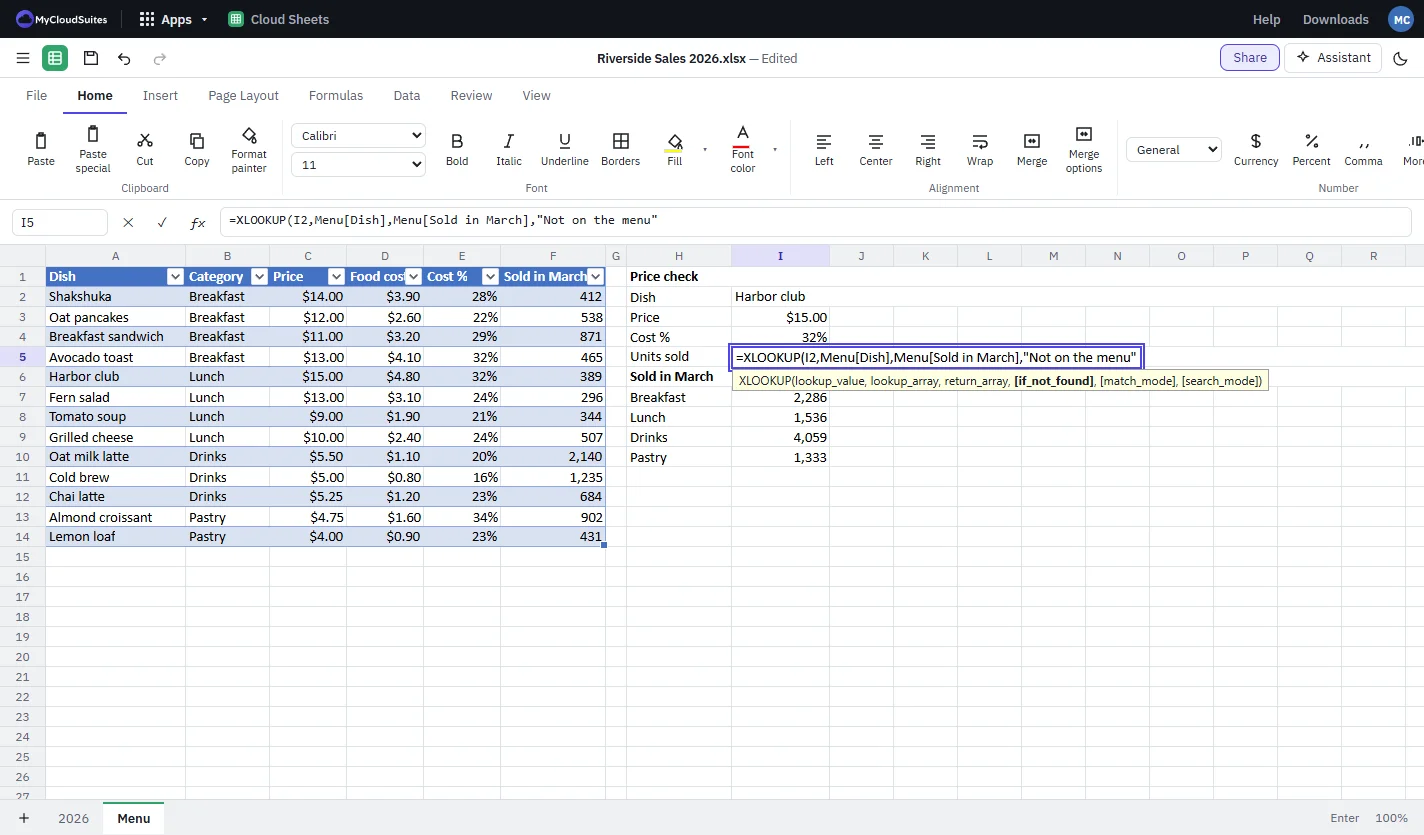
Start typing a function and Cloud Sheets suggests it, then shows each argument as you go.

  • 485 functions, from SUM to XLOOKUP and FILTER
  • Dynamic arrays that spill
  • Named ranges and table references
  • Trace precedents and dependents
A cell being edited with an XLOOKUP formula, a tooltip listing its arguments, beside a menu table and SUMIFS totals by category
Charts

Charts that update with your numbers.

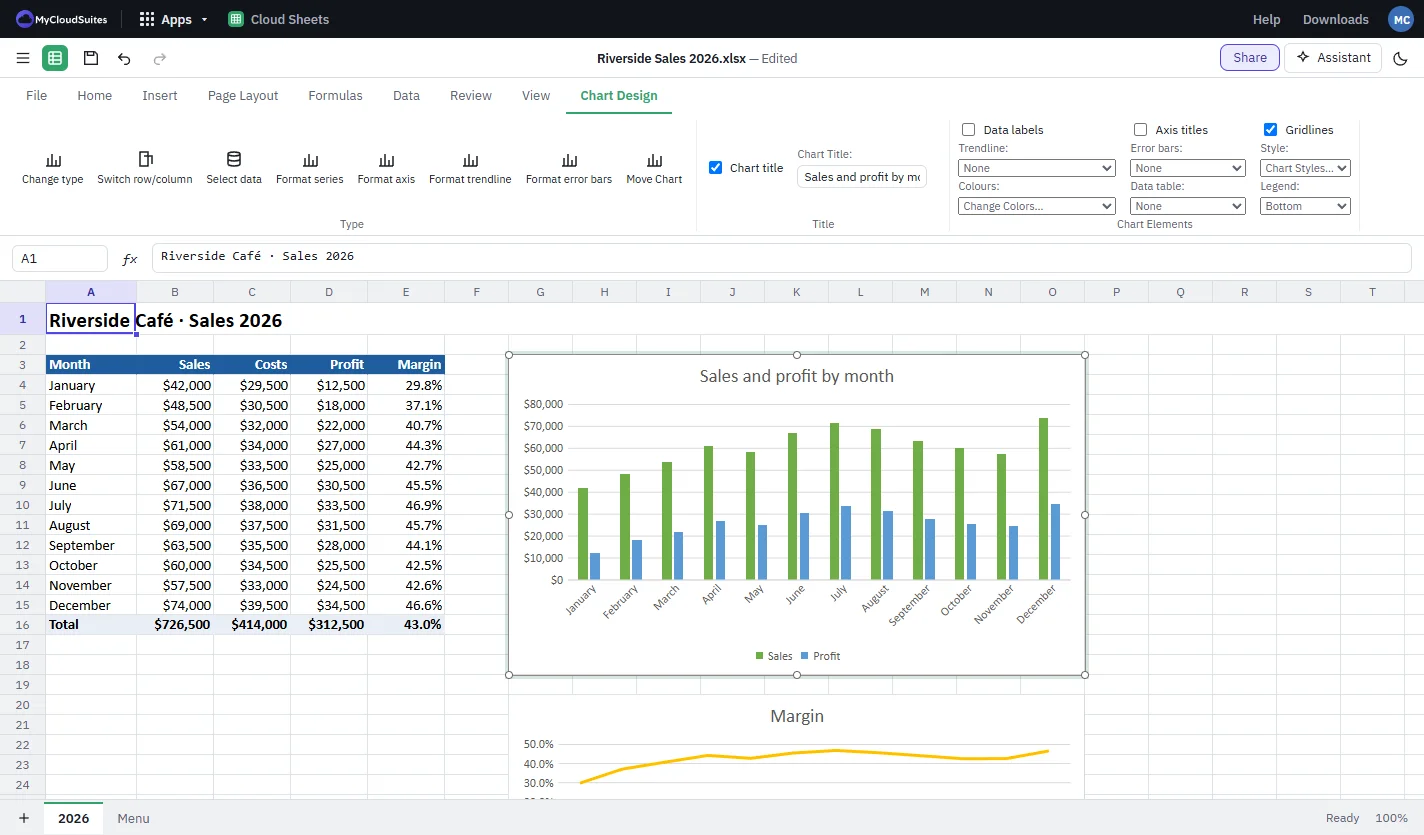
Pick a chart from Insert, then title it, label it and change its colors on the Chart Design tab.

  • Column, bar, line, pie, area, scatter and more
  • Combo, waterfall, stock and statistic charts
  • Titles, data labels, trendlines and legends
  • Sparklines in a cell
A selected column chart of sales and profit by month beside the sales table, with the Chart Design tab’s type, series, title, labels, trendline, colors and legend options
Tables

Sort, filter and see the pattern.

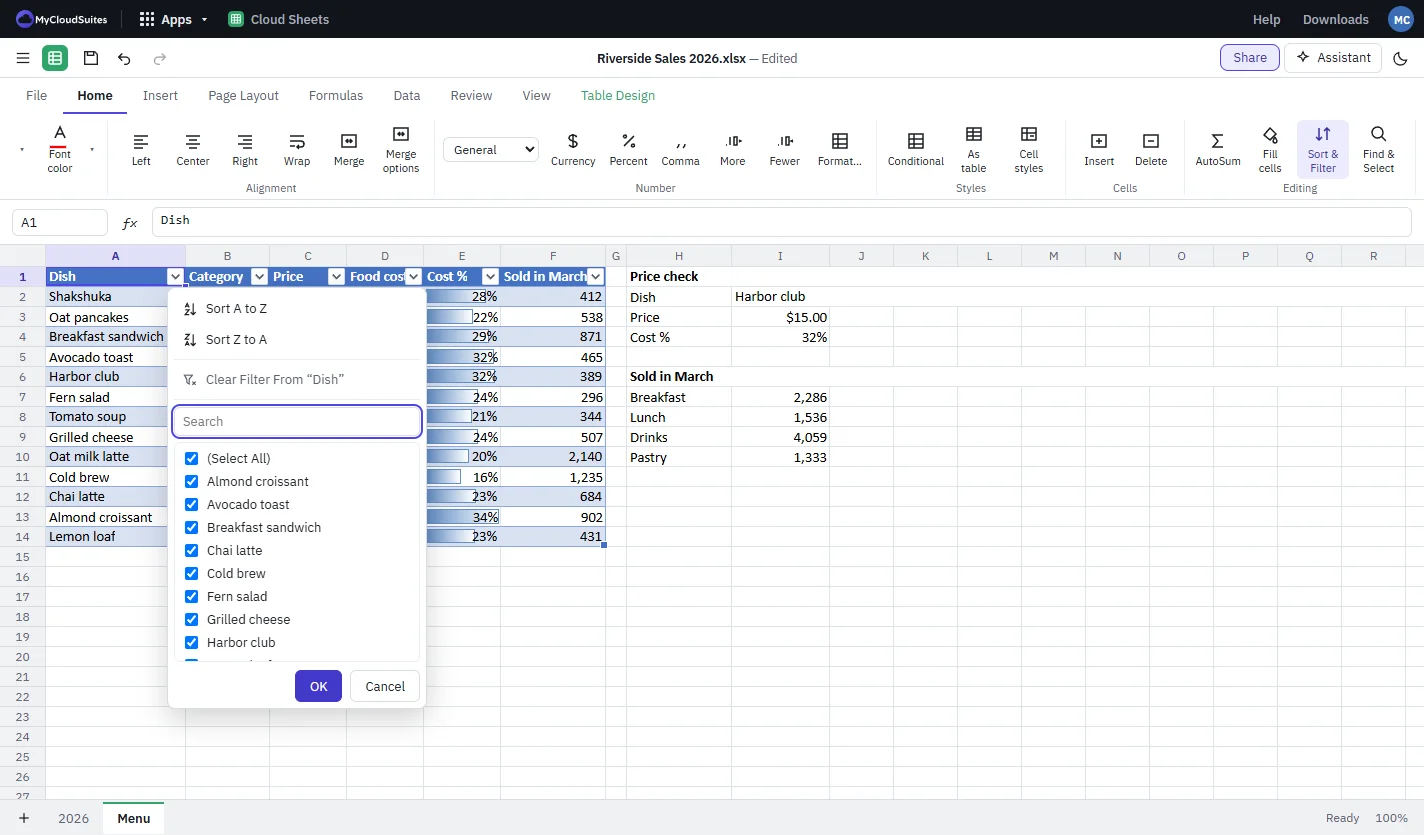
Format a range as a table and it gets filter buttons, styles and a total row. Conditional formatting shows what stands out.

  • Sort and filter any column
  • Data bars, color scales and icons
  • PivotTables, slicers and timelines
  • Remove duplicates and data validation
A menu table with blue data bars in its Cost % column and the Dish column’s filter open with sort options, a search box and a checklist
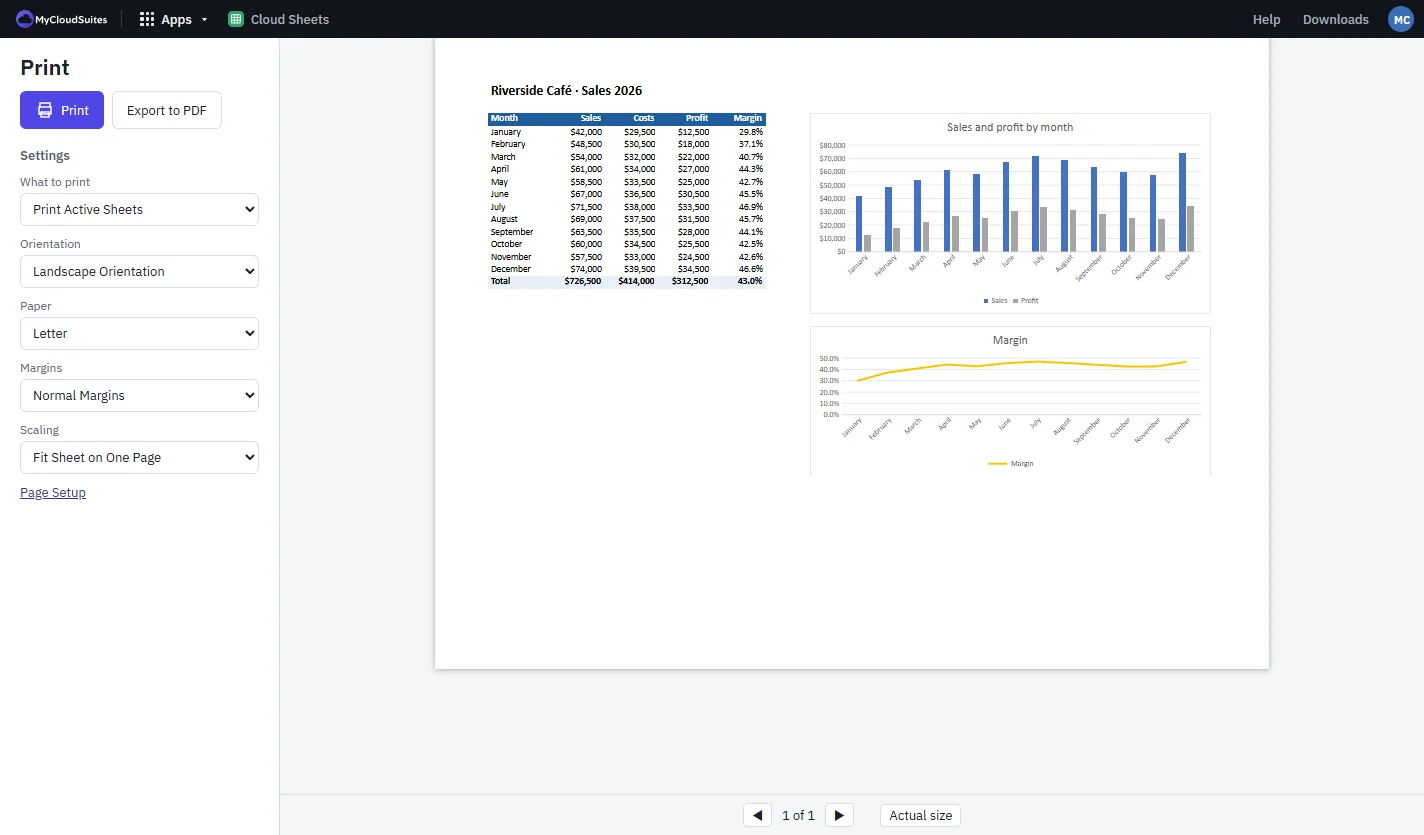
Print

Print it the way you want it.

See every page before you print or save a PDF, and fit a sheet to one page in a click.

  • Orientation, paper size and margins
  • Fit to one page, or to a width
  • Headers, footers and repeated titles
  • Export to PDF
The Print screen set to landscape, letter paper, normal margins and fit sheet on one page, previewing the sales table and two charts

How to build a spreadsheet

Four steps, from a blank sheet to a chart.

Start a workbook

Choose File › New for a blank workbook, or File › Open for one you have.

Enter your data

Type it in, then make it a table with Home › As table to get filter buttons.

Add formulas

Use AutoSum or Formulas › Insert function, or type a formula such as =SUMIFS(…).

Chart and save

Choose a chart from Insert, style it on Chart Design, then File › Save or Export PDF.

Works with the files you have.

Excel workbooks first, and text files too.

.xlsx

  • Excel workbooks (.xlsx): open and save
  • Everything Cloud Sheets doesn't edit yet kept when you save

Older workbooks

  • Excel 97–2003 workbooks (.xls): open and save
  • Binary workbooks (.xlsb): open and save
  • Macro-enabled workbooks (.xlsm): open; macros are kept, never run

Text and PDF

  • CSV (.csv): open and save
  • Save as PDF
  • Print

The rest of the suite

One free account for every app, on your computer and in your browser.

Questions

What is Cloud Sheets?

Cloud Sheets is a spreadsheet app. It opens and saves Excel workbooks with their formulas, formatting, tables and charts, in a desktop app of its own.

Is it really free?

Yes, Cloud Sheets is free.

Will Excel open the workbooks I save?

Yes. Cloud Sheets saves standard .xlsx files, and Excel opens them with their formulas, formatting, tables, charts and page setup. Our tests open what Cloud Sheets saves in Excel and check it.

Do I need Microsoft Office installed?

No. Cloud Sheets opens, calculates and saves workbooks itself. It's built from the published specifications of the Excel file formats.

Are my workbooks uploaded anywhere?

No. Cloud Sheets opens and saves files on your own computer. The assistant sends what you ask it, and the parts of the workbook it needs, to the AI service you choose, only when you use it.

Which computers does it run on?

Windows 10 and 11, and macOS 13 or later on Apple silicon and Intel Macs. It also runs in current Chrome or Edge at mycloudsuites.com/apps/sheets once you sign in, saving back to the file you opened; there, the assistant and connecting AI apps are still desktop only.

Is anything missing?

Some things Excel has aren't in Cloud Sheets yet, such as running macros, Power Query and Power Pivot, and OpenDocument (.ods) files. Workbooks that have them still open, and what Cloud Sheets doesn't edit is kept when you save.

Your spreadsheets, free.

Cloud Sheets is one free download for Windows, and it keeps itself up to date.