Cloud Notes by MyCloudSuites

BetaFree

Cloud Notes is in beta: it works, it’s free, and it’s updated often while we finish it. Tell us what you find.

Notes, checklists and linked pages, free

Pages inside pages, links between them, checklists with due dates, and tables that turn into boards and calendars. Every note is a plain Markdown file.

Cloud Notes is made for a computer. On a phone, send yourself the link and open it there.

In your browser. Your notes stay in this browser or in a folder you pick, unless you turn on sync with Plus. Windows and Mac versions come later.

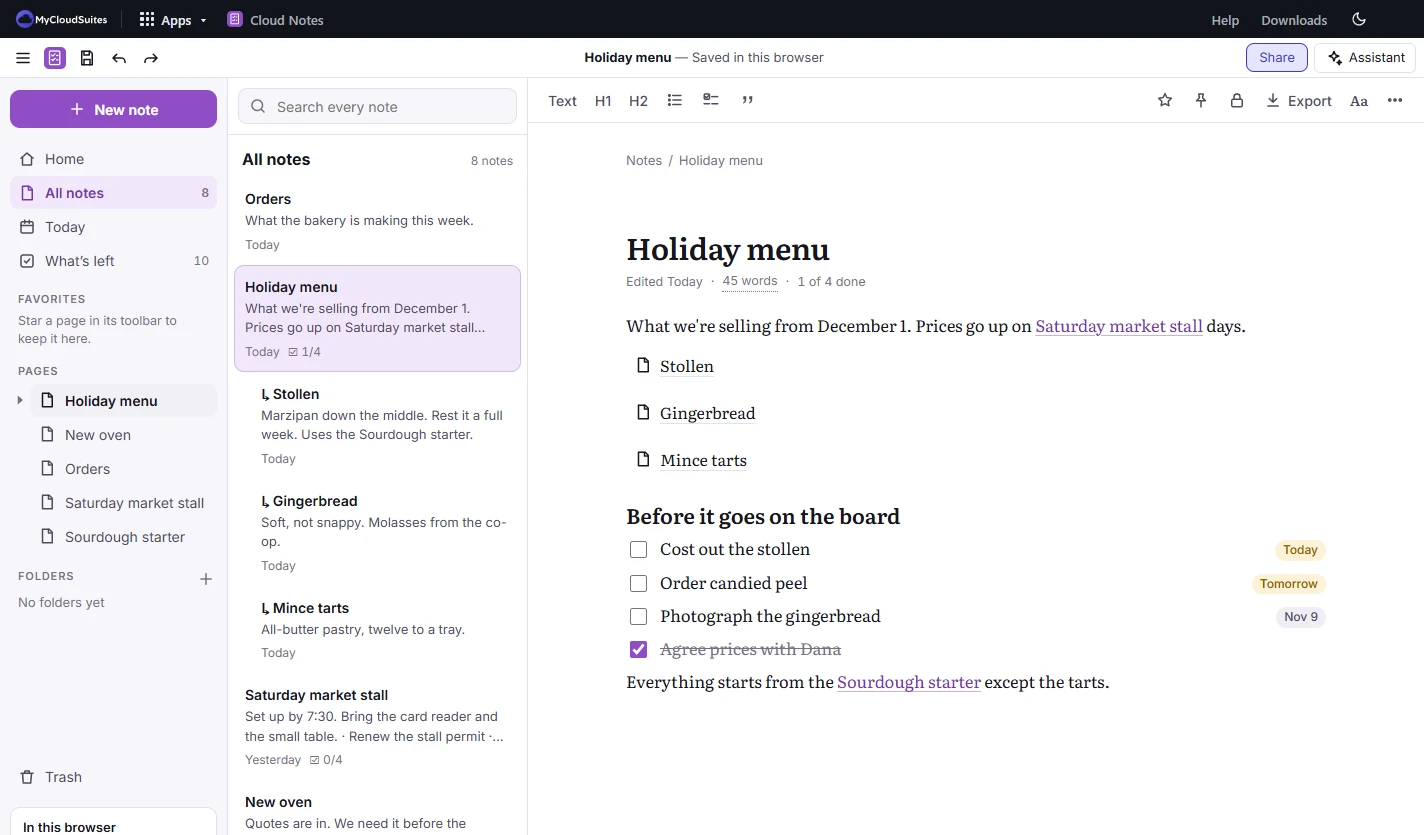
Cloud Notes with a bakery’s Holiday menu note open: three sub-pages, a checklist with due dates, and the list of notes beside it
  • Plain Markdown files
  • Everything left to do, in one list
  • Stays on your computer
  • Free, with no time limit

One place for what you need to remember.

From a shopping list to a small team’s orders.

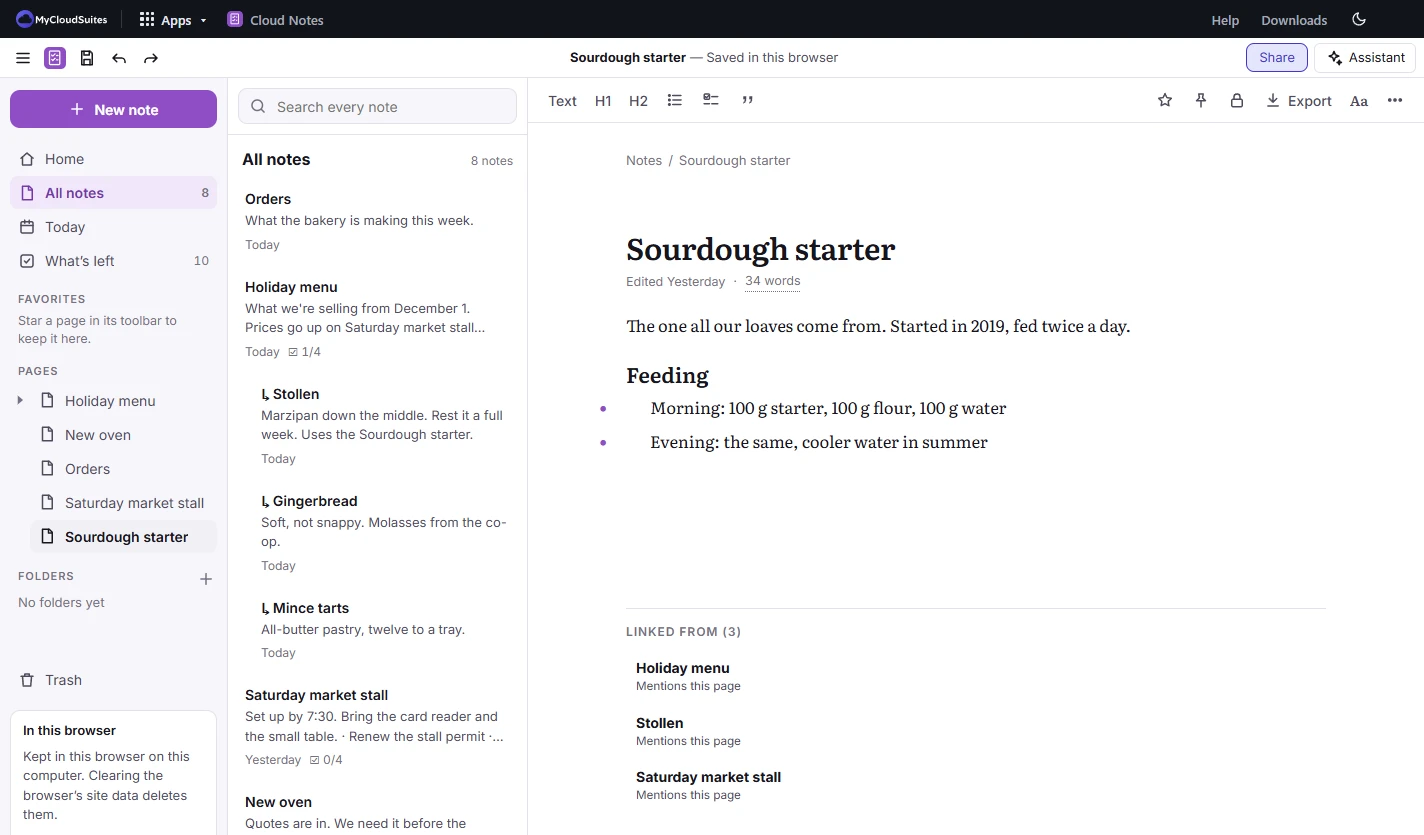
Pages inside pages

Nest pages as deep as you like, with breadcrumbs and a page tree to find your way back.

Links both ways

Type [[ to link to a page. The page you linked to lists every note that mentions it.

What’s left

Every unchecked item in every note, by when it’s due. Tick one there and it’s ticked in its note.

Tables and boards

Turn rows into a table, a board, a calendar, a chart or a form, and every row is a page of its own.

Locked notes

Lock a note with a password. It’s encrypted on your device, and there’s no way back in without the password.

An assistant if you want one

Ask about your notes with AI credits or your own key. Locked notes are never sent.

See it in action.

These are real screenshots of Cloud Notes. Click any picture to see it full size.

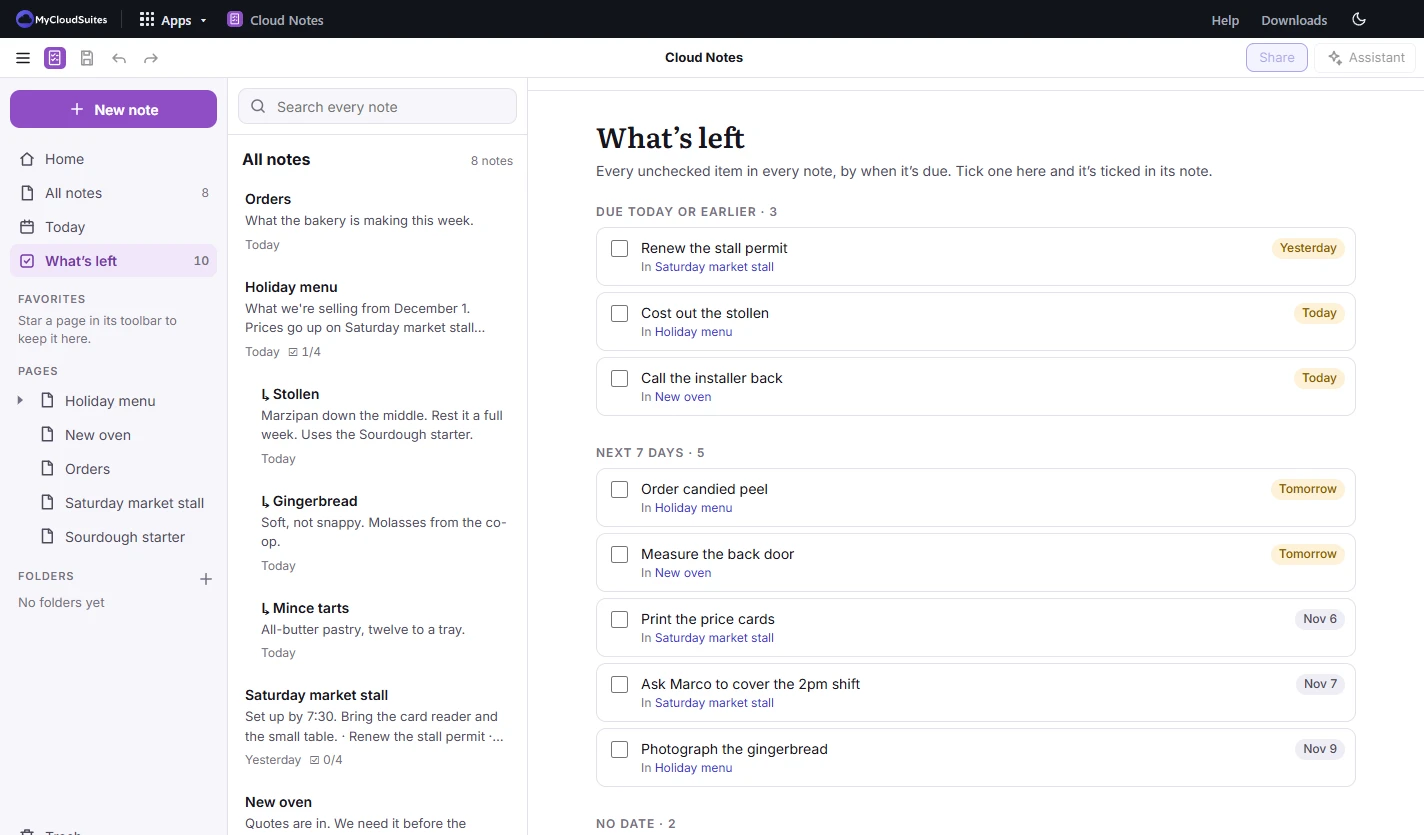
What’s left

Everything you said you’d do, in one list.

Add a due date to a checklist item in any note, and it shows up here by when it’s due.

  • Due today or earlier, the next 7 days, and no date
  • Each item says which note it’s in
  • Tick it here and it’s ticked in the note
  • A Today note for each day
Cloud Notes’ What’s left page listing unchecked items from several notes, grouped by due today or earlier and next 7 days
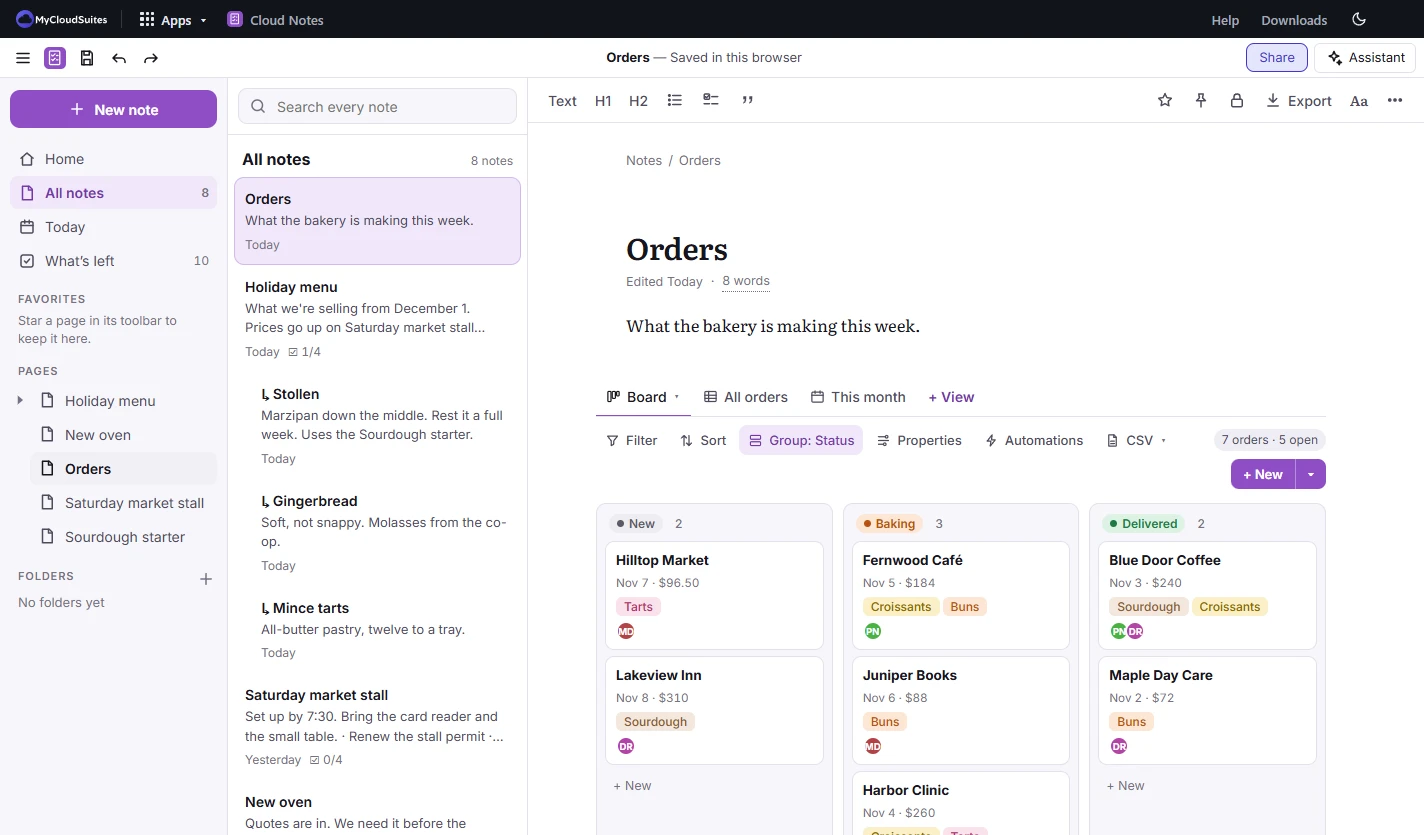
Tables and boards

Keep track of things, not just write them down.

Add a table to any page and look at it the way that suits you. Filter, sort and group without changing the rows.

  • Table, board, list, gallery, calendar, timeline, chart and form views
  • Numbers, dates, selects, formulas, relations and rollups
  • Automations: when a row changes, set a status or a date
  • Import and export .csv
Cloud Notes showing an Orders table as a board with New, Baking and Delivered columns of customer cards

How to start your notes

Three steps, and you’re writing.

Open Cloud Notes

Choose Open in browser and sign in with your free account.

Choose where notes live

Keep them in this browser, or pick a folder on your computer. In a folder they’re ordinary .md files.

Write

Choose New note and start typing. Type / for checklists, tables, pictures, code and more.

Find it again

Use Search every note, What’s left or Today, or star a page to keep it in Favorites.

Your notes are never stuck.

Plain files you can open anywhere, and exports for everything else.

Markdown

  • Each note is a .md file other editors can open
  • Kept as it was written, even the parts we don’t edit

Export

  • Markdown, PDF, Word and a web page
  • A table as .csv

Inside a note

  • Pictures, video, audio, PDFs and other files
  • Equations, diagrams and code
  • Web bookmarks and embeds

Questions

Is it really free?

Yes. Everything on one computer is free. The AI assistant uses AI credits or your own key, and emailing a note, sync, sharing and publishing are part of MyCloudSuites Plus.

What does beta mean?

Cloud Notes works today, and we’re still adding to it and changing it often. If something isn’t right, tell us.

Where are my notes kept?

In this browser, or in a folder you pick on your computer. Nothing is uploaded. If you keep them in the browser, clearing its site data deletes them, so pick a folder for anything you can’t lose.

Do my notes sync across my devices?

Yes, with MyCloudSuites Plus. Plus also lets you share a page with people and edit it together, comment, publish a page to the web, and share a database’s form with a link. People you invite don’t need Plus. Without Plus, a folder you already sync yourself works.

What if I forget a locked note’s password?

It can’t be opened. It’s encrypted on your device and we don’t have the password, so there’s no way to recover it. Locked notes never go to the assistant.

Can I bring notes from another app?

Yes. Markdown files open as they are, and Import in the sidebar brings in notes from other apps.

Which computers does it run on?

Any computer with a current Chrome, Edge, Firefox or Safari. To keep notes in a folder you need Chrome or Edge. Windows and Mac versions come later.

Start your first note.

Free in your browser, with one account for every app.