

Sign a PDF for free
Fill in a form, add your signature, initials and today's date, and save. When the signature has to prove the document hasn't changed, sign with a digital ID instead.
Free in Chrome or Edge, or as a desktop app for Windows and Mac. Needs a free account.
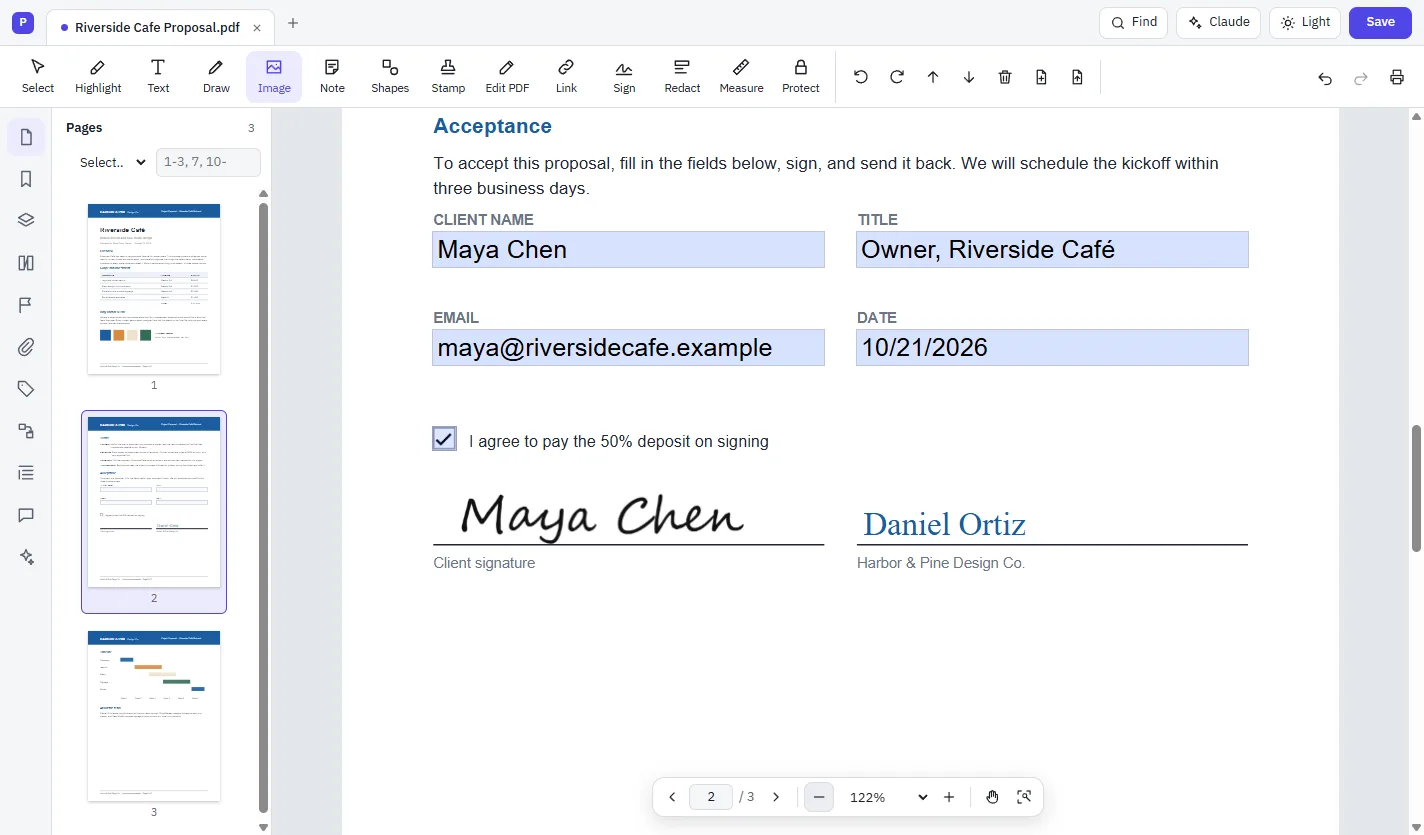
How to sign a PDF
Open the PDF
Open it in Cloud PDF. Click a form field and type, or tick its boxes.
Choose Sign
Choose Sign on the toolbar, then + Add signature.
Make your signature
Draw it, Type your name or use an Image. Keep Save for next time on.
Place it and save
Click where it goes on the page, then File › Save.
Fill & Sign
The quick way to sign, like ink on paper.
- Typed, drawn or picture signatures and initials, saved for next time
- Today's date in one click
- Checks, crosses, dots, lines and circles for paper-style forms
- Type anywhere on a form that has no fields
Digital signatures
Proof the document hasn't changed since you signed it.
- Certificate-based signatures in the PAdES format
- Create your own digital ID, or import one as a .pfx or .p12 file
- Timestamps and long-term validation
- Smart cards and IDs from the Windows certificate store or the macOS keychain, in the desktop app
- Check the signatures in a PDF you received
Questions
Is signing a PDF free?
Yes. Fill & Sign and digital signatures are both included in Cloud PDF, which is free.
Can I sign a PDF without printing it?
Yes. Fill in the form on screen, place your signature, and save. Nothing needs to be printed or scanned.
What's the difference between a signature and a digital signature?
Fill & Sign adds a picture of your signature to the page. A digital signature uses a certificate to prove the document hasn't changed since you signed it, and can carry a timestamp of when you signed.
Is it legally binding?
That depends on where you are and what you're signing. Cloud PDF makes PAdES certificate signatures with timestamps and long-term validation; check what your document requires.
Can I sign in my browser?
Yes. Fill & Sign works in Chrome and Edge, and so do digital IDs from a .pfx or .p12 file or one you create in the browser. Smart cards and the Windows certificate store need the desktop app.
More free PDF tools
Sign your PDF in a minute.
Free in your browser, or on Windows and Mac.