

Edit PDFs online, without uploading them
Cloud PDF runs in your browser and edits the PDF right on your computer. Change text and images, fill and sign, comment and redact. Your file is never sent to our servers.
Free. Sign in or create a free account first, then the editor opens.
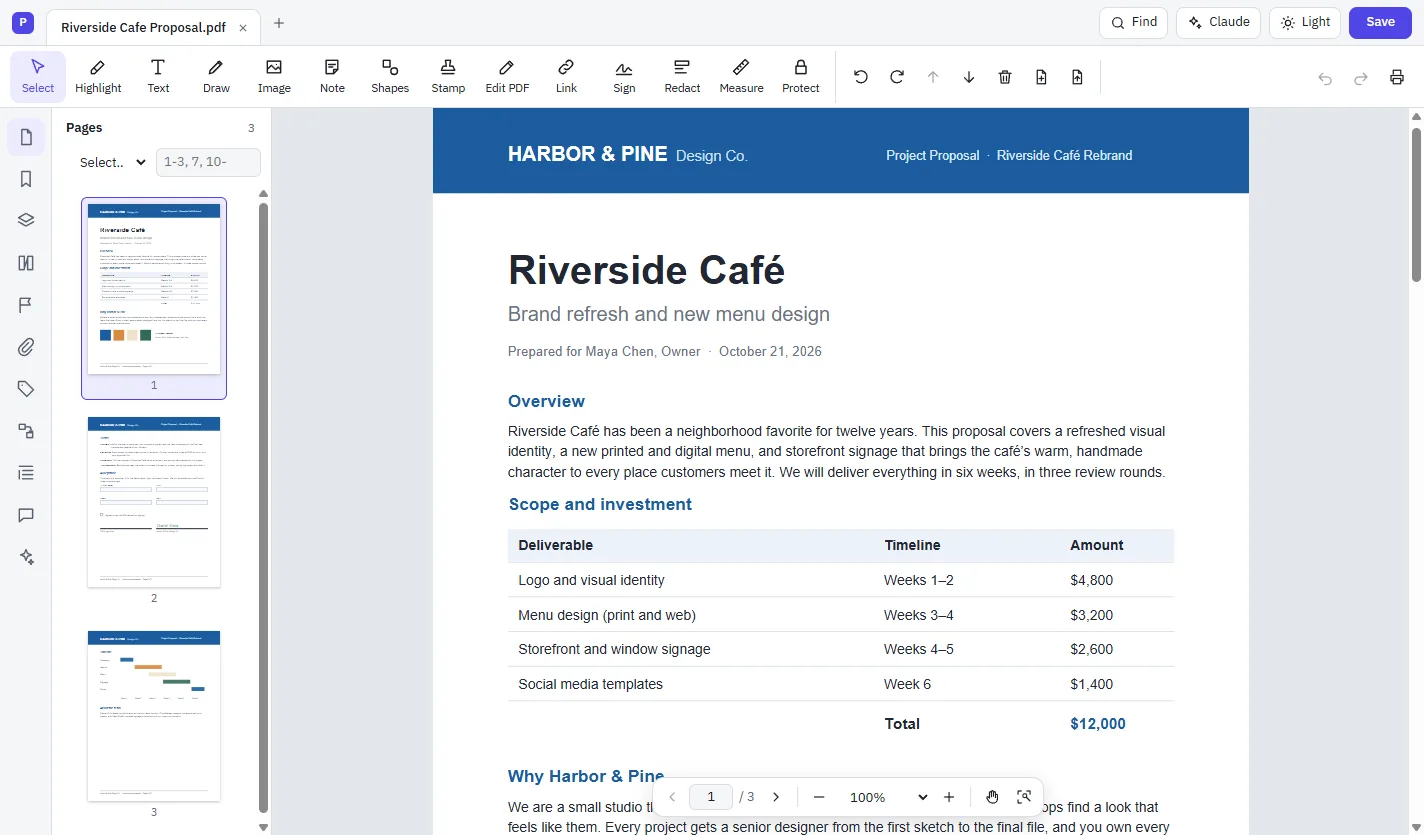
How to edit a PDF online
Open the editor
Go to mycloudsuites.com/app in Chrome or Edge and sign in.
Open your PDF
Choose File › Open… and pick the PDF on your computer.
Edit
Choose Edit PDF, click the text and type. Or pick Sign, Highlight, Redact or another tool.
Save
Choose File › Save. Your browser may ask you to allow saving changes to the file.
What you can do in the browser
- Edit text and images, and organize pages
- Fill in and sign forms, and create forms
- Comments, highlights, stamps and redaction
- Open, protect and unlock password-protected PDFs
- Sign with a digital ID from a .pfx or .p12 file
- Recognize text in scanned pages (OCR)
- Export a PDF to Excel or PowerPoint
- Write Word documents in Cloud Docs
Your files stay yours
Most online PDF editors upload your document to their servers. Cloud PDF doesn't. The browser opens the file from your computer and saves it back there, just like a desktop app.
A few things need the desktop app, because a browser can't do them: scanning, converting to and from Word, and signing with a smart card. The full list.
Questions
Is it free to edit PDFs online?
Yes. Cloud PDF is free in the browser and on the desktop, with every feature included. You need a free MyCloudSuites account.
Is my PDF uploaded?
Not unless you choose to. Your document stays on your computer; it's stored with MyCloudSuites only if you use Save to MyCloudSuites (MyCloudSuites Plus), and the optional AI assistant sends only the pages you choose, straight to Anthropic.
Which browsers work?
A current version of Google Chrome or Microsoft Edge on a desktop or laptop computer. Other browsers aren't supported yet.
Can I edit a scanned PDF online?
Yes. Run Recognize Text (OCR) first. The language data is downloaded once the first time you use each language; your document isn't sent anywhere.
Is there a desktop version?
Yes, for Windows 10 and 11 and macOS 13 or later. It's the same app, plus the few tools a browser can't do. Download it free.
More free PDF tools
Edit a PDF in your browser now.
Free, private, and nothing to install.