


Cloud CAD by MyCloudSuites
Free 2D drafting, with AI that draws what you describe. Cloud CAD isn’t out yet. It’s on the way, and it will be free like every MyCloudSuites app.
We’ll tell you the day it’s out, and email you about nothing else.
We’ll send a link to confirm first. Your address is only used to announce Cloud CAD, and every email has an unsubscribe link. Privacy
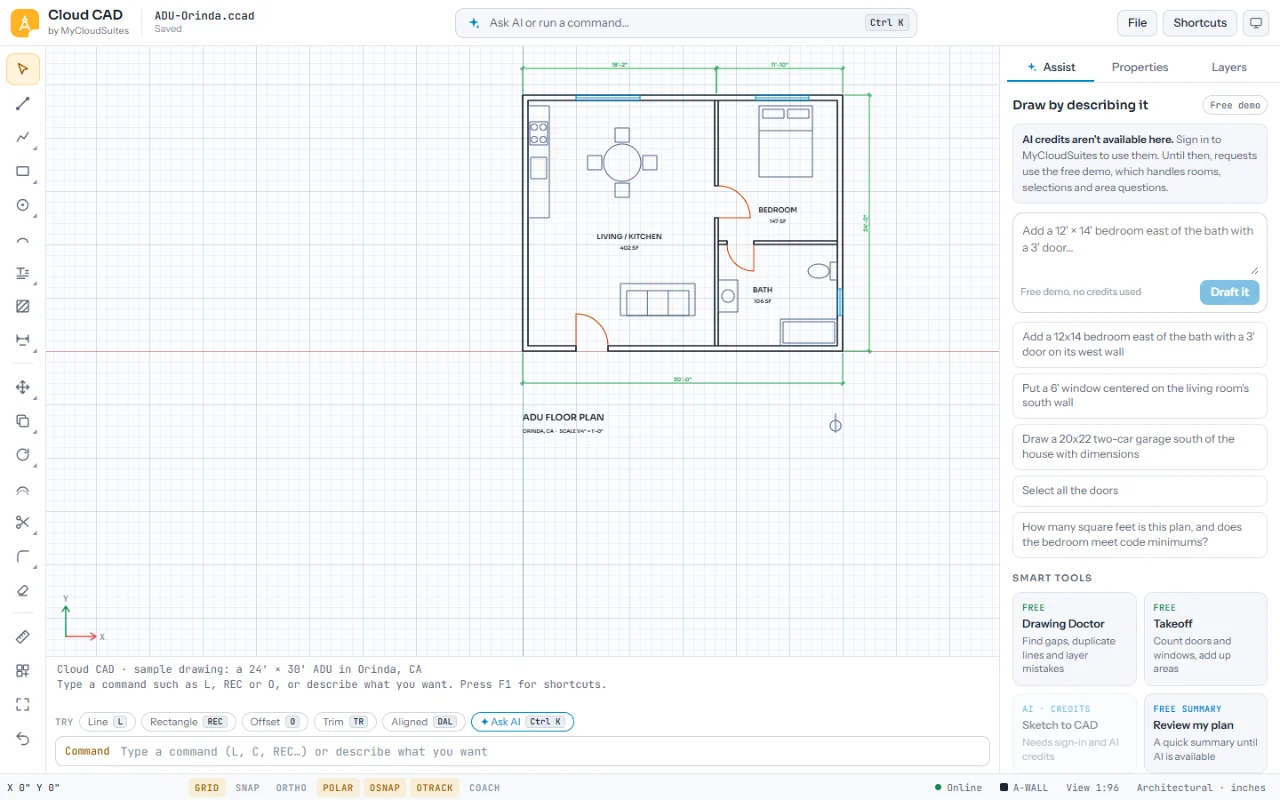
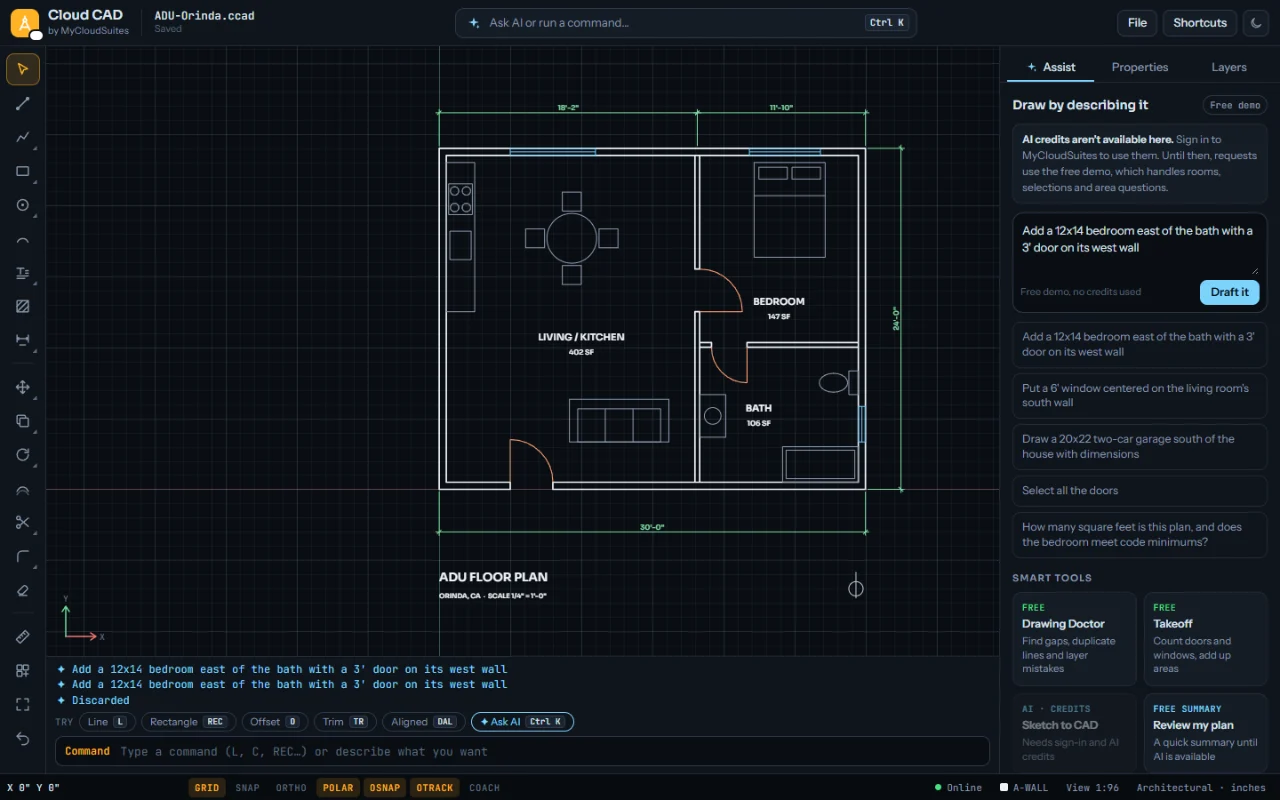
What it will do
Plans and details, with the shortcuts drafters already know and an assistant that drafts for you.
Draft with the shortcuts you know
Lines, arcs, polylines, hatches, text and dimensions, with snaps, layers and blocks. Type L, REC, O or TR, or click.
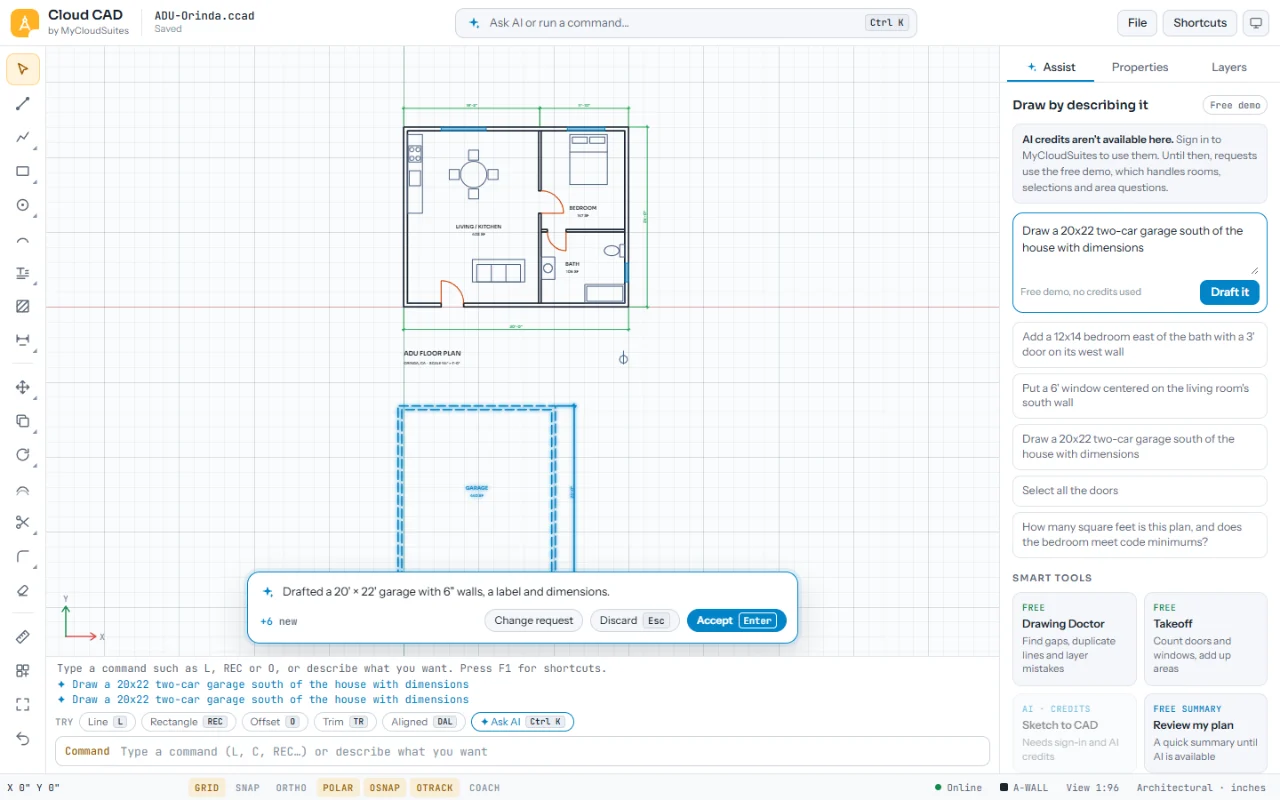
Draw by describing it
Ask for a room, a window or a garage, and it drafts it with walls, labels and dimensions for you to accept or change.
Free smart tools
Drawing Doctor finds gaps, duplicate lines and layer mistakes. Takeoff counts doors and windows and adds up areas.
Opens and saves .dwg and .dxf
Bring drawings from other CAD programs, and send yours back. A .dwg file goes to our server to be converted.
On your computer and in your browser
A desktop app for Windows and Mac, and the same app in Chrome or Edge.
Works offline
Drawing, editing, layers and the free tools work without a connection. DWG files, the AI tools, saving to MyCloudSuites and updates need the internet.
An early look
From the build we’re testing now. It will change before it’s out.
Use the rest of the suite today
Cloud CAD will use the same free account as the apps you can use now.









Questions
Will it be free?
Yes. Cloud CAD will be free, like every MyCloudSuites app, on your computer and in your browser.
When will it be out?
We don’t have a date yet. Cloud CAD comes after the apps we’re building now. Leave your email above and we’ll tell you the day it’s out.
Can I use it now?
Not yet. Until then, Cloud PDF, Cloud Docs, Cloud Sheets, Cloud Slides, Cloud Books, Cloud Photo, Cloud Notes, Cloud Video and Cloud Time are ready to use.
Will it open my files?
Yes. It opens and saves .dwg and .dxf drawings, and its own .ccad files. DWG files are converted on our server, so they need the internet.
What happens to my email address?
We only use it to tell you Cloud CAD is out. You confirm it first, you can unsubscribe from any email, and we never share it.
Do I need an account?
You’ll need a free MyCloudSuites account to use it, the same one you use for Cloud PDF. You don’t need one to sign up for the email.
Does it work offline?
Yes, for drawing. Drawing, editing, layers, the free tools, and .ccad and .dxf files work without a connection. Opening and saving .dwg files, the AI tools, saving to MyCloudSuites, signing in and updates need the internet, and the app says which is which.
Is the AI free?
Drafting and the free tools are free. The AI tools use AI credits, bought ahead in your account, and each one shows what it costs before it runs.
Be first to try Cloud CAD
An email the day it’s out. Free, like every app.