Cloud Video by MyCloudSuites

BetaFree

Cloud Video is in beta: it works, it’s free, and it’s updated often while we finish it. Tell us what you find.

Video editing in your browser, free

A multi-track timeline with captions, transitions, color and effects. Export .mp4 up to 4K with no watermark, and nothing is uploaded to edit or export.

Cloud Video is made for a computer. On a phone, send yourself the link and open it there.

In Chrome or Edge on a computer. Windows and Mac versions come later. Your videos stay on your computer.

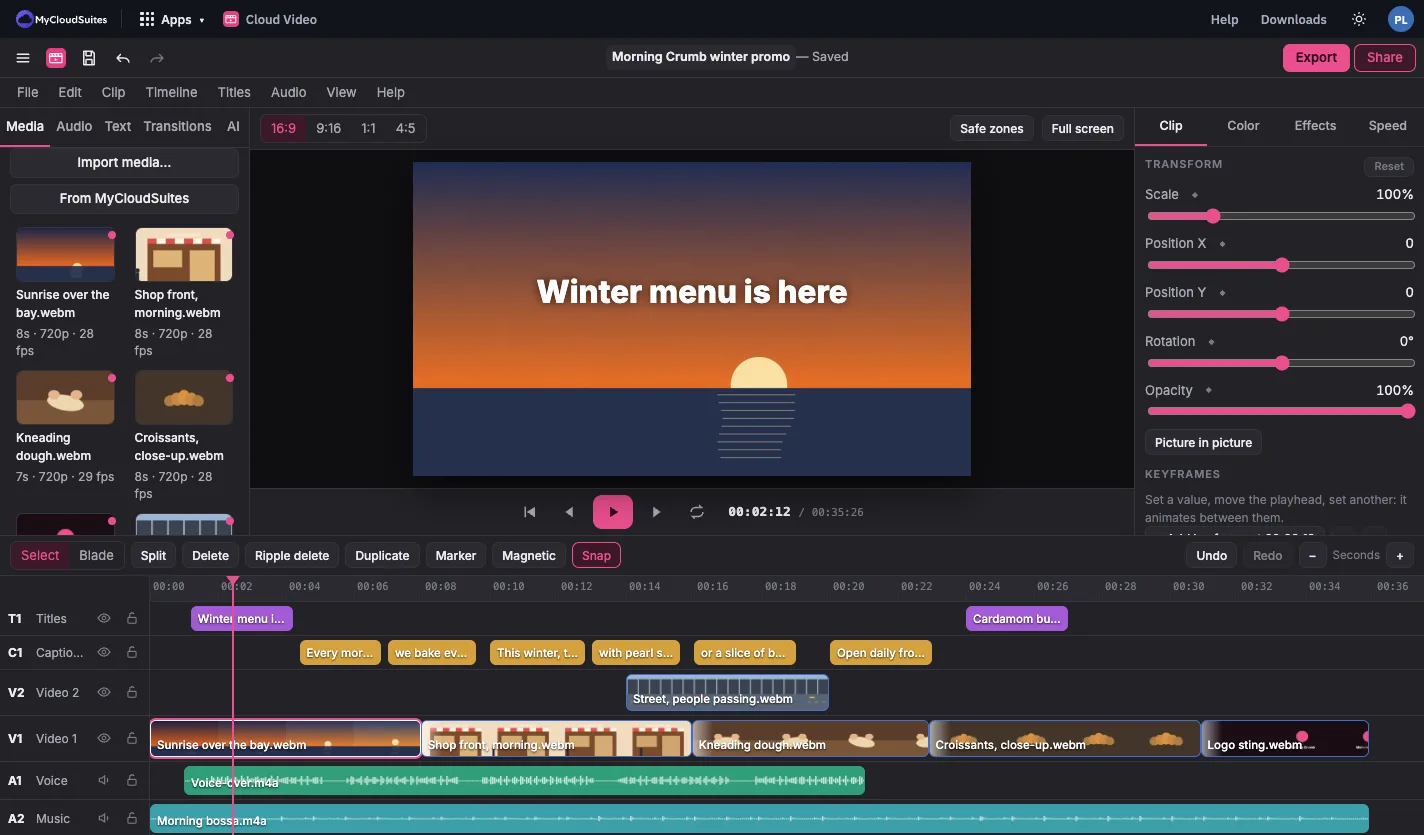
Cloud Video editing a bakery’s winter promo: clips on the left, a title in the viewer, clip settings on the right, and video, title, caption and audio tracks on the timeline
  • Opens .mp4, .mov and .webm
  • No watermark
  • Nothing uploaded to edit or export
  • Free, with no time limit

Everything a video needs.

From a quick trim to a captioned, color-graded cut.

Cut and arrange

Trim, split, ripple delete, snapping, markers and as many tracks as you need.

Titles and captions

Style titles and captions, edit them in place, and export .srt or .vtt.

Transitions and motion

Dozens of transitions, keyframes, masks, crop, and speed ramps.

Color and effects

Looks, LUTs, effects and chroma key, all drawn live as you edit.

Sound

A built-in music library and sound effects, voice-over recording, and loudness set for the web.

AI tools on credits

Auto captions, translated captions, a voice-over from text, and a cleaner voice. All editing is free without them.

See it in action.

These are real screenshots of Cloud Video. Click any picture to see it full size.

Titles and captions

Words on screen, in the style you pick.

Add captions by hand, import a file, or use auto captions on AI credits. Edit them in place on their own track.

  • Word-by-word captions that light up as they’re said
  • Ready-made titles, lower thirds and end cards
  • Burned into the video or kept as a separate file
  • Import and export .srt and .vtt

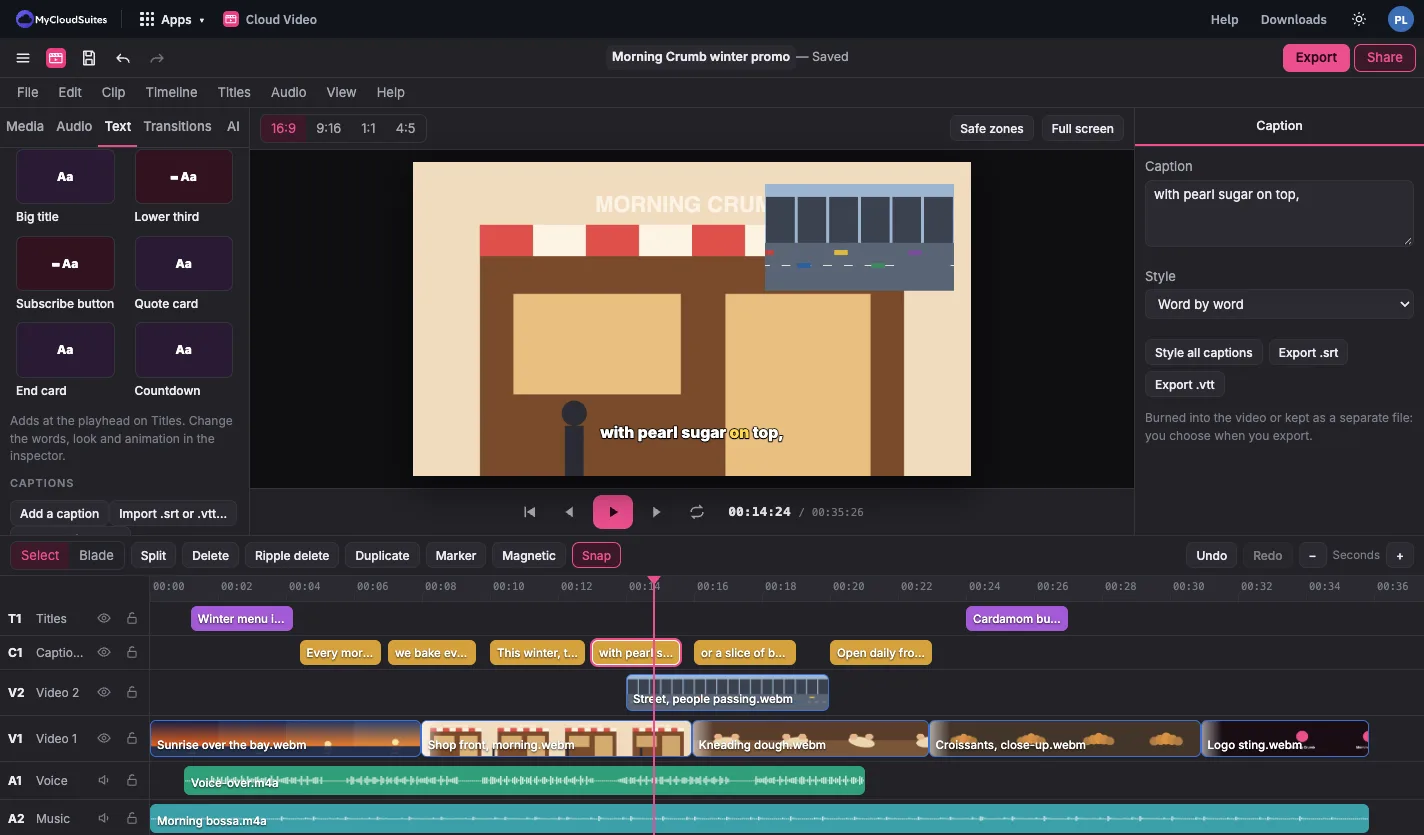
Cloud Video playing a bakery promo with a word-by-word caption and a street clip in picture in picture, above a timeline of title, caption, video and audio tracks
Color and transitions

Give every clip the same look.

Pick a look, then adjust it. Everything is drawn live in the viewer, and the original clip is never changed.

  • Looks and your own LUTs
  • Exposure, contrast, saturation, temperature and tint
  • Effects and chroma key
  • Dozens of transitions: blends, slides and more
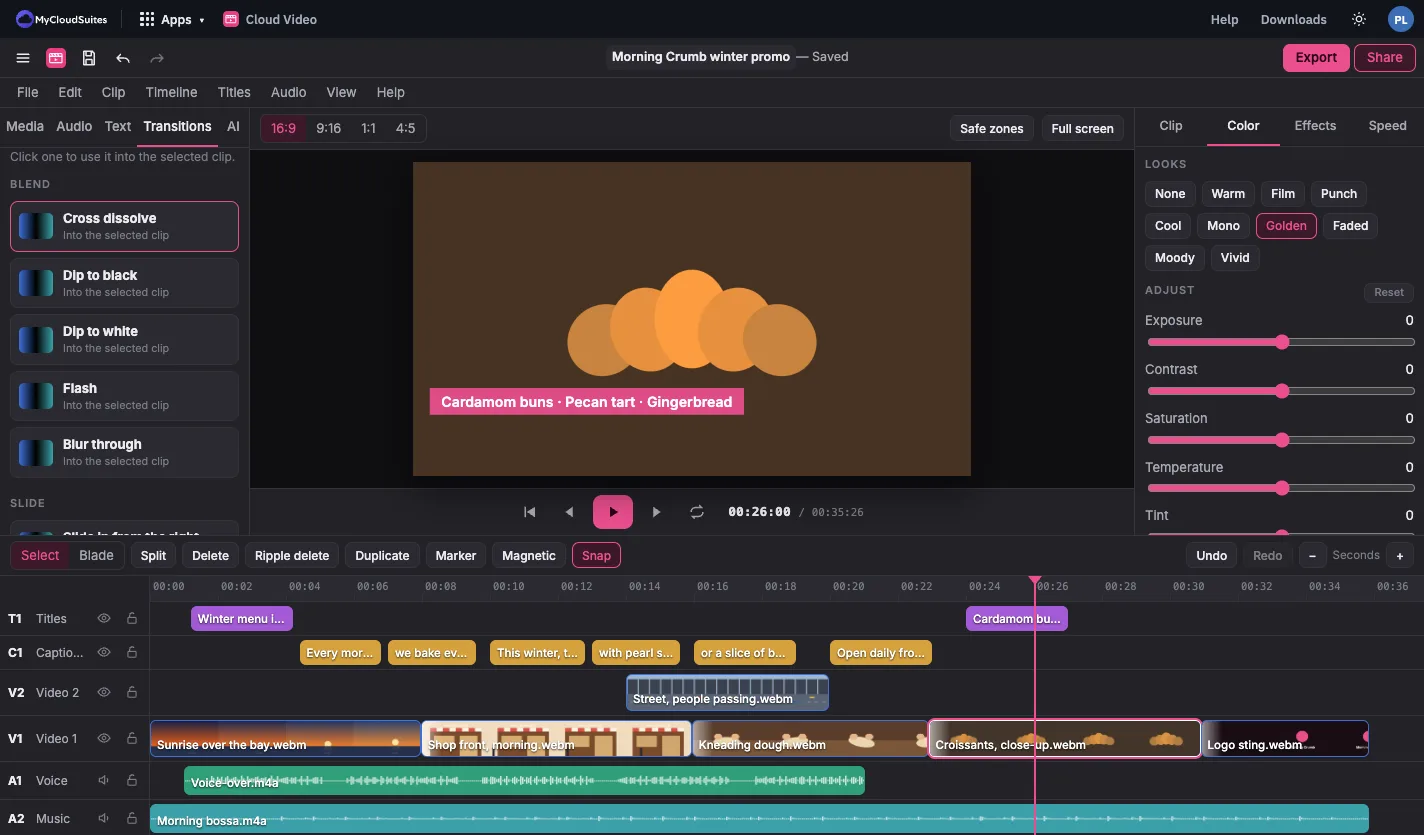
Cloud Video with the Color tab open and the Golden look selected on a clip of pastries, and a list of transitions on the left
Export

Sized for wherever it’s going.

Pick a preset and export on your own computer. Nothing is uploaded.

  • Presets for video sites and social posts, wide, tall and square
  • .mp4, .webm and .gif, and HEVC where your browser can make it
  • 720p, 1080p or 4K
  • Sound set to the level video and music sites play at
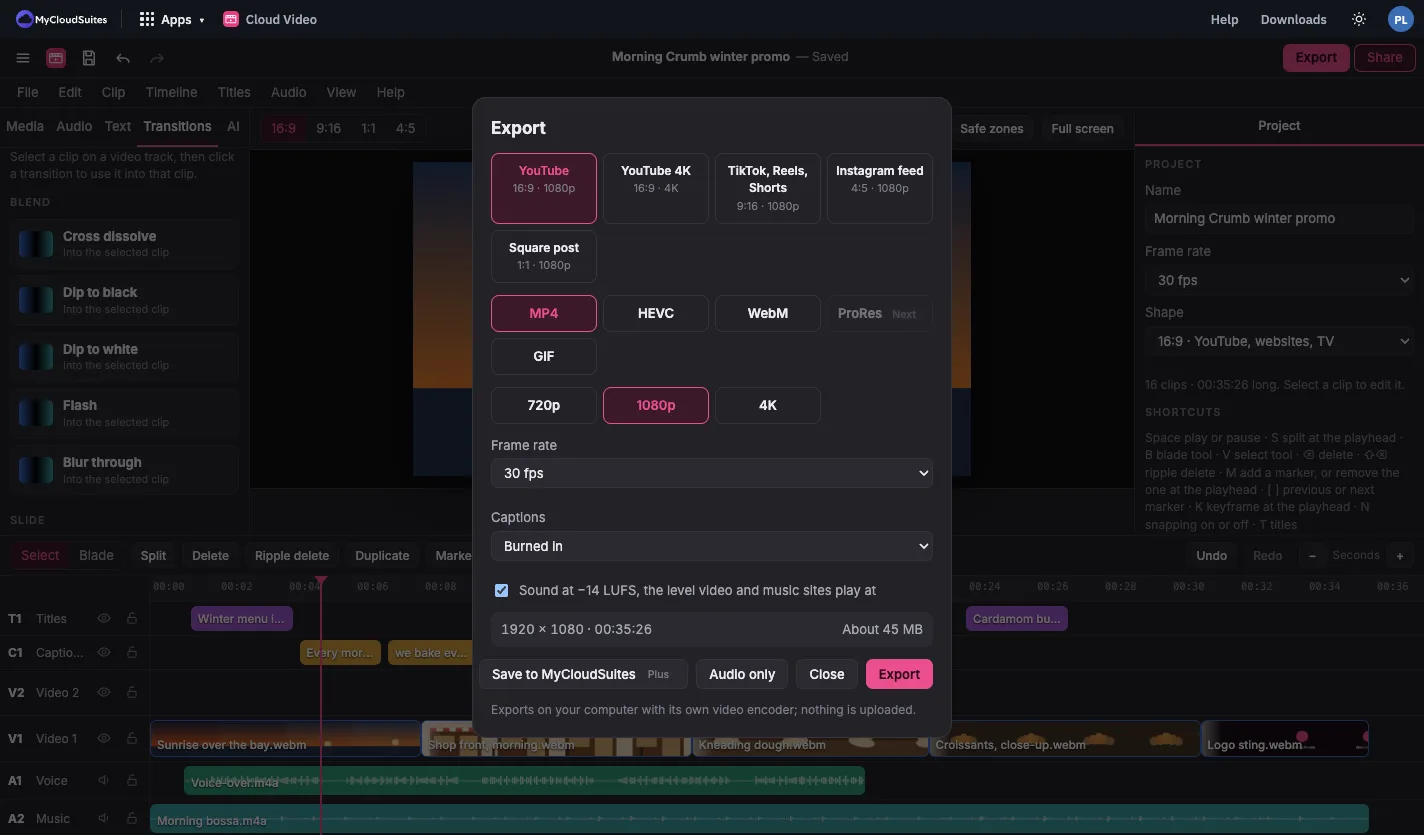
Cloud Video’s Export window with presets for video and social sites, format and size choices, and a captions setting

How to edit a video

Four steps, whatever you’re making.

Bring in your clips

Choose Import media, or drop video, photos and sound onto the window.

Cut on the timeline

Drag clips to the timeline. Trim from either edge and split at the playhead.

Add the rest

Add titles, captions, transitions, color and music from the tabs.

Export

Choose Export, pick .mp4 and a size up to 4K, and save it to your computer.

Works with the videos you have.

Phone footage, camera files and your own music.

Import

  • .mp4, .mov and .webm
  • iPhone video, including variable frame rates
  • Photos and audio files

Export

  • .mp4 and .webm up to 4K, and .gif
  • Captions as .srt and .vtt

Projects

  • Saved in this browser as you work
  • Plus: projects and media in MyCloudSuites, and a link to download the video

Questions

Is it really free?

Yes. All editing and exporting is free with no watermark. AI tools use AI credits, and saving projects to MyCloudSuites and sharing a download link are part of MyCloudSuites Plus.

What does beta mean?

Cloud Video works today, and we’re still adding to it and changing it often. If something isn’t right, tell us.

Are my videos uploaded anywhere?

No, not to edit or export. Your computer does the work. A clip’s sound or picture goes out only when you use an AI tool on it, or if you save to MyCloudSuites with Plus. See Privacy.

Which browsers does it work in?

A current Chrome or Edge on a computer. It needs the browser’s video encoder, and it’s made for a keyboard and a big screen.

Will 4K run smoothly?

Footage over 1080p gets smaller proxy copies, made on your computer, so it stays smooth while you edit. The export always uses your originals.

Is anything missing?

Yes. ProRes, multicam, nested sequences, motion tracking, stabilizing, scopes, and color wheels and curves are still to come.

Edit your next video in Cloud Video.

Free in your browser, with one account for every app.