Cloud Chat by MyCloudSuites

BetaFree

Cloud Chat is in beta: it works, it’s free, and it’s updated often while we finish it. Tell us what you find.

Chat for your whole company

Channels for the office and the crew, a channel for every job, and direct messages, all in the MyCloudSuites account your people already use for Cloud Books and Cloud Time.

In the browser on a computer or a phone. Free. Everybody signs in with their own MyCloudSuites account.

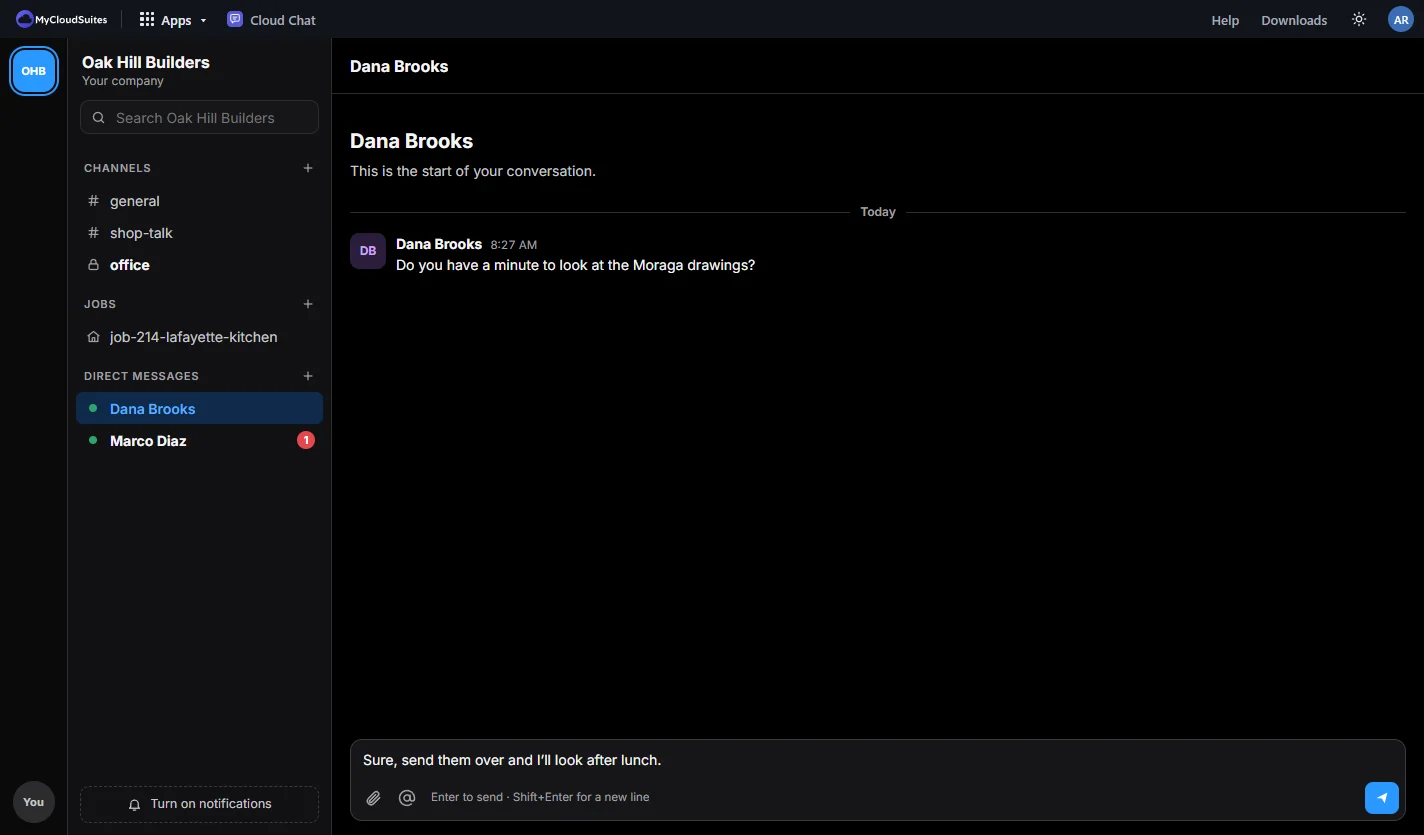
Cloud Chat for a sample builder: the channel for Job 214, a kitchen in Lafayette, with the crew’s updates, reactions and a mention, and a thread open beside it where the office says when the fridge panel ships
  • Free, with no limit on history
  • A channel for every job
  • Owners can’t read direct messages
  • Your people are already in it

Talk where the work is.

The same company, people and jobs as your other MyCloudSuites apps.

Channels.

Everyone in the company is in #general. Make a channel for the office, the shop or the trucks, and keep a private one for the people who need it.

A channel for every job.

Pick a job from Cloud Books or Cloud Time and choose Start a channel. The crew and the office keep the job’s talk in one place.

Direct messages.

Write to one person or a small group. Only the people in a direct message can read it, and that includes the company’s owners.

Threads, reactions and mentions.

Answer a message in a thread so the channel stays readable. React with a thumbs-up instead of another “ok”, and @mention someone so they see it.

Share your files.

Attach a file from your MyCloudSuites files. The people in the conversation open it with one click, and it stays in your files.

Find it again.

Search every message and file name you can read. Nothing is hidden after a few months.

See it in action.

These are real screenshots of Cloud Chat, with a sample builder’s company. Click any picture to see it full size.

Channels

The whole company in #general.

News, reminders and questions for everyone. New people are in it the moment they join the company.

  • Public channels anyone in the company can join
  • Private channels for the people you add
  • Unread counts, and a line where you left off
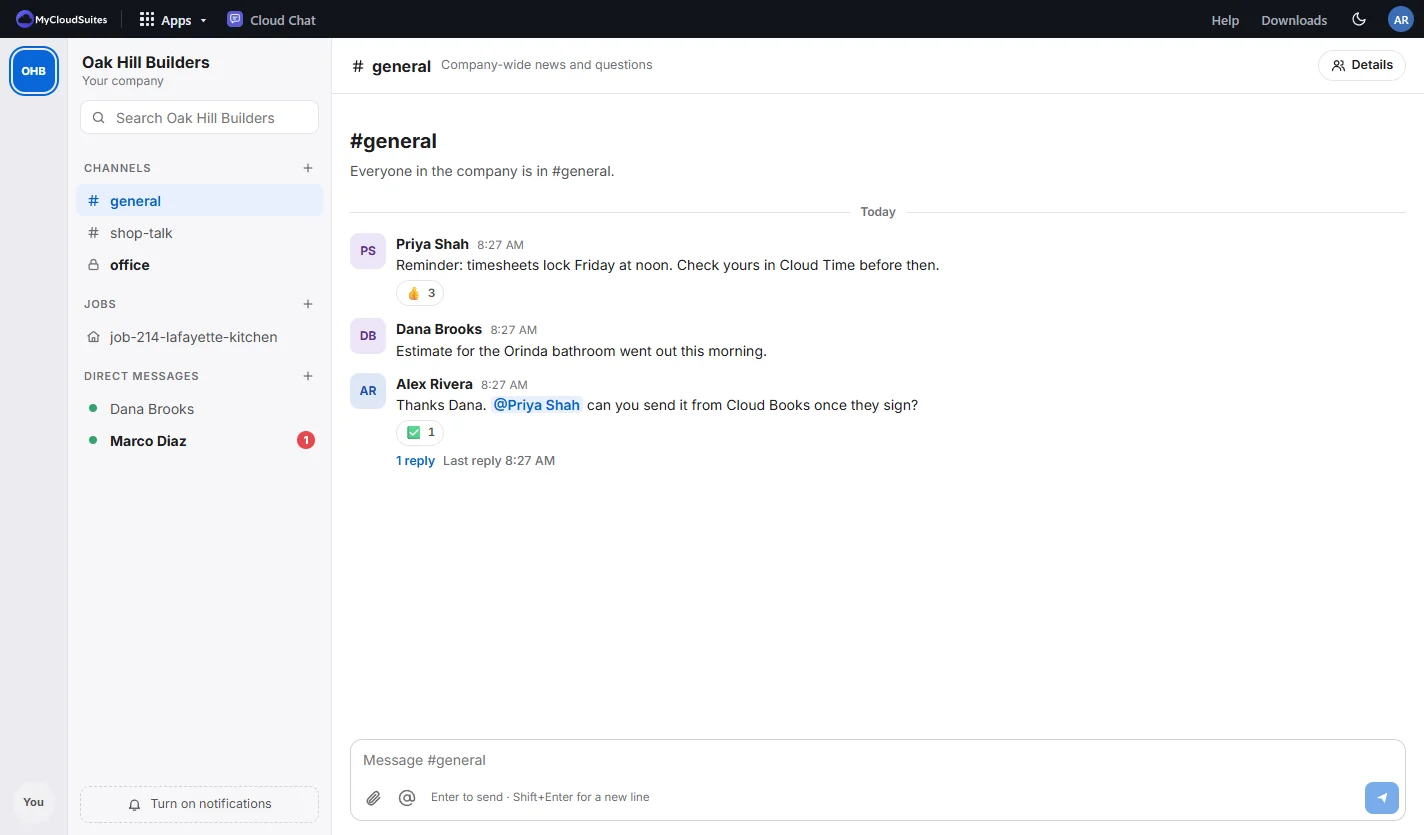
The #general channel for a sample builder: a timesheet reminder with three thumbs-up, an estimate sent, and the owner mentioning the office manager, with the company’s channels, a job channel and direct messages in the sidebar
Direct messages

A word with one person.

Direct messages stay between the people in them. Start one from the company’s people, or, in Personal, with anyone by email.

  • One person or a small group
  • What you were typing is kept if you switch away
  • Light and dark
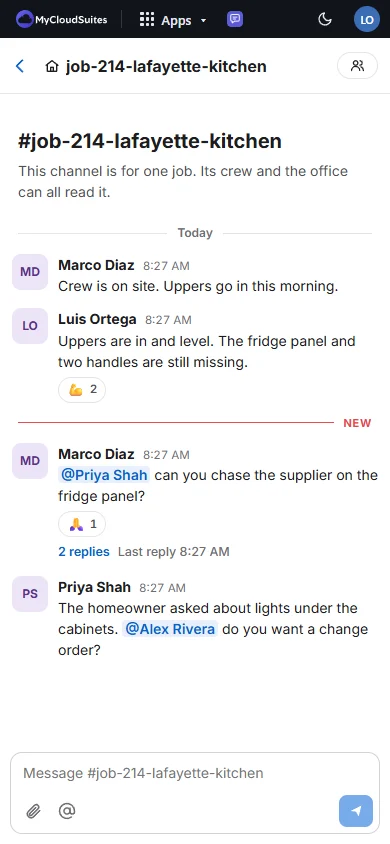
A direct message in dark mode: an estimator asks the owner to look at drawings, and the owner’s answer is ready to send
On a phone

On the job site, from a phone.

The same channels and messages in the phone’s browser: the list, then the conversation, then a thread, one at a time.

  • Big enough to tap with gloves on
  • Mentions stand out
  • Phone apps are on the way
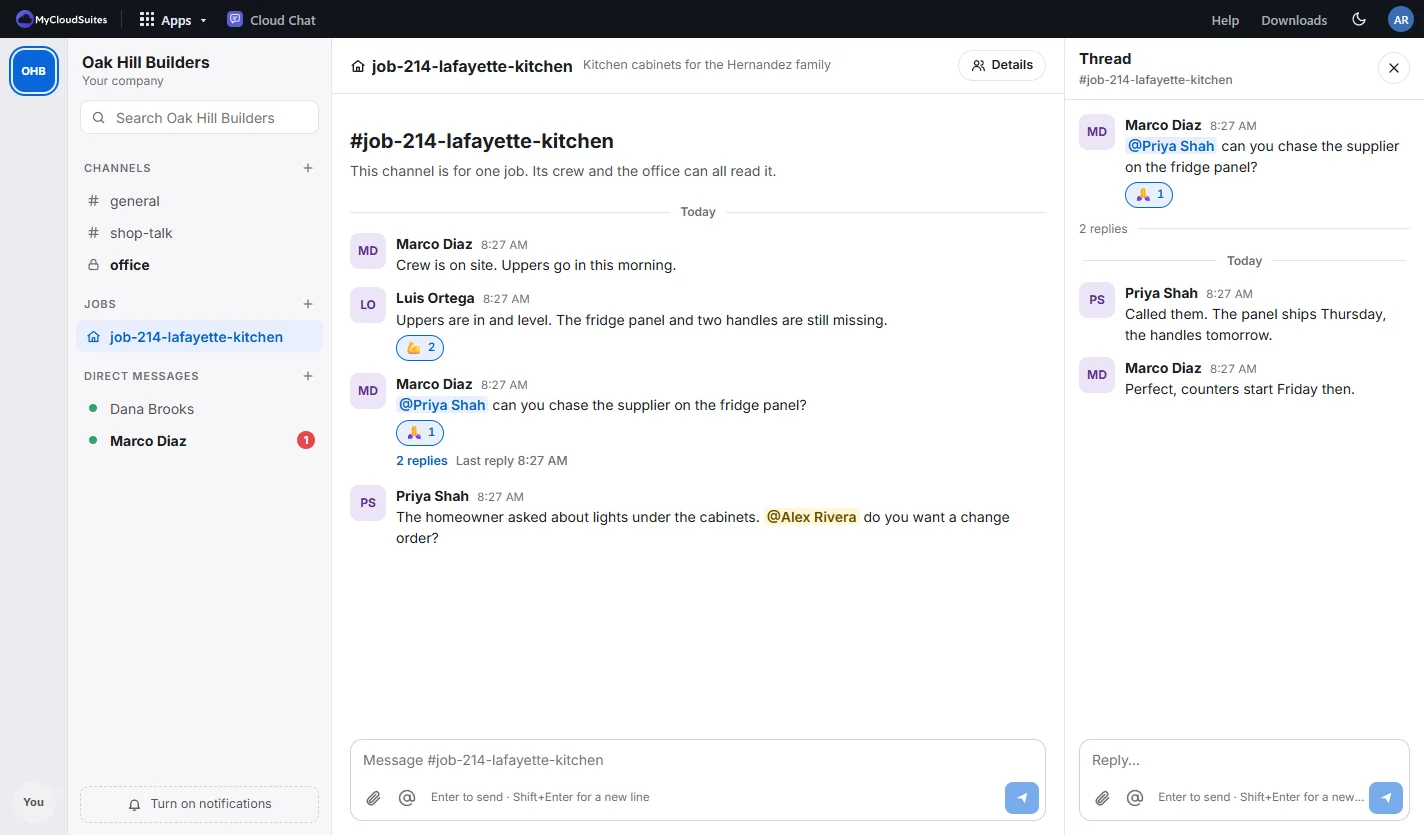
A job’s channel on a phone: the foreman’s and installer’s updates, a reaction, a thread with two replies and the office manager mentioning the owner

How to get started

If your company is in Cloud Books or Cloud Time, it’s already set up.

Open Cloud Chat

Sign in with your MyCloudSuites account. Your company is on the left, with #general ready.

Say hello

Everyone your company has in Cloud Books or Cloud Time with an account is in #general already.

Start a job channel

Choose + beside Jobs, pick the job, and choose Start a channel.

Keep it with you

Turn on notifications to hear about direct messages and mentions while Cloud Chat is open.

Questions

Is it really free?

Yes. Channels, direct messages, threads, search and your whole history are free, for any number of people. Files you share stay in your own MyCloudSuites files.

What does beta mean?

Cloud Chat works today, and we’re still changing it often. If something isn’t right, tell us and we’ll fix it.

Who is in my company’s chat?

Everyone your company has in Cloud Books or Cloud Time who has a MyCloudSuites account. When someone leaves the company there, they leave its chat too. Their messages stay with the company.

Can the owner read my direct messages?

No. Only the people in a direct message can read it. The company’s owners and admins can’t, and neither can MyCloudSuites staff, unless someone reports a message to us.

Can I chat with people outside my company?

Yes, in Personal. Start a conversation with anyone by email. They see it when they open Cloud Chat with that address, and we never say whether an address has an account.

Is there an app for my phone or computer?

Not yet. Cloud Chat runs in the browser on any phone or computer today, and apps for Windows, Mac, iPhone and Android are on the way.

Bring your company together in Cloud Chat.

Free, in the browser on any phone or computer.