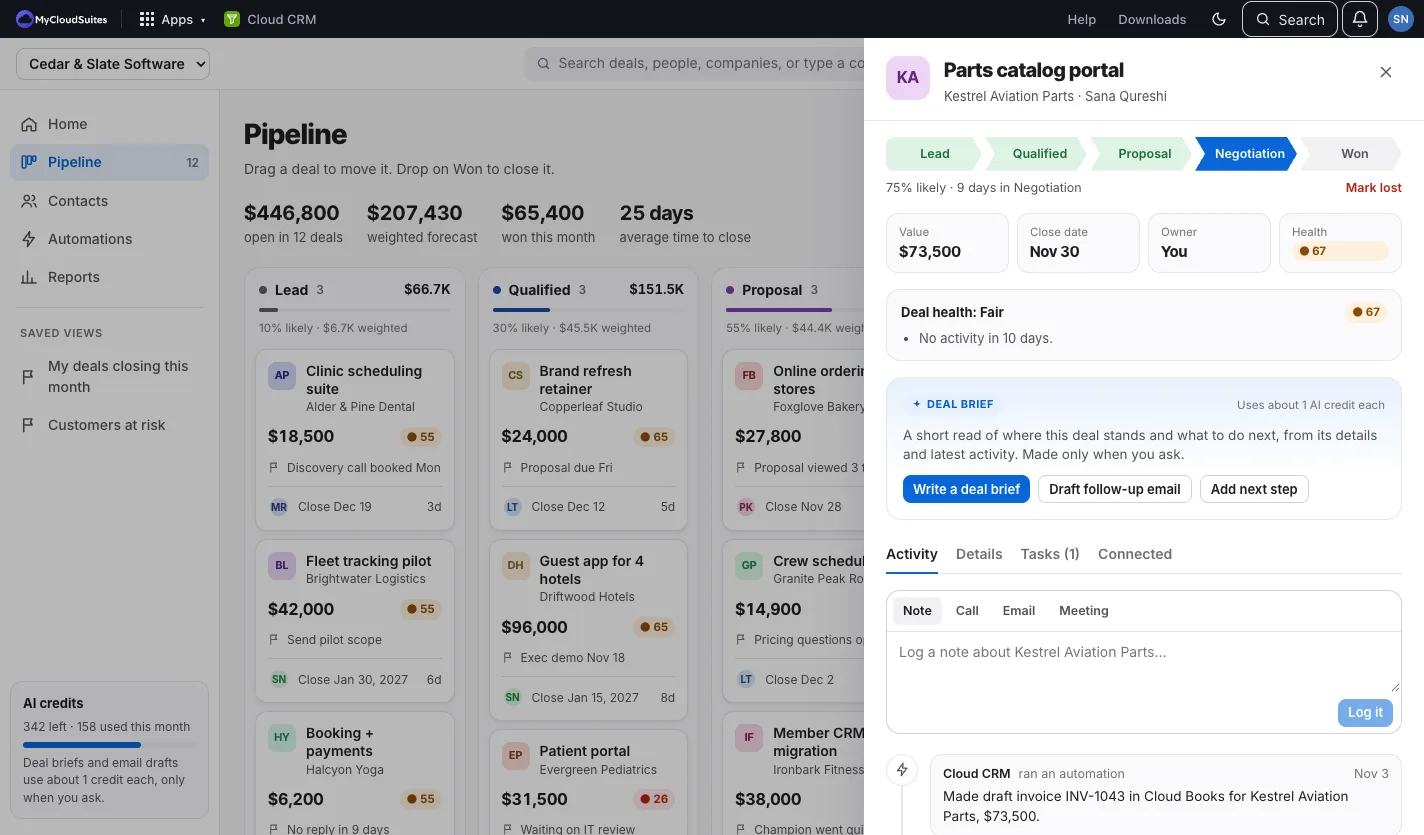
Everything about a deal, on one page.
Its stage, value, close date and owner, what’s been said and done, and what the automations did.
- Click a stage to move it, on a phone too
- Log a call, email, meeting or note
- Its tasks, and what to do next

Cloud CRM by MyCloudSuites
Cloud CRM is in beta: it works, it’s free, and it’s updated often while we finish it. Tell us what you find.
Drag deals from Lead to Won, keep every call and note with the deal, and let automations do the busywork, like the Cloud Books invoice when you win.
In the browser on a computer or a phone. Free. For one person, or the whole company.
The same account, company and people as your other MyCloudSuites apps.
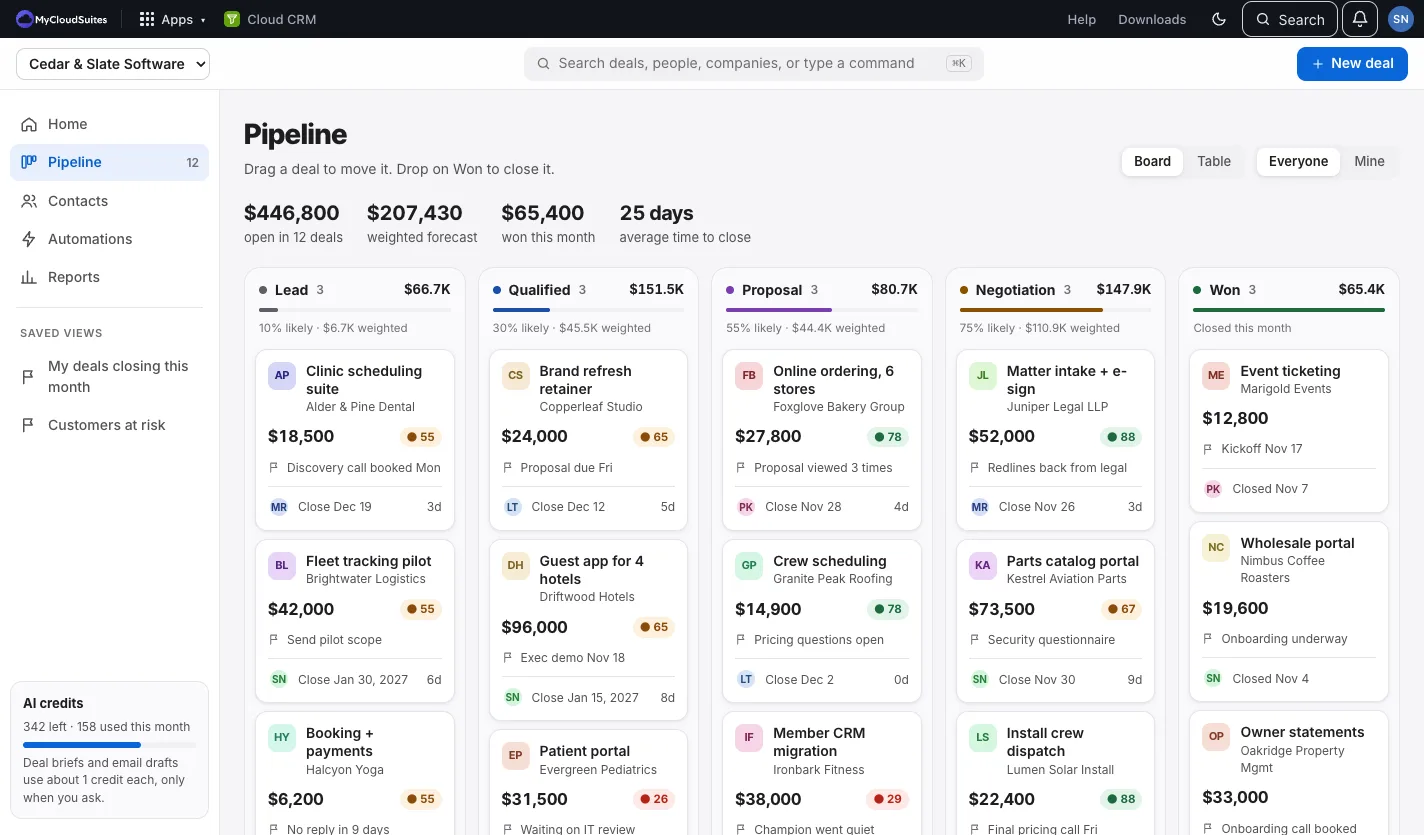
Lead, Qualified, Proposal, Negotiation and Won, with each stage’s total and what it’s likely worth. Drag a deal to move it, or switch to a table.
Every open deal gets a score, with the reasons in plain words: too long in one stage, no activity lately, a close date that passed.
Everyone you sell to, with their deals and every call, email, meeting and note. Bring your list in from a CSV file.
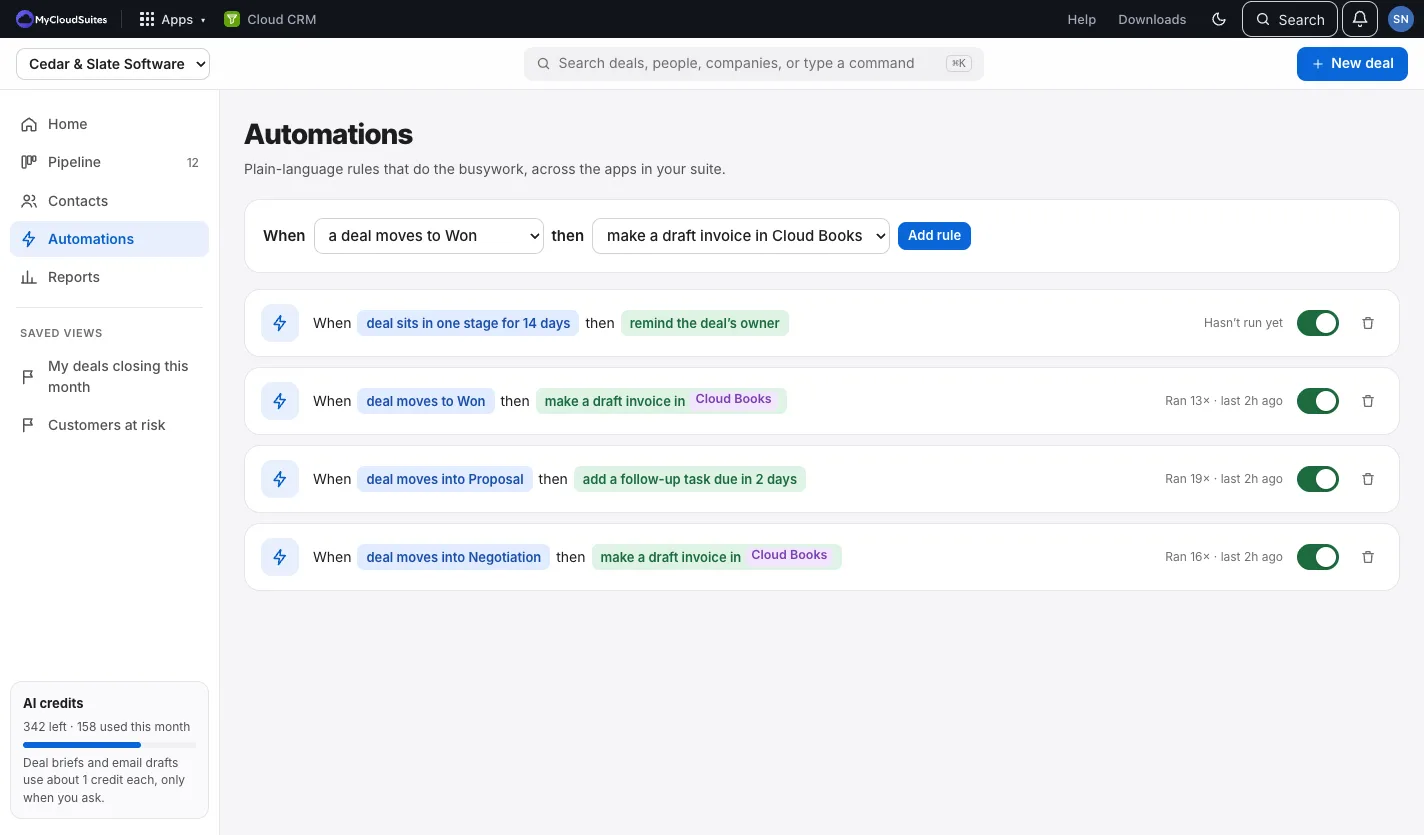
“When a deal moves to Won, make a draft invoice in Cloud Books.” Remind the owner about quiet deals, add follow-ups, hand out new deals in turn, or post wins in Cloud Chat.
Won revenue by month against your target, how deals move from stage to stage, and which lead sources bring the wins.
A short brief on any deal, or a follow-up email to edit and send. It only runs when you click, on your AI credits.
These are real screenshots of Cloud CRM, with a sample company. Click any picture to see it full size.
Its stage, value, close date and owner, what’s been said and done, and what the automations did.
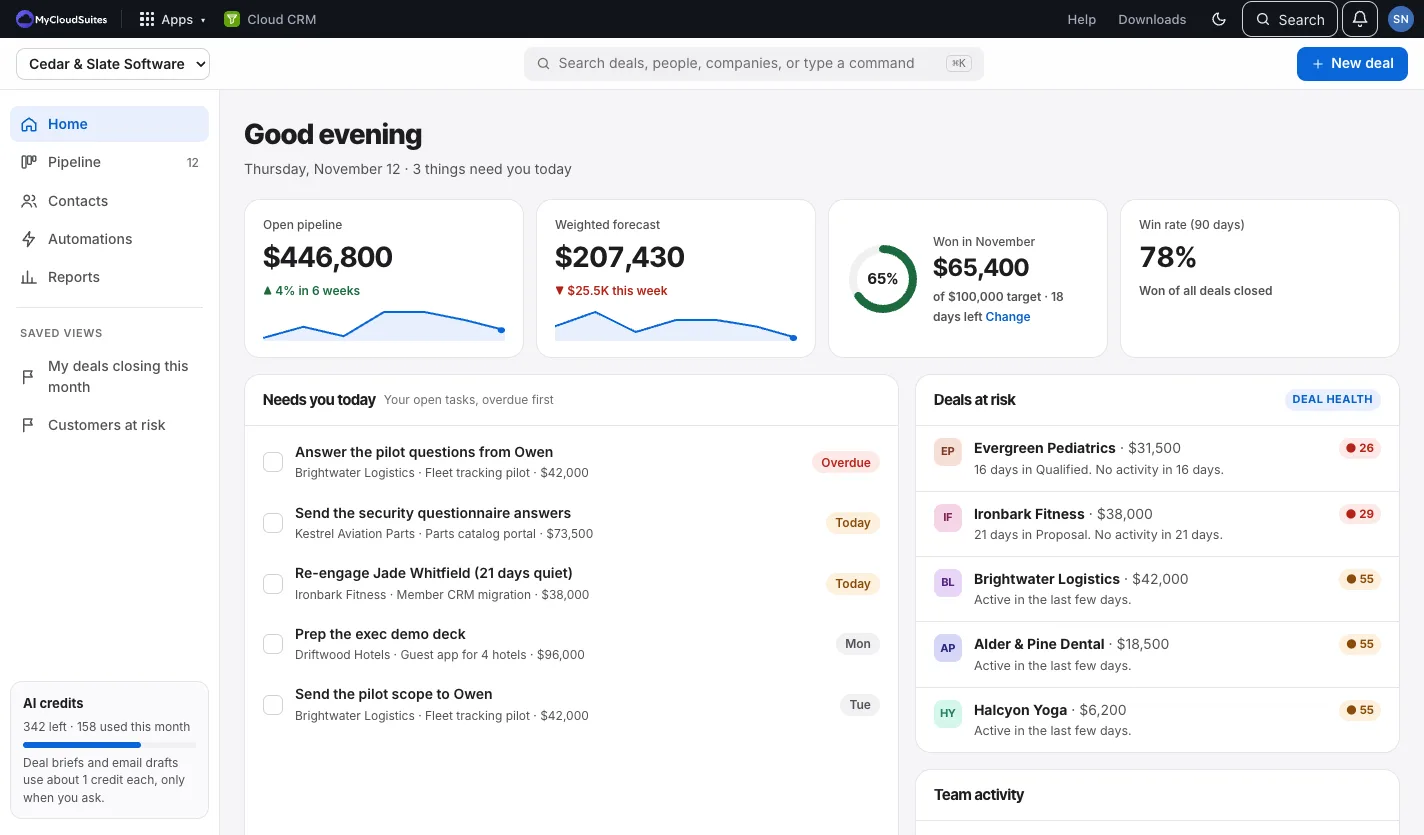
Your open pipeline, the forecast, this month’s wins against your target, your tasks, and the deals going quiet.
Pick what happens and what to do. Each rule says how often it ran, and why, if it couldn’t.
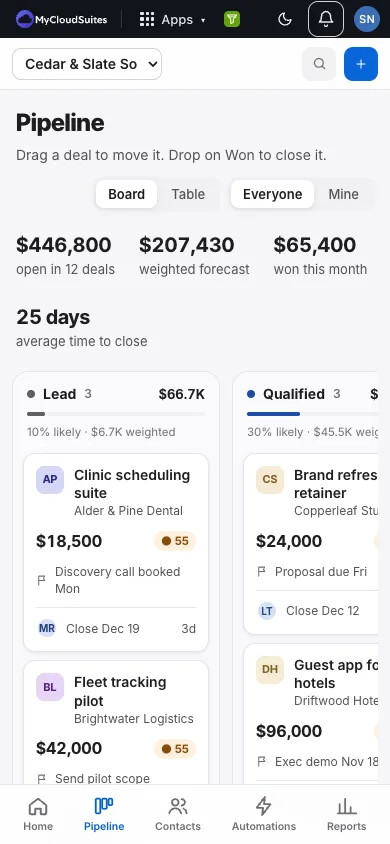
The same deals, people and tasks in the phone’s browser, with tabs at the bottom.
Your own CRM is ready the moment you sign in.
Sign in with your MyCloudSuites account. Your own CRM is there, with two automations already on.
Choose New deal, or bring your contacts in with Import CSV.
In your organization, owners and admins have it. Turn on Cloud CRM for others under Members on your account page.
Drag a deal to Won. If your company uses Cloud Books, the draft invoice is waiting there.
One free account for every app, on your computer and in your browser.
Yes. Deals, people, companies, tasks, automations and reports are free, with no limit on users. Only the assistant’s deal briefs and email drafts use AI credits, and only when you click for one.
Cloud CRM works today, and we’re still changing it often. If something isn’t right, tell us and we’ll fix it.
The organization’s owners and admins, and the members they turn it on for, who can edit or only view. Guests never see it. Your Personal CRM is only yours.
They stay with the company, still showing who owned them, until someone gives them to another person.
Yes. An automation can make a draft invoice in Cloud Books when you win a deal (it’s a draft until you send it there), and another can post wins in Cloud Chat.
Yes. Export them as a CSV file and choose Import CSV on Contacts. People whose email is already there are updated, not doubled.
Not yet. Cloud CRM runs in the browser on any phone or computer today.
Free, in the browser on any phone or computer.