

Bring in hours from Cloud Time
Updated November 13, 2026
Cloud Time is the MyCloudSuites time clock. Linked with Books, your crew’s approved hours come into Books as time on each job, with their labor cost.
Only the owner or an admin can see this, because it shows what people are paid.
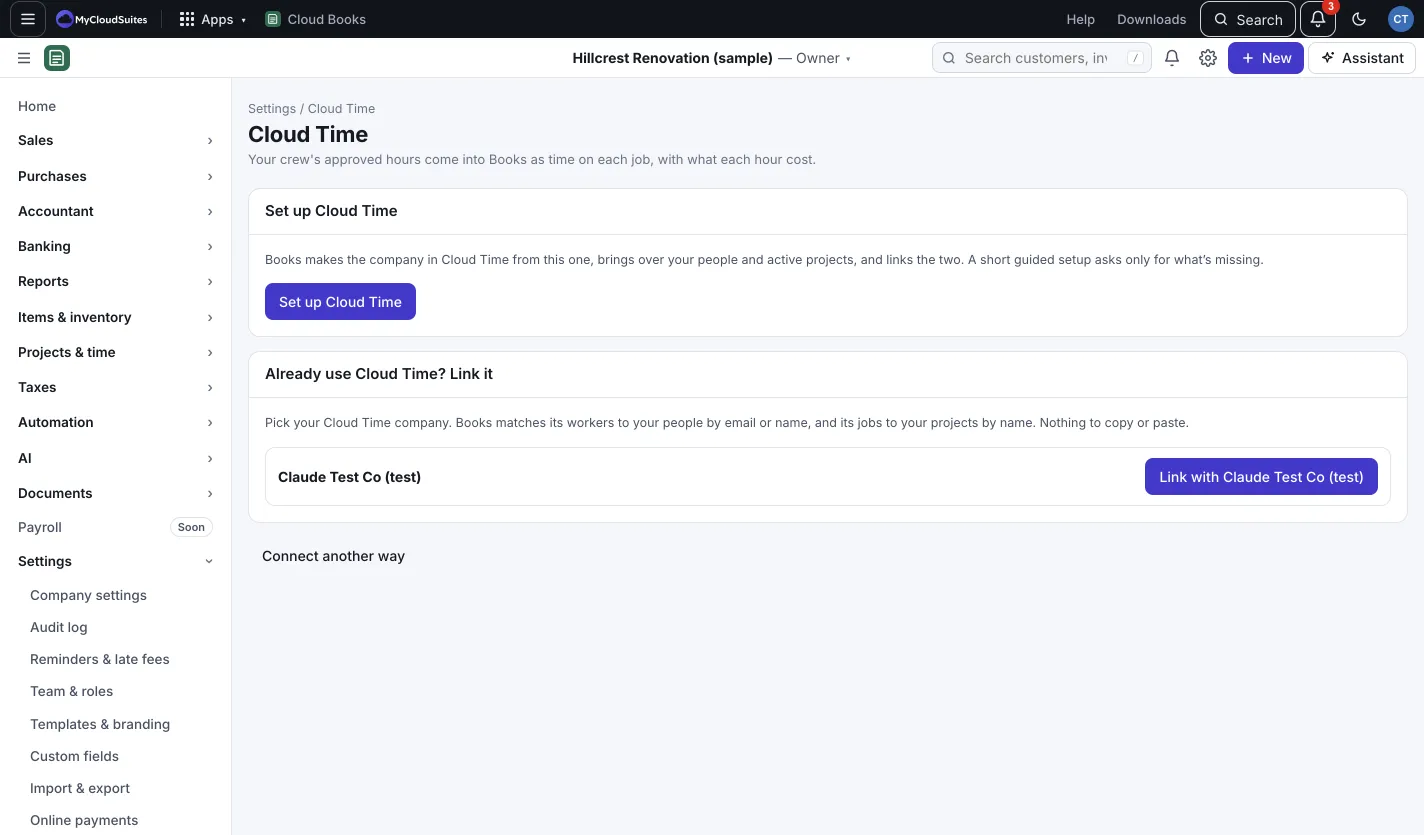
Already use Cloud Time? Link it
- Go to Settings › Cloud Time.
- Under Already use Cloud Time? Link it, find your Cloud Time company (a Same name tag shows the likely one).
- Press Link with (company name).
Books matches Cloud Time workers to your people by email or name, and its jobs to your projects by name. Nothing to copy or paste.
New to Cloud Time? Set it up from Books
- In Settings › Cloud Time, press Set up Cloud Time.
- A short guided setup asks only for what’s missing.
- Books makes the company in Cloud Time, brings over your people and active projects, and links the two. Press See progress to follow along.
Once linked
- Approved shifts come in as time on each job. Changes, and approvals taken off in Cloud Time, follow.
- Time from Cloud Time can’t be changed in Books. Change the shift in Cloud Time.
- Press Read workers and jobs again after adding people or jobs in Cloud Time, or Disconnect to unlink.