

Projects and timesheets
Updated November 13, 2026
A project collects a job’s income, costs and hours, so you can see what it earns and bill it.
Make a project
- Go to Projects & time › Projects and press New project (or New › Project).
- Give it a Project name, like “Vineyard irrigation, phase 2”, and pick the Customer.
- Pick How it’s billed:
- Time and materials (hours and billable costs)
- Fixed fee (by percent or milestones): enter the Fixed fee.
- Not billed (internal)
- Optionally add a Cost budget, Hours budget, Starts and Ends dates, and Tasks (separated by commas).
- Tick who’s on the Team, then press Make project.
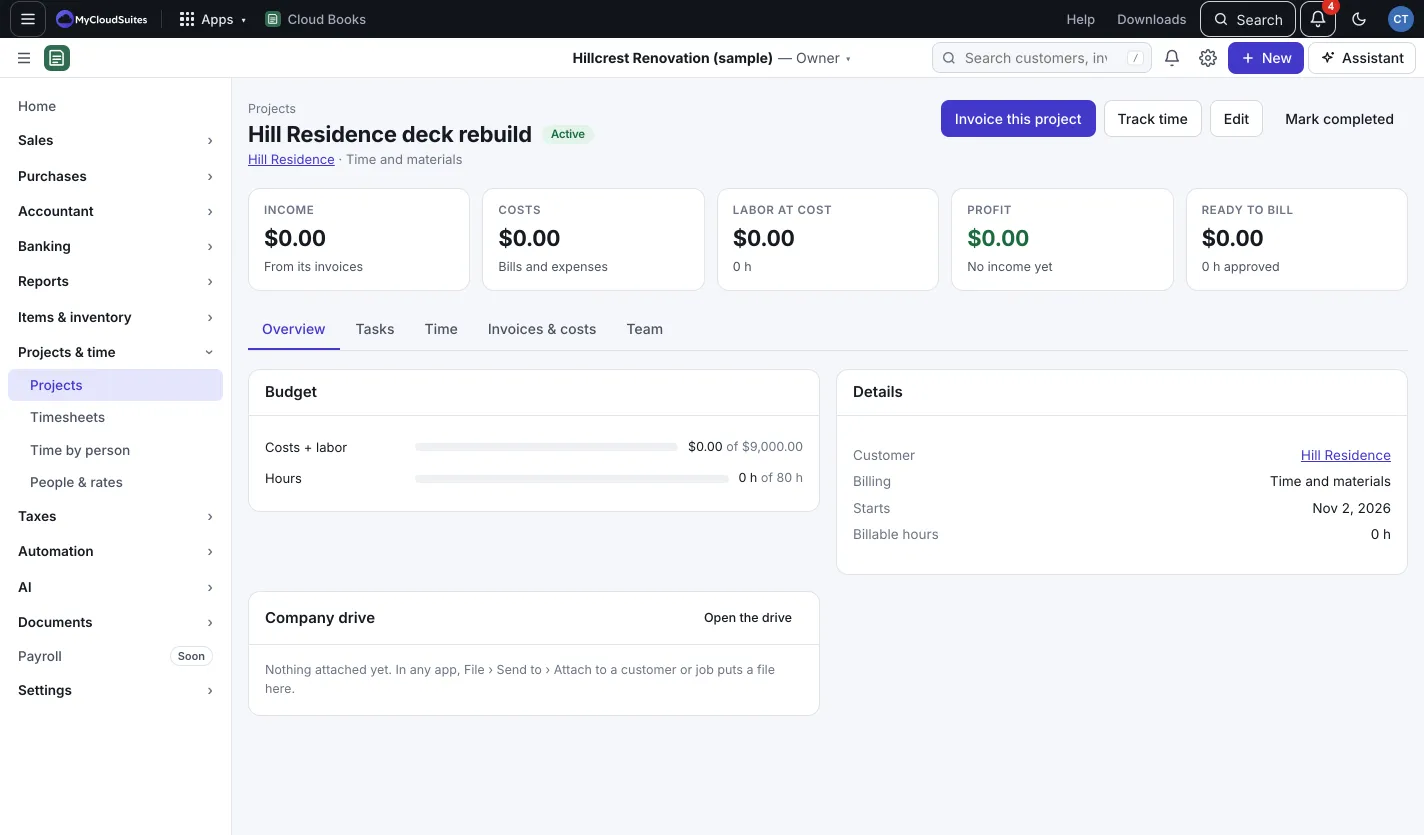
Put costs on a project
On an invoice, bill or expense, pick the Project under Details. The project page then shows Income, Costs, Labor at cost, Profit and Ready to bill.
Track time
- Go to Projects & time › People & rates and press Add a person for each person whose time you track, with a Cost rate per hour (wages plus taxes and benefits) and Bill rate per hour (what customers pay). Crew without a login are fine.
- Go to Timesheets. Press Add time, or use the Timer: pick the Project and Task, press Start timer, then Stop and save.
- Or type hours straight into the Week grid, one row per project and task.
- When a week is right, press Approve week. Only approved time can be billed. To change it, press Unlock week.
Bill a project
- On the project, press Invoice this project.
- For time and materials, the invoice gets every approved, billable hour not billed yet (one line per task and rate), plus the project’s billable expenses.
- For a fixed fee, pick A percent of the fee (work done) or A milestone amount.
- Press Make the invoice. You can change anything on the invoice before saving it.
Good to know
- Time by person shows hours, how much was billable, and what it cost, for any dates.
- New invoices offer a customer’s unbilled hours on their active projects.
- Rate changes apply to time logged from now on; past time keeps its rates.
- Press Mark completed when a project is done, or Reopen it.
- Using Cloud Time? Approved shifts can come in as time automatically. See Bring in hours from Cloud Time.