

Receipt inbox and bills email
Updated November 13, 2026
The Receipt inbox collects receipts and bills in one place until you file them.
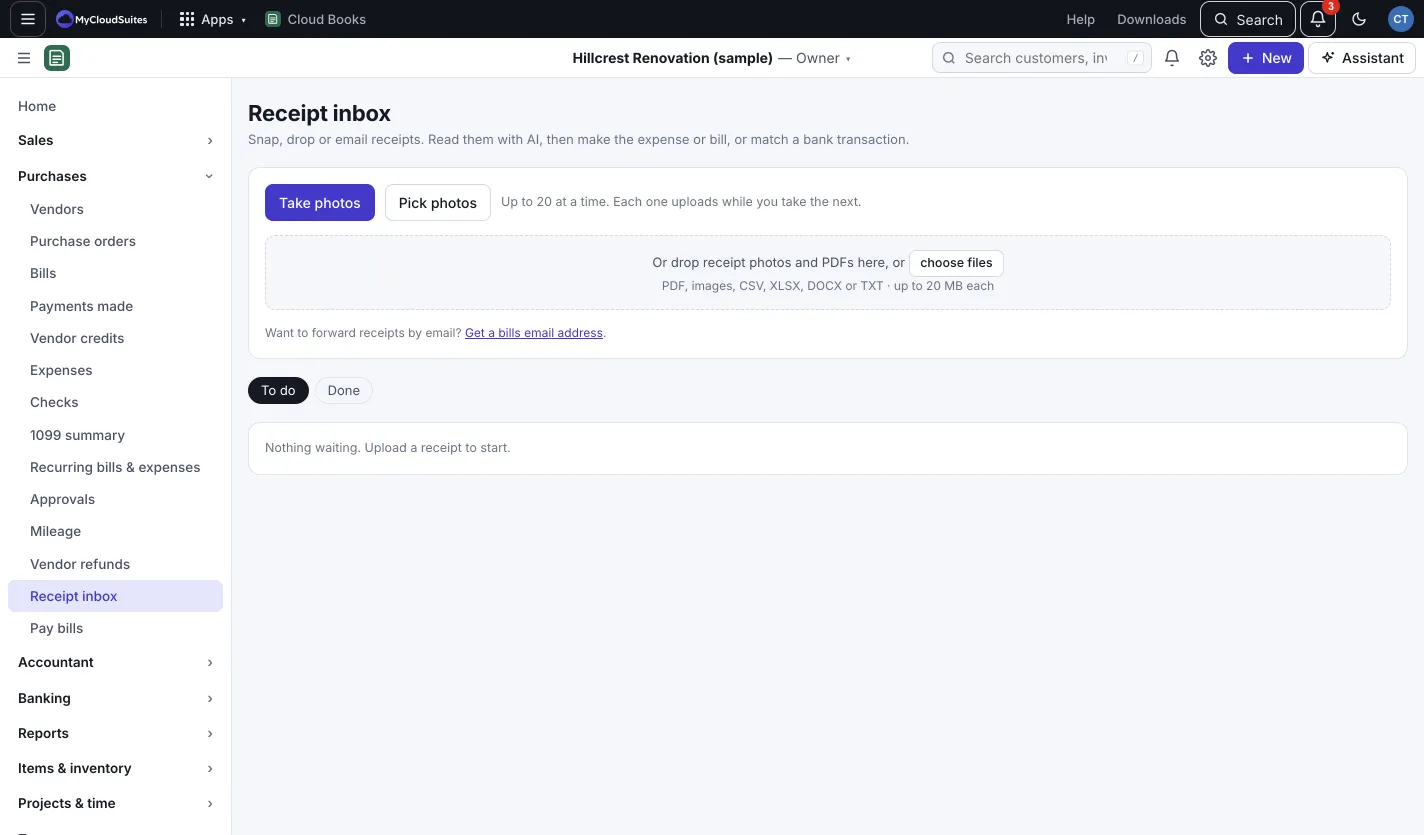
Add receipts
- Go to Purchases › Receipt inbox. (Or press New › Receipt.)
- Add them any of these ways:
- Take photos with your phone’s camera, or Pick photos. Up to 20 at a time; each one uploads while you take the next.
- Drop photos and PDFs on the page.
- Email them to your bills email address (see below).
Read a receipt with AI
- Click a receipt.
- Press Read with AI. Claude fills in Vendor, Date, Total (with tax), Tax in it, Expense account, Paid with and What for. The drawer shows about how many AI credits it uses.
- Check the fields and fix anything that’s off.
To read every new receipt at once, press Read all (number) with AI at the top.
File it
In the receipt’s drawer, press one of:
- Create expense: for something already paid. Pick Paid from (for an expense).
- Create bill: for something you’ll pay later.
- Match to a bank line: attach it to a bank transaction of the same amount within a week. Press Match beside the right one.
- Save for later: keep your changes and file it another time.
Filed receipts move to the Done tab. To change your mind, open it and press Put back in the inbox.
Get a bills email address
- Go to Settings › Bills email. An owner or admin presses Turn on.
- Press Copy and give the address to vendors, or forward bills to it yourself.
- Under Who can send, pick Anyone (vendors can email bills straight in) or Only people in these books.
Each email’s PDFs and photos (PDF, JPG, PNG and HEIC, up to 20 MB, up to 10 per email) land in the Receipt inbox. They’re not read automatically, because reading uses AI credits.
Good to know
- Claude can’t read HEIC photos. Export as JPG and upload that, or type the fields yourself.
- The file goes to the AI only when you press Read.
- If someone gets your bills address who shouldn’t, press Make a new address. The old one stops working at once.
- In the Bank inbox, a receipt with the same total and a nearby date shows beside the bank line. Press Attach to link it. See Review bank lines.