

Expenses and checks
Updated November 13, 2026
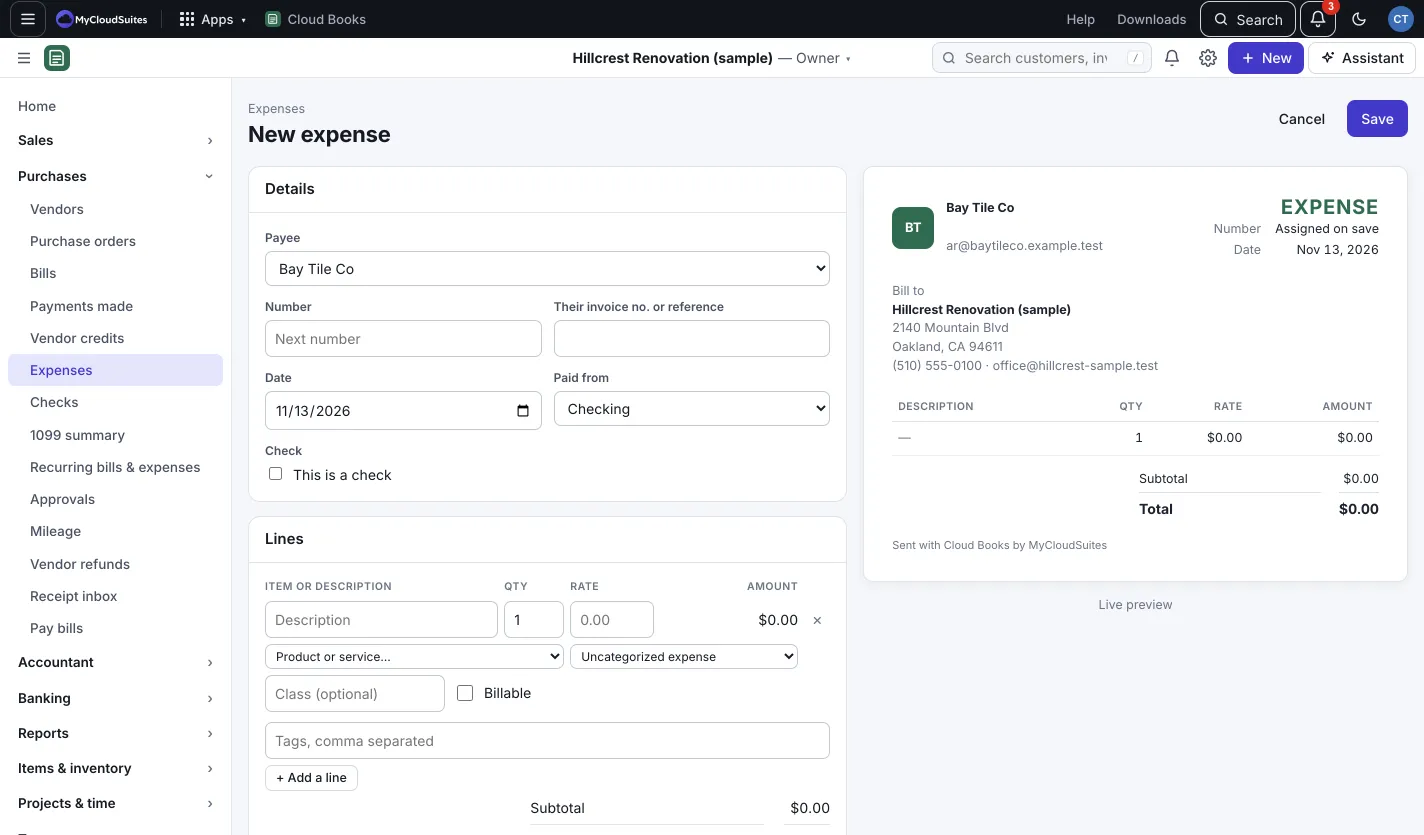
An expense is something you paid for right away. A bill is something you’ll pay later. Use an expense for card purchases, cash and checks you write by hand.
Record an expense
- Press New › Expense.
- Pick the Payee and the account it was Paid from (a bank or card account).
- Add a line for each cost and pick its account.
- Press Save.
Write a check
- Press New › Write a check, or Write a check on Purchases › Checks.
- Pick a bank account under Paid from. This is a check is ticked.
- Leave Print it later (add to the print queue) ticked to print it from Checks, or untick it and type the Check no. for a check you wrote by hand.
- Press Save check.
Bill a cost back to a customer
On an expense line, tick Billable, pick the customer under Bill to… and, if you like, a Markup %. When you invoice that customer, press + Add billable expenses to bring it onto the invoice.
Good to know
- Lines can carry a class (for example a crew or branch) for reports by class. See Company settings.
- Expenses can go through approval too, as a review after the fact. See Enter bills and get them approved.
- Freight, duty or fees on a bill can be added to the cost of the stock they cover: on the bill or expense, in Landed costs, press Spread over stock (owners and admins).