

Purchase orders, vendor credits and vendor refunds
Updated November 13, 2026
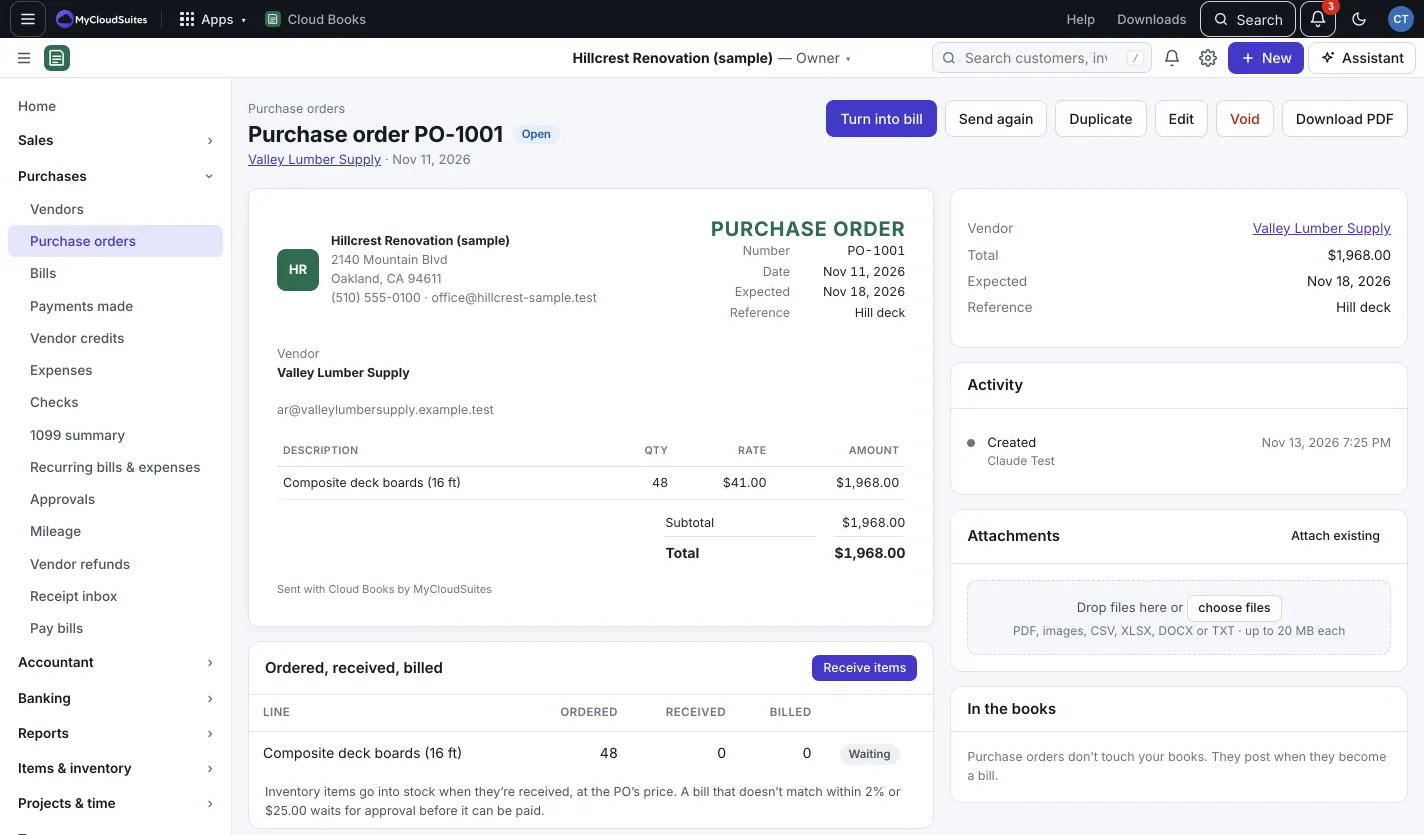
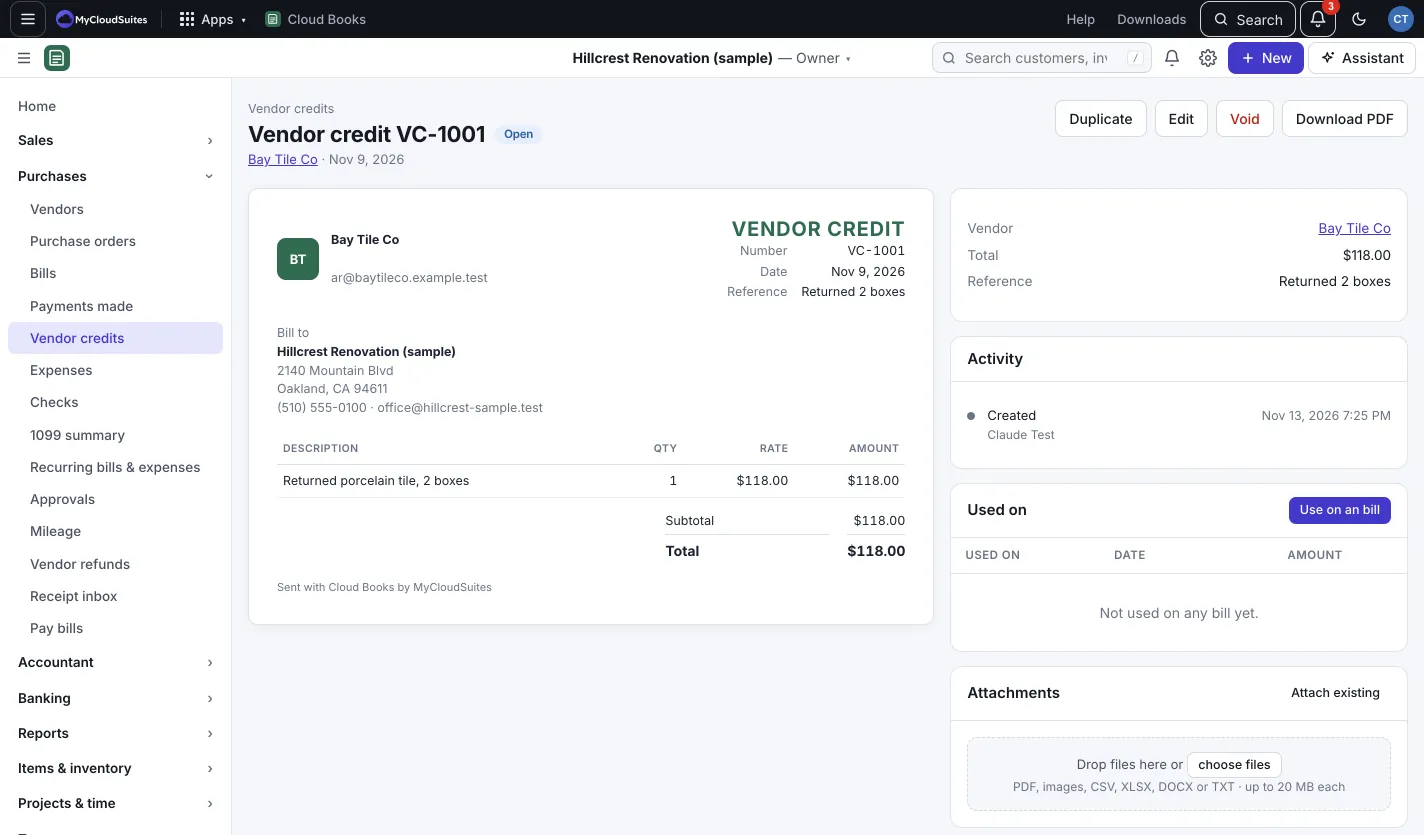
A purchase order (PO) is what you ask a vendor to supply. It doesn’t touch your books until it becomes a bill. A vendor credit is money a vendor owes you, and a vendor refund records money they send back.
Make a purchase order
- Press New › Purchase order. Or, on an estimate or sales order, press Make purchase order to start one with its products at their cost.
- Pick the Vendor, add the lines, and set the Expected date.
- Press Save and mark as ordered, or Save as draft. On a draft, Send emails it to the vendor and Mark as ordered without emailing skips the email.
Receive what arrives
- Open the PO. In Ordered, received, billed, press Receive items.
- Enter what came under Received now, set Received on, and add a Note (packing slip, who signed) if you like.
- Press Receive (number) items.
Inventory items go into stock when they’re received, at the PO’s price. Each line shows Waiting, In progress or Matches.
Turn it into a bill
When the vendor’s bill comes, open the PO and press Turn into bill. A bill that doesn’t match the PO closely enough waits for approval before it can be paid. Set how close counts in Preferences.
Vendor credits
- Press New › Vendor credit, pick the vendor and add what they’re crediting.
- Press Save and mark as open. (A draft you saved earlier has Mark as open on its page.)
- In Used on, press the button to use it on one of their open bills, or open a bill and press Apply a vendor credit.
No money moves: the credit lowers what you owe. Undo takes it back.
Vendor refunds
When a vendor sends money back:
- Go to Purchases › Vendor refunds and press Record a refund.
- Pick the Vendor and what it’s a Refund of: a prepayment, or a vendor credit (refunded whole).
- Fill in Amount, Date, the account it went Into, How and a Reference, then press Save refund.
Good to know
- To void a refund, press Void beside it on Vendor refunds.
- Vendors can see your purchase orders in the vendor portal when you turn it on.