

Track inventory
Updated November 13, 2026
Cloud Books can count the products you keep in stock, value them at their average cost, and tell you when to reorder.
Make a product that tracks stock
- Go to Accountant › Products & services and press New item.
- Under Type, pick Inventory (tracks stock).
- Fill in the Price you charge, What it costs you and the accounts, then press Save.
Bills and receipts add stock; invoices and sales receipts take it out. The cost is the average of everything you’ve received.
See your stock
Items & inventory › Stock on hand lists each stocked product, how many you have, and their value. Click one to see Stock history and stock By location. Press Stock settings to set a Reorder point (it shows as Low stock at or below it) and a Preferred vendor.
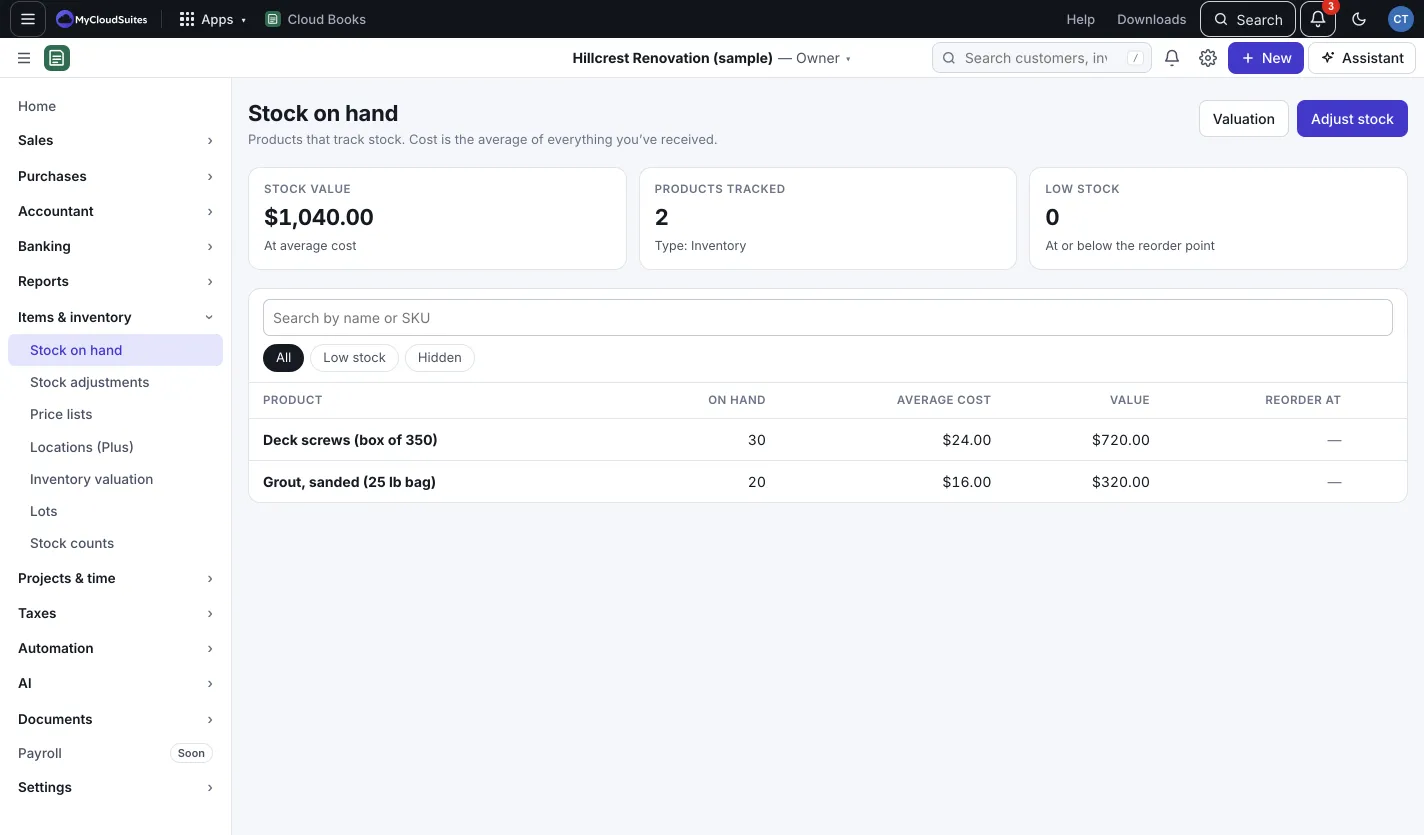
Adjust stock
- Press Adjust stock (or New › Stock adjustment).
- Pick the Date and Reason (counts, damage, loss or a revaluation).
- For each product, enter the Change in quantity.
- Save. Each adjustment posts to the Inventory adjustments account.
For a full count, use Items & inventory › Stock counts.
Price lists
Give some customers special prices: a percent up or down on everything, or a price per product.
- Go to Price lists and press New price list.
- Name it, set the prices, and add the Customers on this list.
When you pick a product on their invoice, their price is used, unless a pricing rule gives a lower one (see /help/pricing-rules). A customer can be on one price list.
Locations (Plus)
With MyCloudSuites Plus, keep stock in more than one place: a yard, a truck, a warehouse. In Locations (Plus), press Add location, then Move stock to move it between them. Moving stock doesn’t change your books.
Lots and use-by dates
On a stocked product’s page (from Stock on hand), in the Lots panel, tick Track lots to give each receipt a lot number, and Has a use-by date if it expires. Sales take the lot that expires first unless you choose another. See them in Items & inventory › Lots.
Good to know
- Inventory valuation shows the value of your stock as of any date.
- A Bundle sells several products as one; only stocked products in it leave stock.
- Products that track stock can’t be merged yet.
Assemblies
A product made from other products can be built from stock: see /help/assemblies-and-builds.