

Stock counts and locations
Updated November 13, 2026
A stock count checks what’s really on the shelf against what your books say. Cloud Books posts the differences for you as one stock adjustment. With MyCloudSuites Plus you can also keep stock in more than one place, like a yard and a truck.
Count your stock
- Go to Items & inventory › Stock counts and press Start a count (or New › Stock count).
- Pick the Location and, if you like, a Name (optional) such as “Year end”. Press Start. Every stocked product at that location goes on the sheet, with a line for each lot of products that track lots.
- Count on screen: type each amount under Counted. Or press Print count sheet and count on paper first.
- Difference shows where the count and Books say don’t agree.
- Press Post (number) differences, then Post. If nothing is different, press Finish.
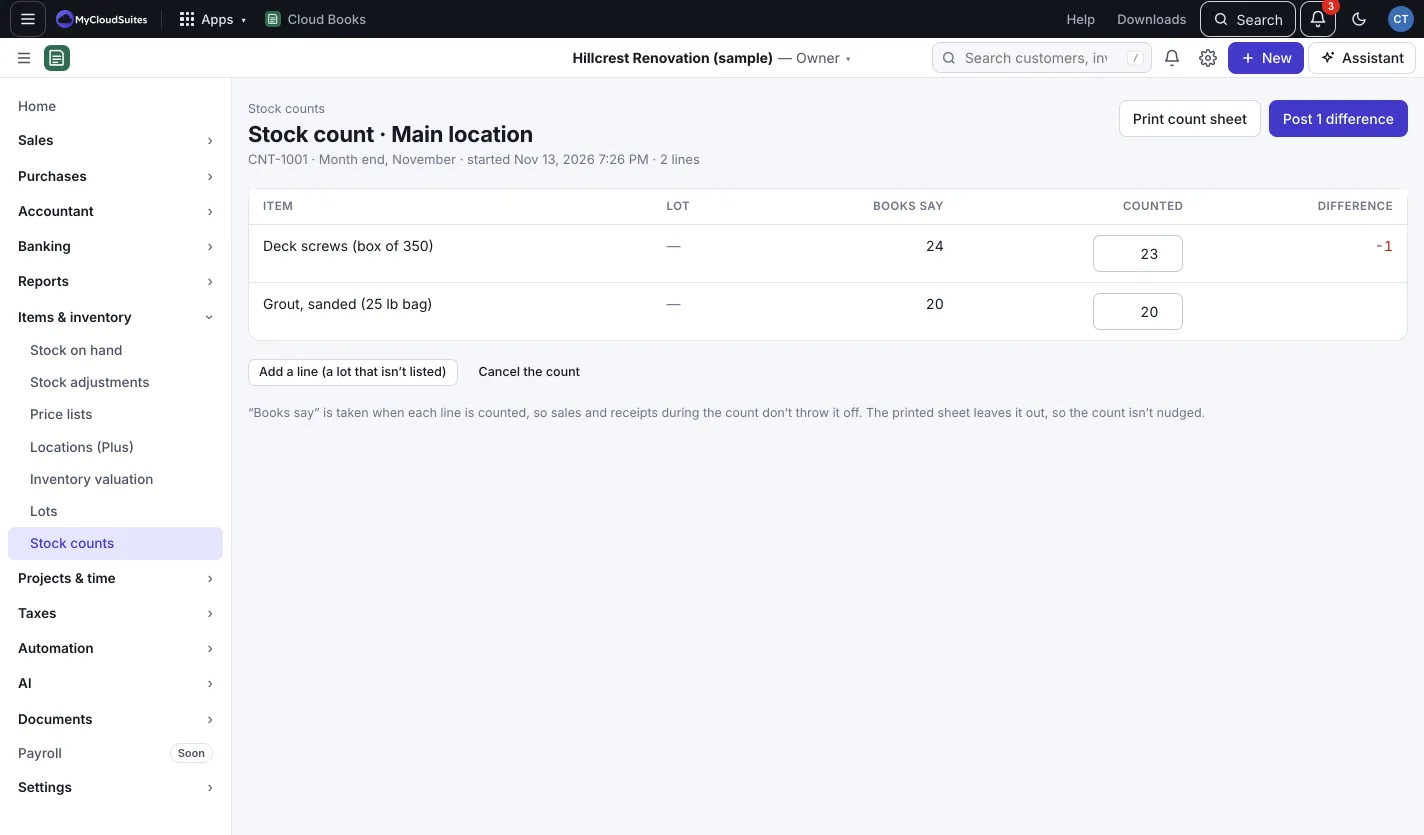
The differences post as one stock adjustment (Count correction), valued at average cost. Lines you didn’t count are left as they are. Found a lot that isn’t listed? Press Add a line (a lot that isn’t listed). To stop without posting, press Cancel the count.
Keep stock in more than one place (Plus)
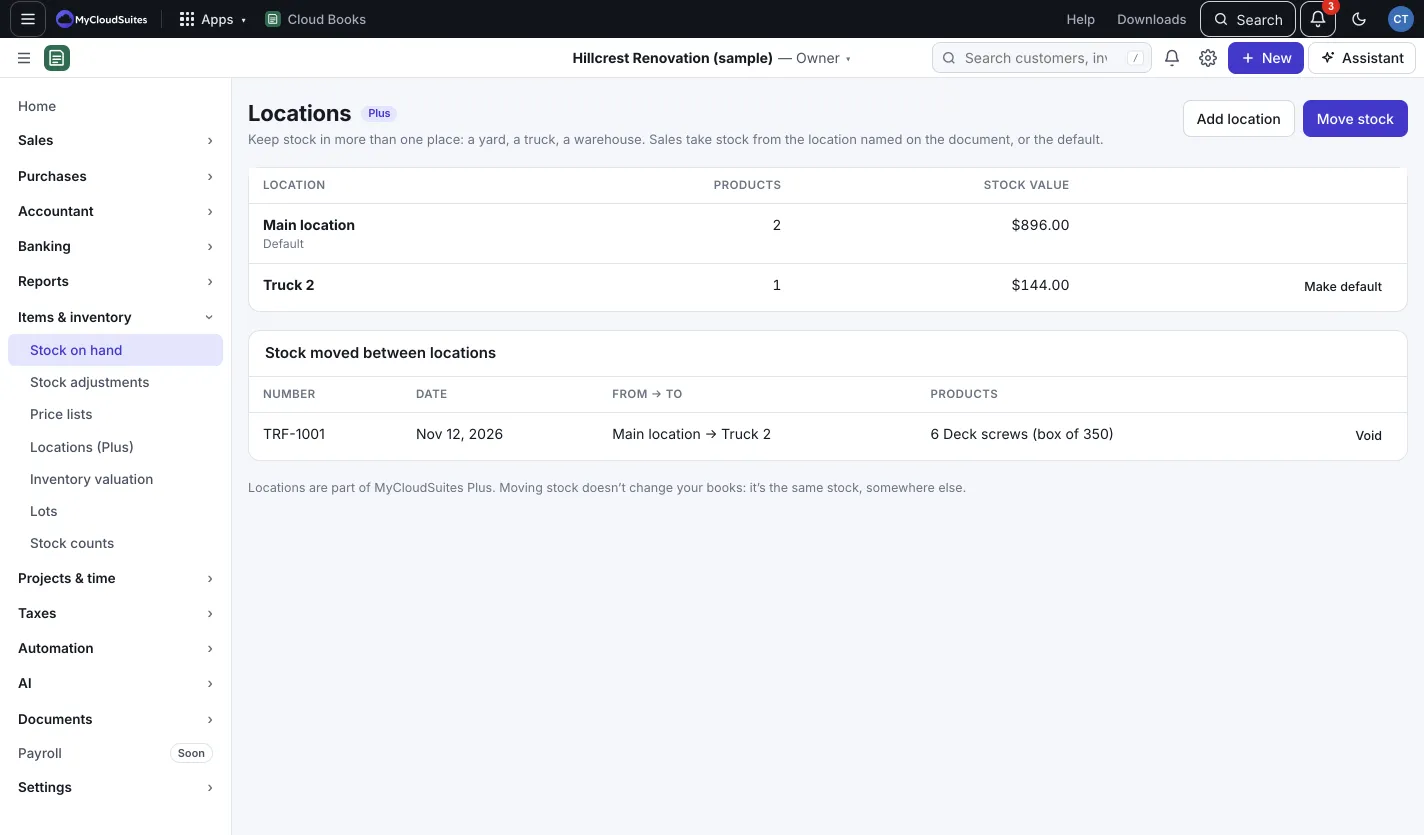
- Go to Items & inventory › Locations (Plus) and press Add location. Give it a Name, like “Truck 2”, and press Add.
- To move stock, press Move stock, pick the locations and how many of each product, and press Move.
- Press Make default on the location that sales and bills use when a document doesn’t name one.
Good to know
- Books say is taken when each line is counted, so sales and receipts during the count don’t throw it off. The printed sheet leaves it out, so the count isn’t nudged.
- Moving stock doesn’t change your books: it’s the same stock, somewhere else. Press Void on a move to undo it.
- To take stock from (or put it into) a location, type the location’s name in the document’s Location.