

Preferences
Updated November 13, 2026
Preferences holds company-wide defaults. Only the owner or an admin can change them; everyone else can look.
Change your preferences
- Go to Settings › Preferences.
- Make your changes (below).
- Press Save. Reload the page to see dates in a new format.
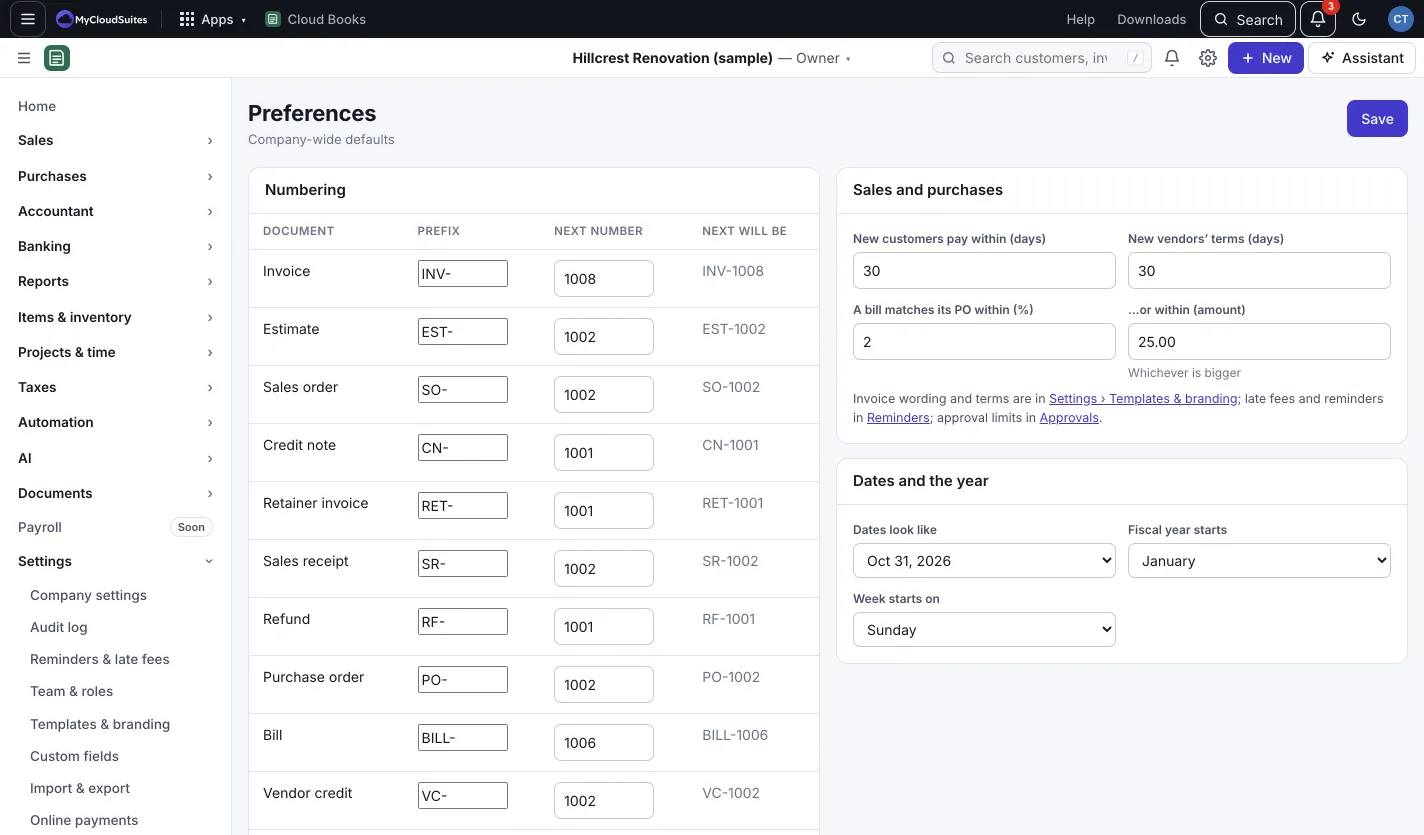
Numbering
For each kind of document, set the Prefix (like INV-) and the Next number. Next will be shows the number the next one gets. Use this when you move to Cloud Books and want your numbers to carry on from your old app.
Sales and purchases
- New customers pay within (days): the payment terms new customers start with.
- New vendors’ terms (days): the same for new vendors.
- A bill matches its PO within (%) and …or within (amount): how close a bill must be to its purchase order, whichever is bigger. A bill further off waits for approval before it can be paid. See Purchase orders.
Dates and the year
- Dates look like: for example Oct 31, 2026 or 10/31/2026.
- Fiscal year starts: the month your year starts in.
- Week starts on: Sunday or Monday.
Good to know
- Changing terms here only affects customers and vendors you add from now on. Edit an existing one to change theirs.
- Invoice wording and terms are in Templates and branding. Reminders and late fees have their own page: see Payment reminders and late fees.