

Choose which AI works for you in Cloud Books
Updated November 13, 2026
Some Cloud Books features use AI: Ask Books, reading statements and receipts, Suggest with AI and Explain with AI. Settings › AI picks what pays for that work. Your choice is yours alone: it follows you in every company, and nobody else can see or use your keys.
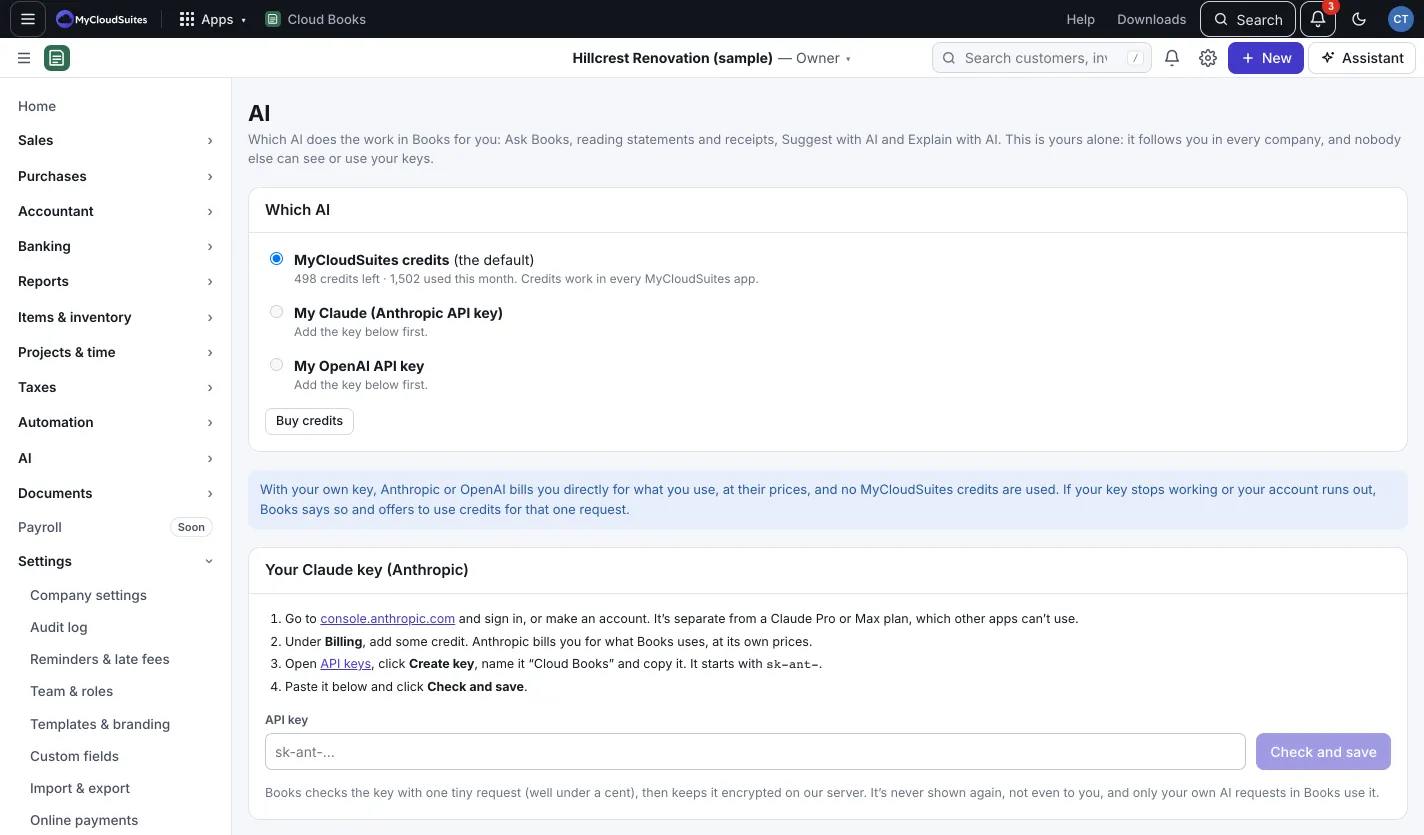
Which AI
Under Which AI, pick one:
- MyCloudSuites credits (the default). The page shows how many are left and how many you used this month. Press Buy credits for more.
- My Claude (Anthropic API key).
- My OpenAI API key.
With your own key, Anthropic or OpenAI bills you directly at their prices, and no credits are used.
Add your own key
- Under Your Claude key (Anthropic) or Your OpenAI key, follow the steps to make a key on the provider’s site. A Claude Pro or Max plan, or a ChatGPT Plus or Pro plan, doesn’t include this; API use is billed separately.
- Paste it under API key and press Check and save. Books checks it with one tiny request, then keeps it encrypted.
- Pick it under Which AI.
To manage a saved key, press Check it, Replace or Remove.
Good to know
- If your key stops working or your account runs out, Books says so and offers to use credits for just that request.
- Want your own Claude or ChatGPT to do the work in its own chat instead? See Connect other software.