

Connect other software to Cloud Books (API, webhooks and AI agents)
Updated November 13, 2026
Settings › API, webhooks & AI agents connects other software to your books. There’s no charge for it in Cloud Books.
Who can do what: anyone on the team can connect their own Claude or ChatGPT. Only the owner or an admin can make API keys and webhooks.
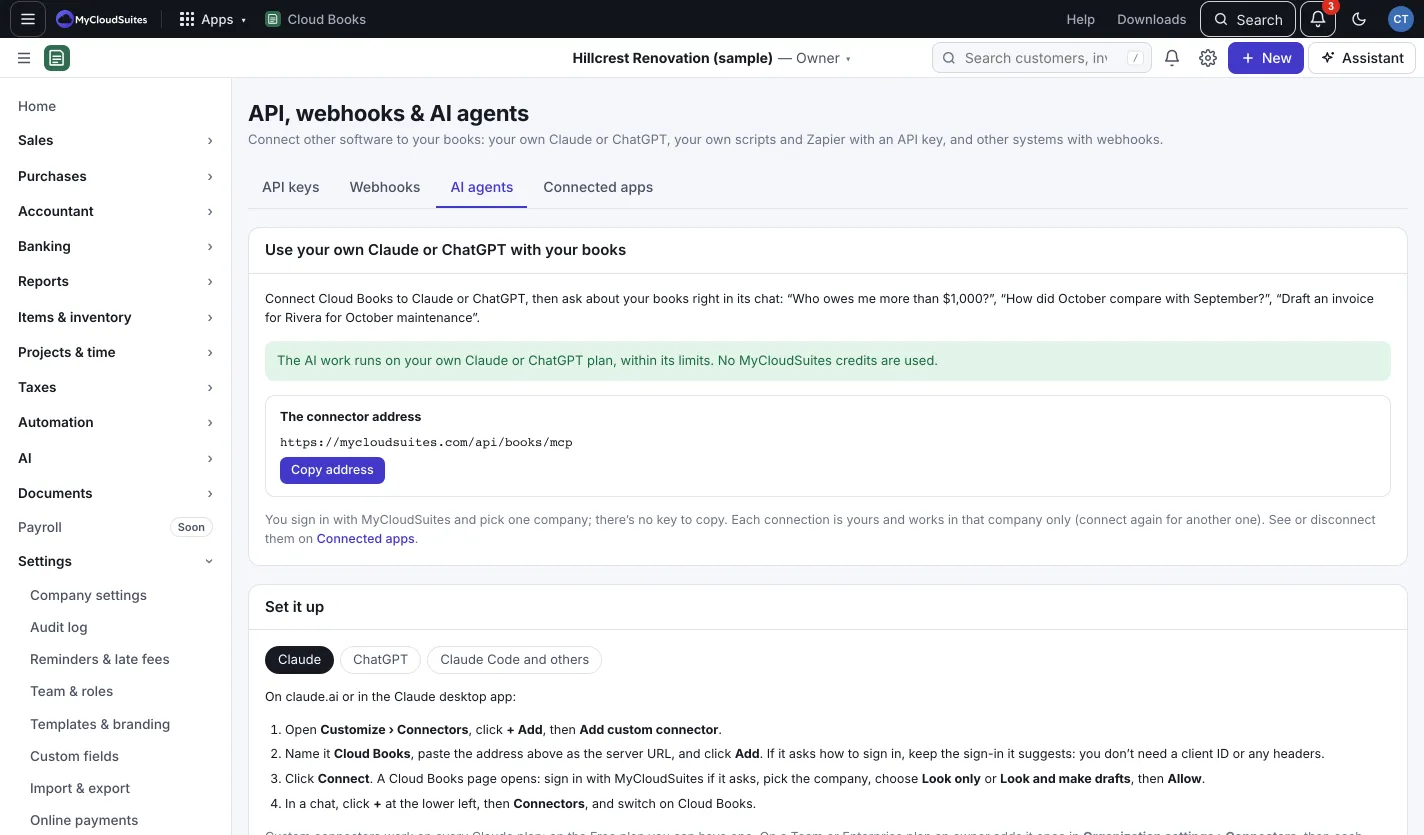
Use your own Claude or ChatGPT
- Open the AI agents tab and press Copy address to copy the connector address.
- Pick Claude, ChatGPT or Claude Code and others and follow the steps shown for that app.
- When a Cloud Books page opens, sign in with MyCloudSuites if it asks, pick the company, choose Look only or Look and make drafts, then press Allow.
The AI work runs on your own Claude or ChatGPT plan, so no MyCloudSuites AI credits are used. It sees only what your role can see, in the one company you picked. It can look things up, run reports and, with Look and make drafts, make draft invoices and bills. It can’t send, approve, record payments, or change what’s already in your books.
See or disconnect these on the Connected apps tab.
Make an API key
- Open the API keys tab and press New API key.
- Give it a Name, like “Zapier”, and pick what It can do: Read only or Read and write. Add an Expires (optional) date if you like.
- Press Make key, then Copy. The key is shown only once, so keep it like a password.
A key works for this company only, up to 120 requests a minute. Press Revoke to stop one at once.
Add a webhook
- Open the Webhooks tab and press Add webhook.
- Type the Address (https only) and pick the events to send, or Every event.
- Press Add webhook and save the Signing secret shown.
Press Send test to try it, and Log to see each delivery. Failed deliveries are tried again a few times, then given up.
Good to know
- Workflow rules can call a webhook too. See Workflow rules.
- Everything an AI app does is in the audit log under its name.