

Ask Books (AI assistant)
Updated November 13, 2026
Ask Books answers questions about your books and can prepare drafts for you. Anything that changes the books waits for your OK. It uses MyCloudSuites AI credits.
Ask a question
- Press Assistant in the top bar, or go to AI › Ask Books.
- Type Your question, for example “Which customers are more than 30 days late?”, and press Enter.
You can also type a question in the command bar (⌘K or Ctrl+K) and press ⌘Enter or Ctrl+Enter.
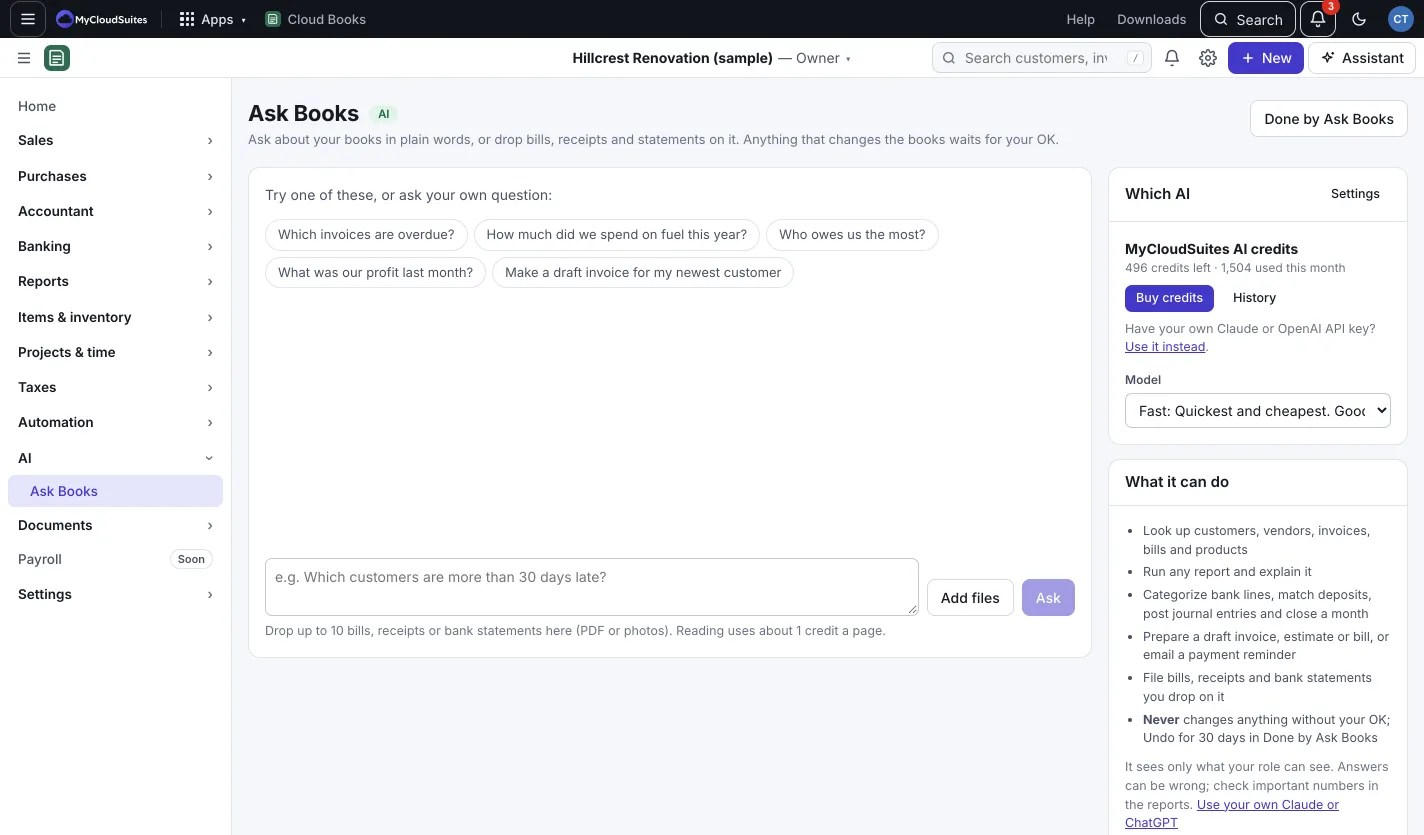
What it can do
- Look up customers, vendors, invoices, bills and products.
- Run any report and explain it.
- Prepare a draft invoice, estimate or bill, or email a payment reminder.
- File bills, receipts and bank statements you drop on it. Press Add files to add up to 10 at a time.
When it wants to change something, it shows a card marked Needs your OK. Nothing happens until you approve it.
Undo what it did
Press Done by Ask Books to see what you approved there. Undo works for 30 days.
Good to know
- It sees only what your role can see.
- Answers can be wrong; check important numbers in the reports.
- Prefer your own AI? In Settings › AI, choose your own Claude or OpenAI key instead of credits, or connect your own Claude or ChatGPT to Cloud Books under Settings › API, webhooks & AI agents.
- Your conversations are kept for you alone.