

See everything connected to your books
Updated November 13, 2026
Settings › Apps & integrations is one page listing what’s connected to this company’s books, with a button to manage each.
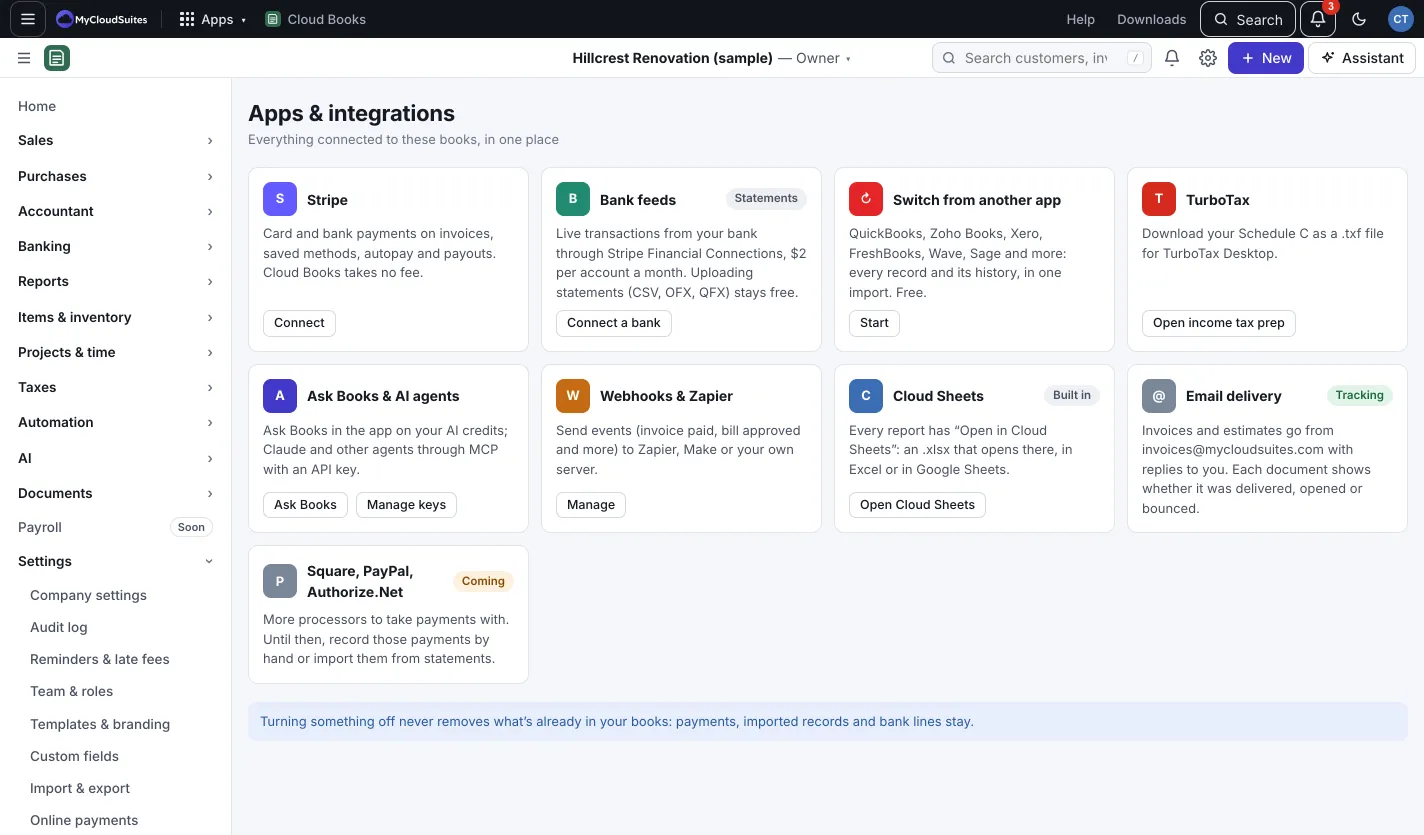
What you’ll see
- Stripe: card and bank payments on invoices, saved methods, autopay and payouts. Press Connect or Manage. See Take payments online.
- Bank feeds: live transactions from your bank, $2 per account a month. Press Connect a bank or Manage. See Live bank feeds.
- Switch from another app: bring your books over in one import, free. Press Start, or View import for one you’ve done. See Switch to Cloud Books.
- TurboTax: press Open income tax prep to download your Schedule C for TurboTax Desktop.
- Ask Books & AI agents: press Ask Books, or Manage keys for API keys.
- Webhooks & Zapier: press Manage to send events to other software. See Connect other software.
- Cloud Sheets: every report has Open in Cloud Sheets.
- Email delivery: invoices and estimates go from invoices@mycloudsuites.com, with replies to you.
Good to know
- Turning something off never removes what’s already in your books: payments, imported records and bank lines stay.