

Live bank feeds (beta)
Updated November 17, 2026
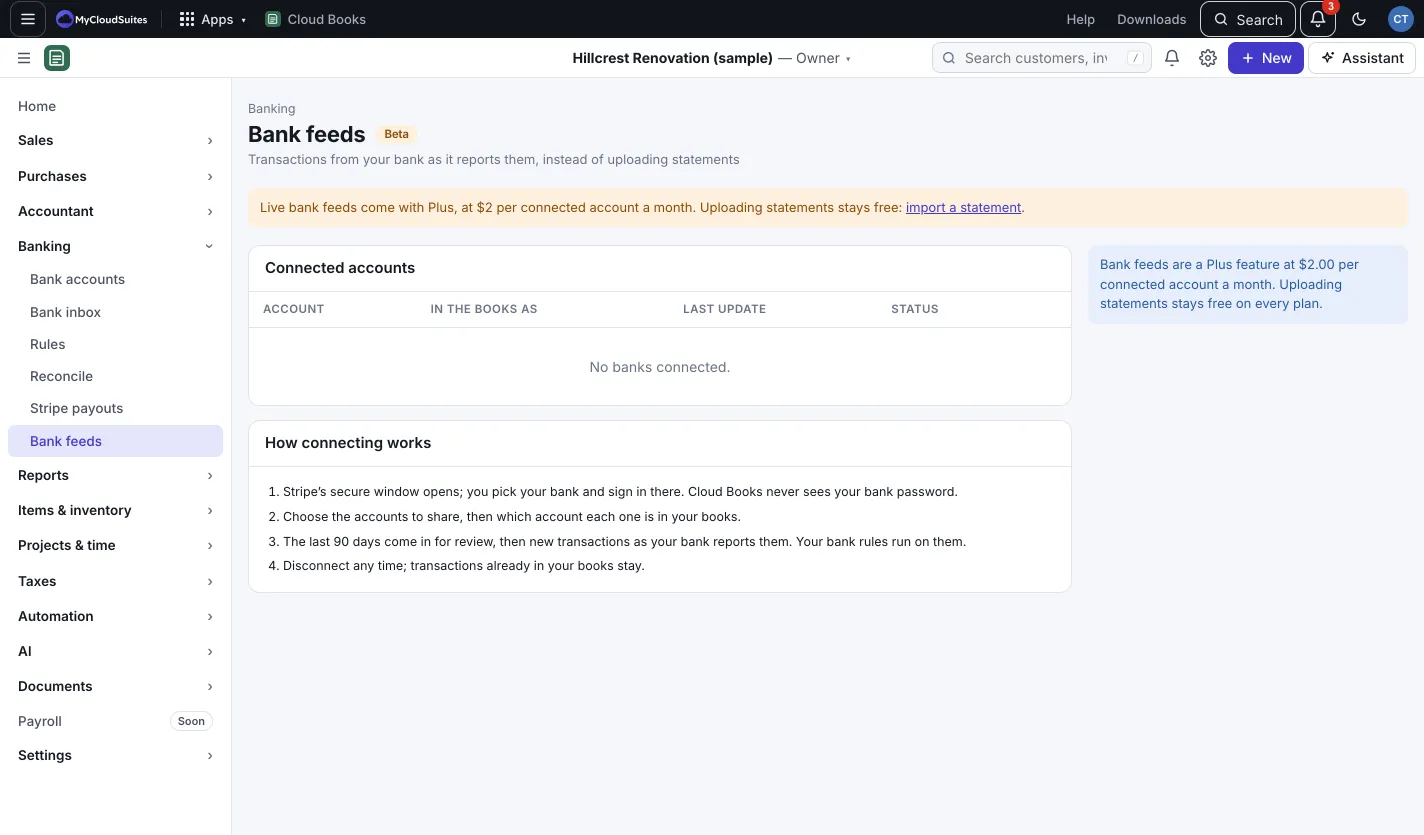
With a live bank feed, new transactions come into the Bank inbox as your bank reports them. No more downloading statements. Bank feeds connect through Stripe and are in beta.
What it costs
Each connected account is $2 a month, plus tax, on your company plan, the one monthly bill for your company’s MyCloudSuites apps, paid from the company card. No Plus needed. Only accounts you share are charged. A new one is charged when you connect it, for the rest of the month; one you disconnect stops from the next bill. Importing statements stays free.
If your company has no plan yet, Books shows Set up bank feed billing, and an owner sets up the company card there first. If a bank doesn’t connect after you pay, its charge is refunded.
Connect a bank
- Go to Banking › Bank feeds. (The owner or an admin connects banks.) You can also press Connect your bank on Bank accounts; it points you here.
- Press + Connect a bank. Books tells you what it costs, then press Continue to your bank.
- Stripe’s secure window opens. Pick your bank and sign in there. Cloud Books never sees your bank password.
- Choose the accounts to share.
- Back in Books, under In the books as, pick which account each one is in your books.
The last 90 days come in for review, then new transactions as your bank reports them. Your bank rules run on them.
Day to day
- Sync now checks the bank right away.
- Status shows Up to date, Pick an account or Not updating.
- Disconnect stops new transactions. The ones already in your books stay, and the charge stops from the next bill.
Good to know
- Connecting through Plaid, for banks Stripe doesn’t cover, is coming soon. See Connect a bank through Plaid.
- If the company plan ends or isn’t paid for, live bank feeds pause: nothing is disconnected and your history stays. Books shows a banner with Set up bank feed billing, and they pick up again once billing is sorted. While a payment is only being retried, they keep working.
- You can always import statements for free. See Import a bank statement.