

Reconcile a bank or card account
Updated November 13, 2026
Reconciling means checking that every transaction on your bank statement is in your books, and that the balances agree. Do it once a month for each bank and card account.
Reconcile by hand
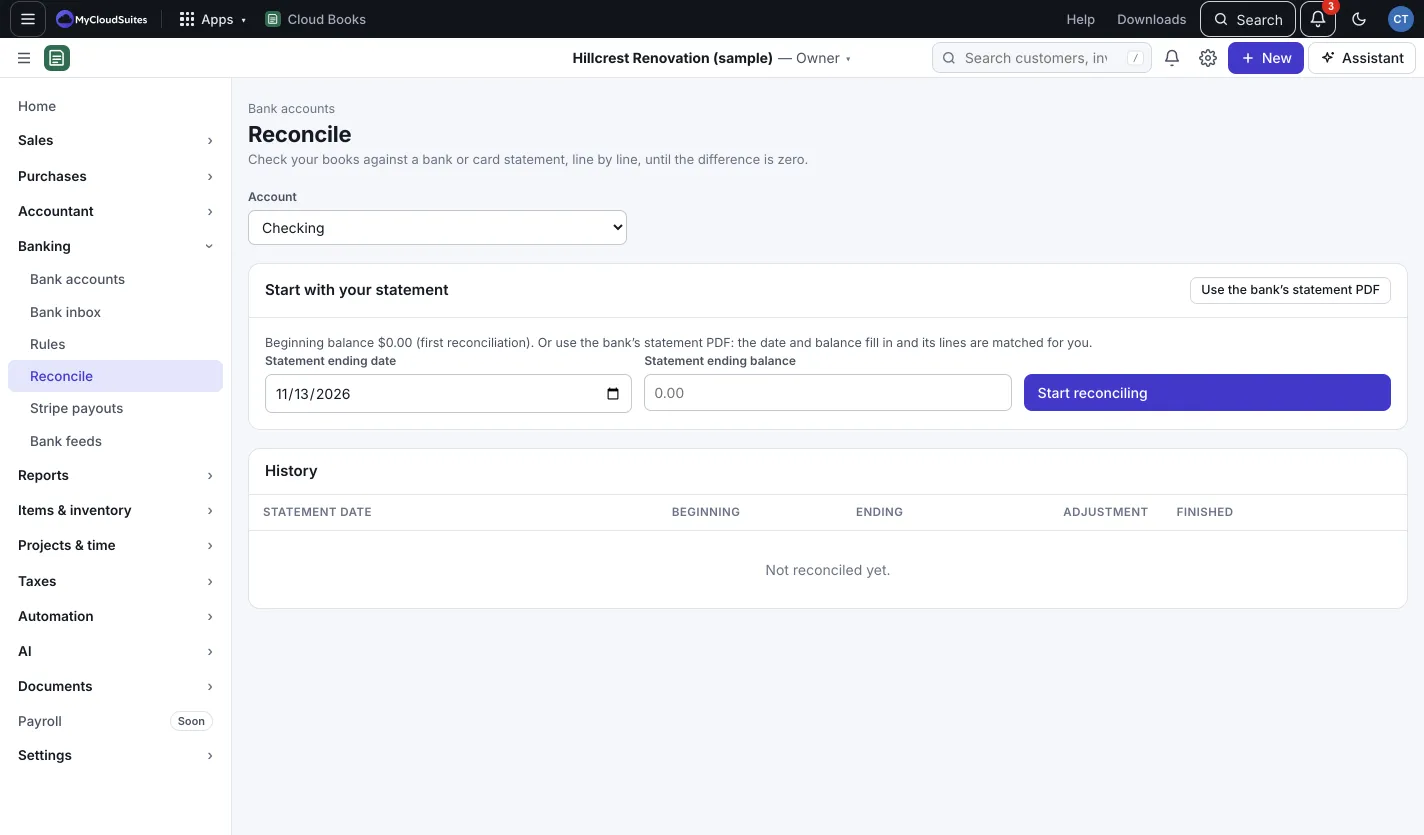
- Go to Banking › Reconcile and pick the Account.
- Under Start with your statement, enter the Statement ending date and Statement ending balance (for a card, Statement balance owed).
- Press Start reconciling.
- Under Tick what’s on the statement, tick each transaction that appears on your statement. Tick all and Clear ticks help.
- Watch Difference. When it’s $0.00, press Finish reconciling.
Not done yet? Press Save for later. To begin again, press Start over.
Use the bank’s statement PDF
- Press Use the bank’s statement PDF and choose the PDF. Claude reads it (a few AI credits; the estimate shows first).
- The ending date and balance fill in, and each statement line is matched to a transaction in your books and ticked.
- Lines Not in your books are listed. Press Add them to For review (or Review in Import a statement), confirm them in the Bank inbox, then come back and press Match again.
- When every line matches and the difference is $0.00, press Finish reconciling, or Finish as Auto.
If you ticked Finish by itself when every line matches and the difference is $0.00, it finishes on its own, marked Auto. You can Undo an Auto reconciliation from History.
The difference isn’t zero?
Look for a line you missed, a typo in an amount, or something not entered yet. If you know why the difference is there (say, a bank fee you never recorded), press Finish with an adjustment…, say Why, and finish. This adds an entry to “Reconciliation adjustments”.
Good to know
- Transactions in your books but not on the statement stay unticked. Usually these are checks not cashed yet or deposits in transit; they wait for the next statement.
- Press Report in History to see any past reconciliation.