

Month-end close checklist
Updated November 13, 2026
Month-end close is a checklist for each month. Some steps Books checks for you; the rest you tick yourself. When every step is done, you close the month.
The owner, an admin or your accountant can close a month.
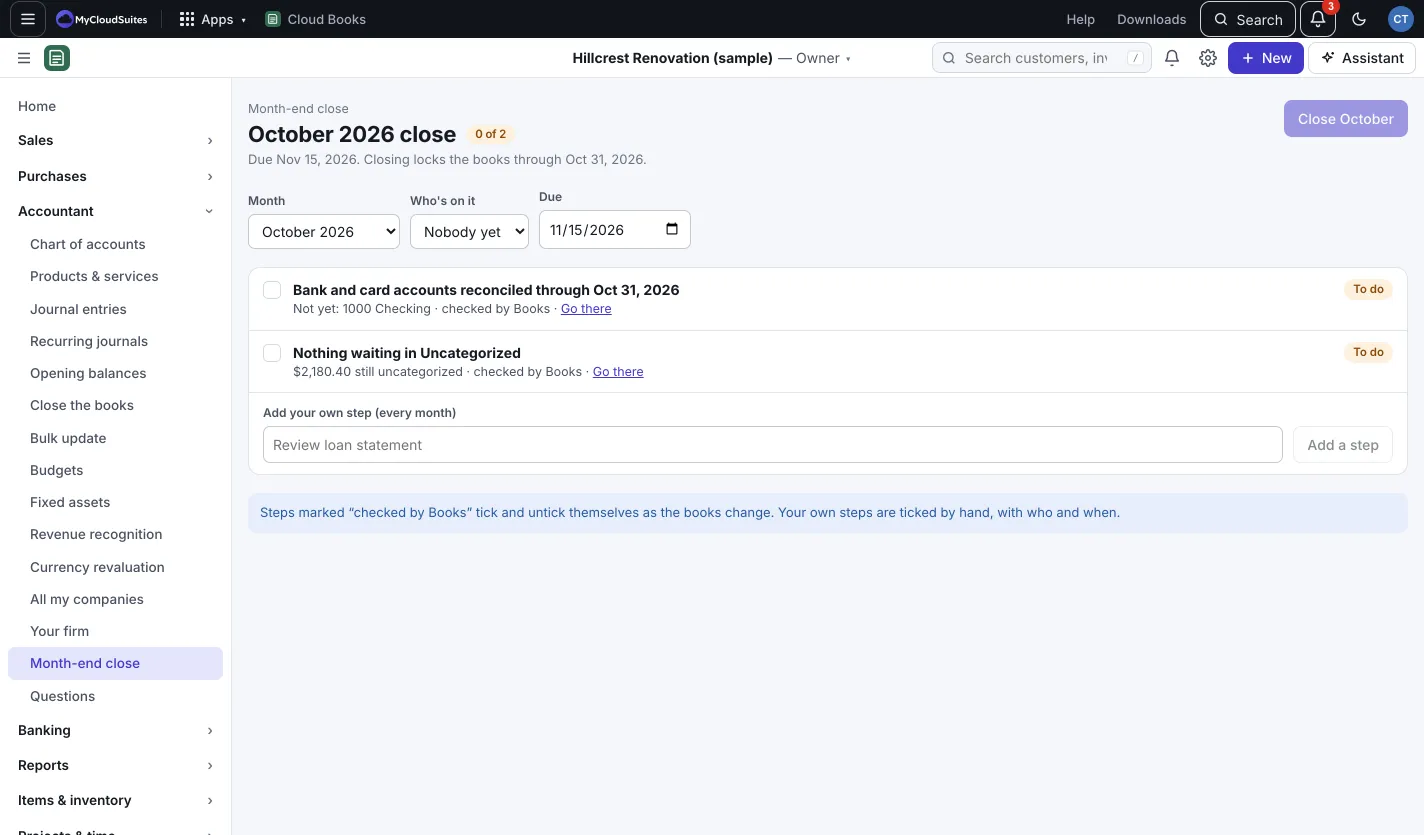
Work through the checklist
- Go to Accountant › Month-end close and pick the Month.
- Steps marked “checked by Books” tick and untick themselves as the books change, for example accounts reconciled through the month end and nothing left in Uncategorized. Press Go there to fix one.
- Tick your own steps by hand. To add a step for every month, type it under Add your own step (every month) and press Add a step.
- If you like, pick Who’s on it and a Due date.
Close the month
- When every step is done, press Close and the month’s name, for example Close October.
- Press Close the month.
The books now lock through the last day of that month: nothing dated in it can be added or changed until it’s reopened.
Reopen a month
Press Reopen and the month’s name, then Reopen. The books lock through the month before instead, and any later months you closed reopen too.
Good to know
- To lock the books through any date, not just a month end, use Close the books. See Close the books (lock date).