

Opening balances
Updated November 13, 2026
If you start Cloud Books part way through, your accounts already hold money from before. Opening balances bring those amounts in, from your bank, card and loan statements, so your balance sheet is right from day one.
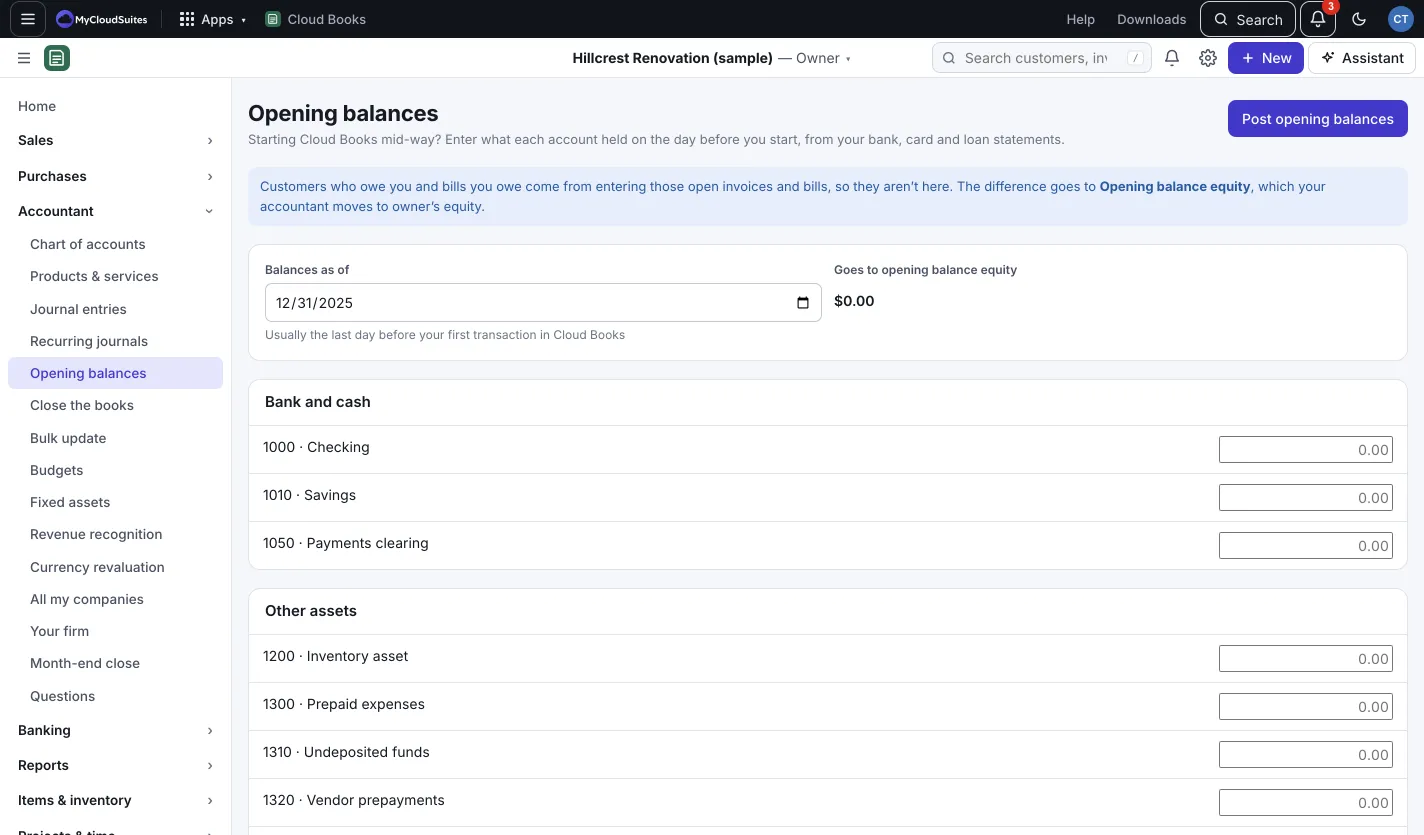
Enter opening balances
- Go to Accountant › Opening balances.
- Set Balances as of. Usually it’s the last day before your first transaction in Cloud Books.
- Type each account’s balance on that date, under Bank and cash, Other assets, Credit cards and loans and Equity.
- Goes to opening balance equity shows the difference as you type.
- Press Post opening balances. To change them later, edit the amounts and press Save changes.
What isn’t here
Money customers owe you and bills you owe come from entering those open invoices and bills, so they aren’t on this page. Bring them in as Unpaid invoices and Unpaid bills, see Import lists and spreadsheets.
Good to know
- The difference goes to Opening balance equity. Your accountant moves it to owner’s equity.
- If the date is in a closed period, the opening balances can’t change until the books are reopened.
- Switching from QuickBooks, Zoho Books or another app brings your whole history instead. See Switch to Cloud Books.