

Revenue recognition
Updated November 13, 2026
When you bill now for work you’ll do over time, like a yearly maintenance plan paid up front, the money isn’t all earned yet. Revenue recognition holds it in Deferred revenue and moves it into income month by month, or at milestones. It runs by itself every day.
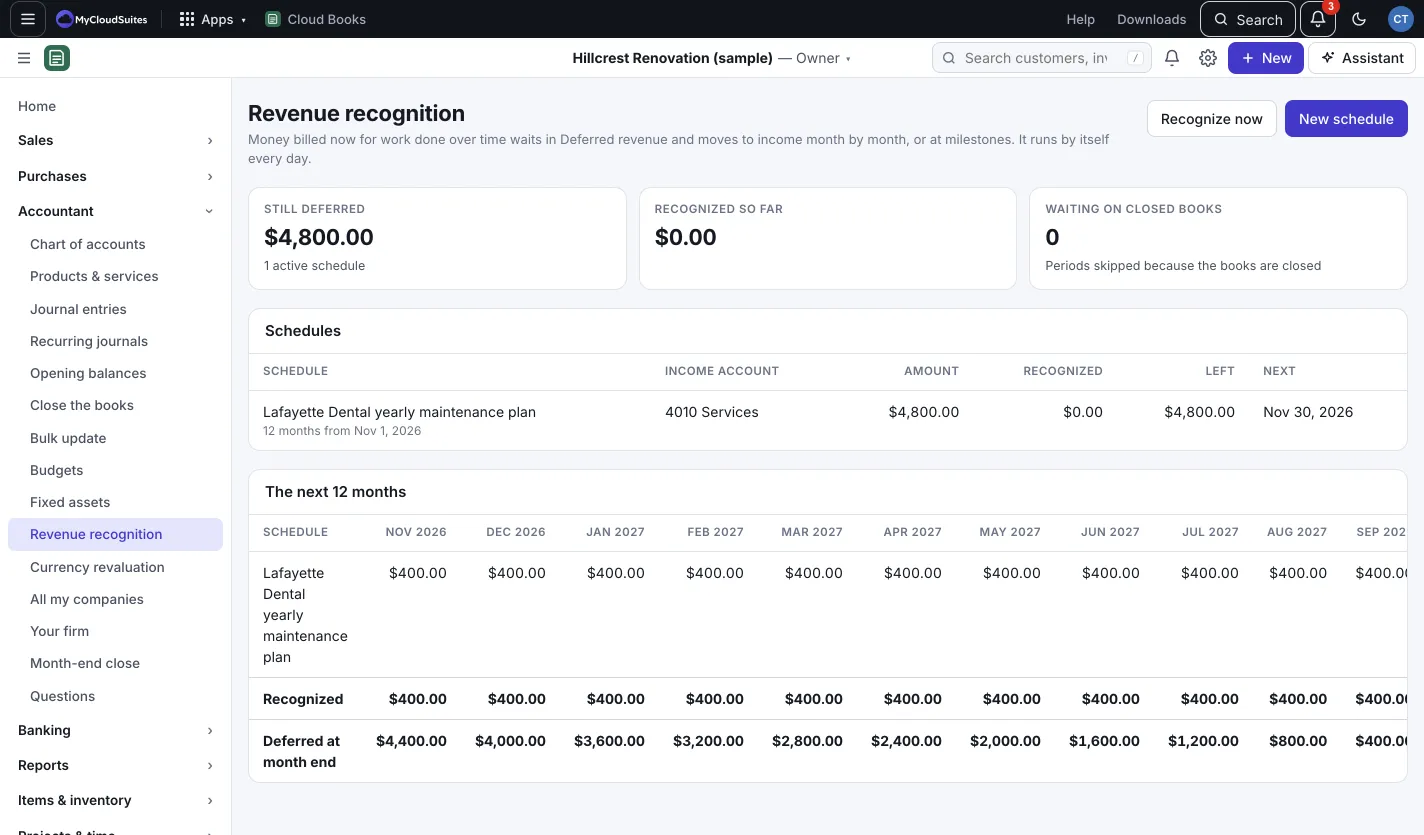
Start a schedule
- Go to Accountant › Revenue recognition and press New schedule. (Or New › Revenue schedule.)
- Under Start from, pick A line on an invoice or sales receipt and choose the Invoice line, or pick An amount I enter and fill in the Name, Income account and Amount.
- Under Recognize, pick Evenly, month by month and set Over how many months, or At milestones and add each milestone’s Date, Amount and What with + Milestone.
- Set Starting, then press Defer and schedule.
The amount moves out of income into Deferred revenue now, and comes back as it’s earned.
Follow it
- The tiles show what’s Still deferred, Recognized so far, and periods Waiting on closed books.
- The next 12 months shows what each schedule moves into income each month.
- Click a schedule to see each month or milestone, marked Recognized or Scheduled.
- Recognize now (owners and admins) runs today’s at once.
Cancel a schedule
Open it and press Cancel schedule. Its deferral and every month recognized so far come out of the books, so the full amount is back in income on the invoice date.
Good to know
Periods that fall in closed books wait until they’re reopened.