

Journal entries
Updated November 13, 2026
A journal entry is an adjustment made straight to accounts. Every entry has equal debits (amounts added to one side) and credits (amounts added to the other). Invoices, bills and payments post themselves, so most businesses only need journal entries for adjustments, often at year end.
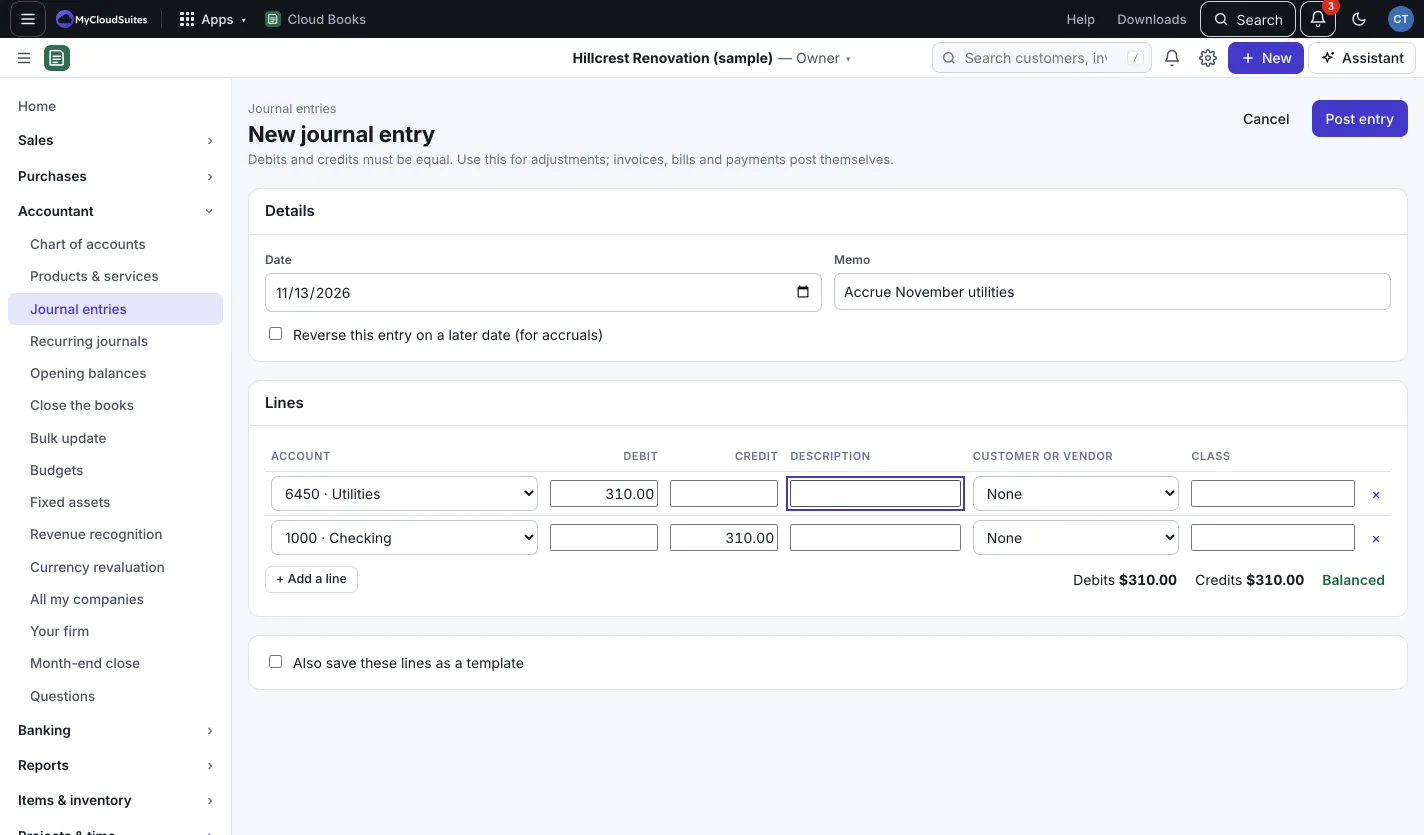
Make a journal entry
- Go to Accountant › Journal entries and press New journal entry. (Or New › Journal entry.)
- Set the Date and a Memo, like “Accrue October utilities”.
- Under Lines, pick an Account and type a Debit or a Credit on each line. Add a Description, a Customer or vendor and a Class if you like. Press + Add a line for more.
- Watch the totals under the lines. When they say Balanced, press Post entry.
Reverse it later (accruals)
Tick Reverse this entry on a later date (for accruals) and pick Reverse on. On that date Books posts a reversing entry with the debits and credits swapped.
Save it as a template
Tick Also save these lines as a template and give it a Template name. Next time, pick it from Start from a template… at the top of a new entry.
Change or void an entry
Open the entry from the list. Press Edit to change it, Make recurring to post it on a schedule (see Recurring journals), or Void to take it out of your books. A voided entry stays on file, marked Void.
Good to know
- Search the list by number or memo, pick From and To dates, or show Posted or Void entries only.
- Nothing can be dated on or before the date your books are closed through. See Close the books.