

Close the books (lock date)
Updated November 13, 2026
Once a month is filed or reviewed, close it. Closing sets a lock date: nothing dated on or before it can be added, changed or deleted until you reopen it.
The owner or an admin can close the books.
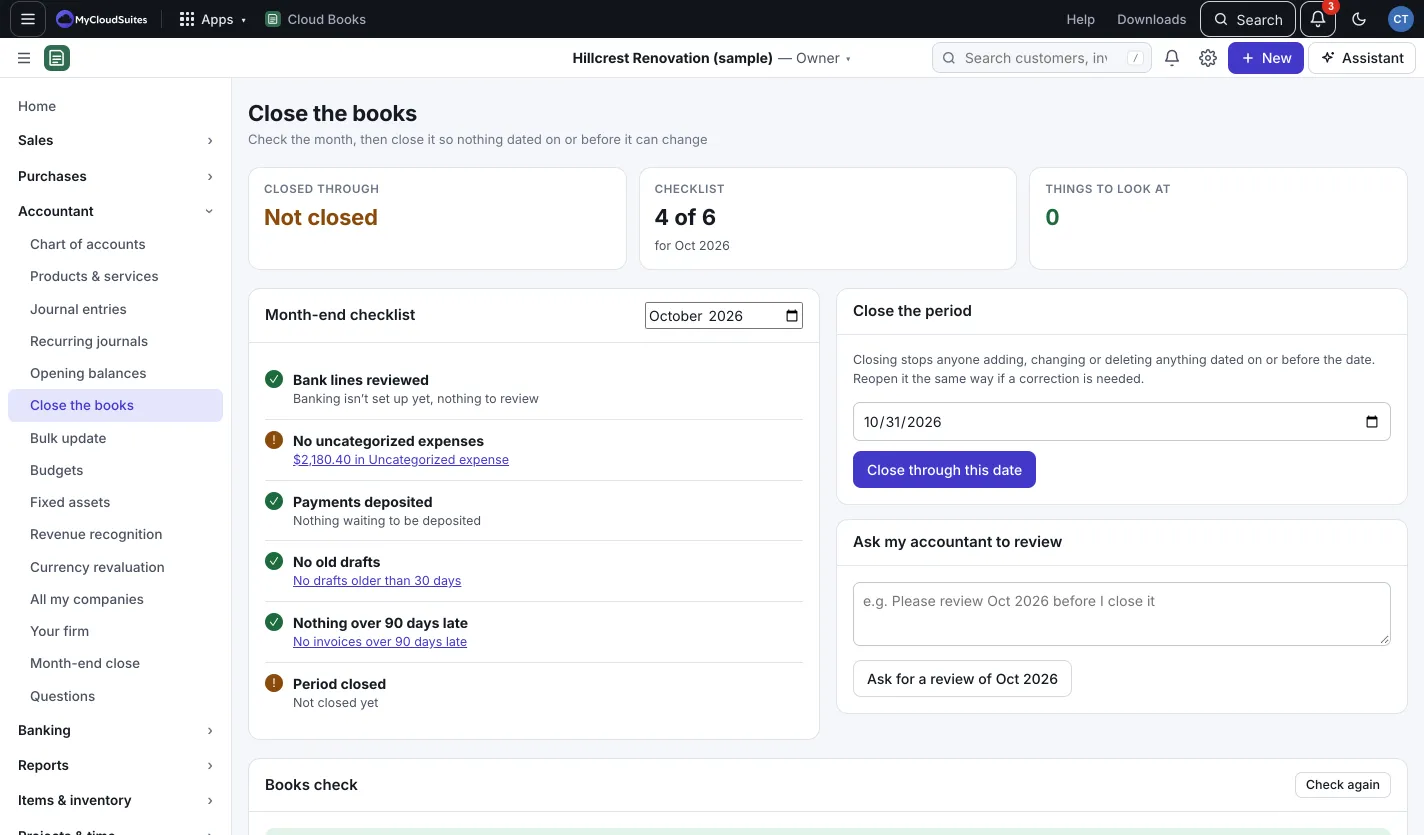
Close through a date
- Go to Accountant › Close the books (or Company settings › Close the books).
- Check the Month-end checklist and Things to look at.
- Under Close the period, pick the date and press Close through this date.
Reopen
On Close the books, press Reopen all. To reopen one month from the checklist instead, see Month-end close checklist.
Good to know
- Under Ask my accountant to review, add a note and press Ask for a review of and the month, to ask your accountant to look first.
- While the books are closed through a date, editors show “The books are closed through” that date, and those dates can’t be used.
- Undoing changes from the audit log can’t be done inside a closed period.