

Budgets
Updated November 13, 2026
A budget is your plan for the year: how much you expect to earn and spend in each account, month by month. Budget vs actual then shows how you’re doing against it.
Make a budget
- Go to Accountant › Budgets and press New budget. (Or New › Budget.)
- Give it a Name and the Fiscal year.
- To start from real numbers, leave Fill it in from a year’s actual numbers ticked, pick Copy from fiscal year, and set Change by (%), for example 5 for 5% more.
- Press Create budget.
Fill in the plan
On the Plan tab, each income, cost of goods sold and expense account has a box per month. Type the amounts. Press Fill → on a row to copy its first month to every month. Press Save changes when you’re done.
Compare with what happened
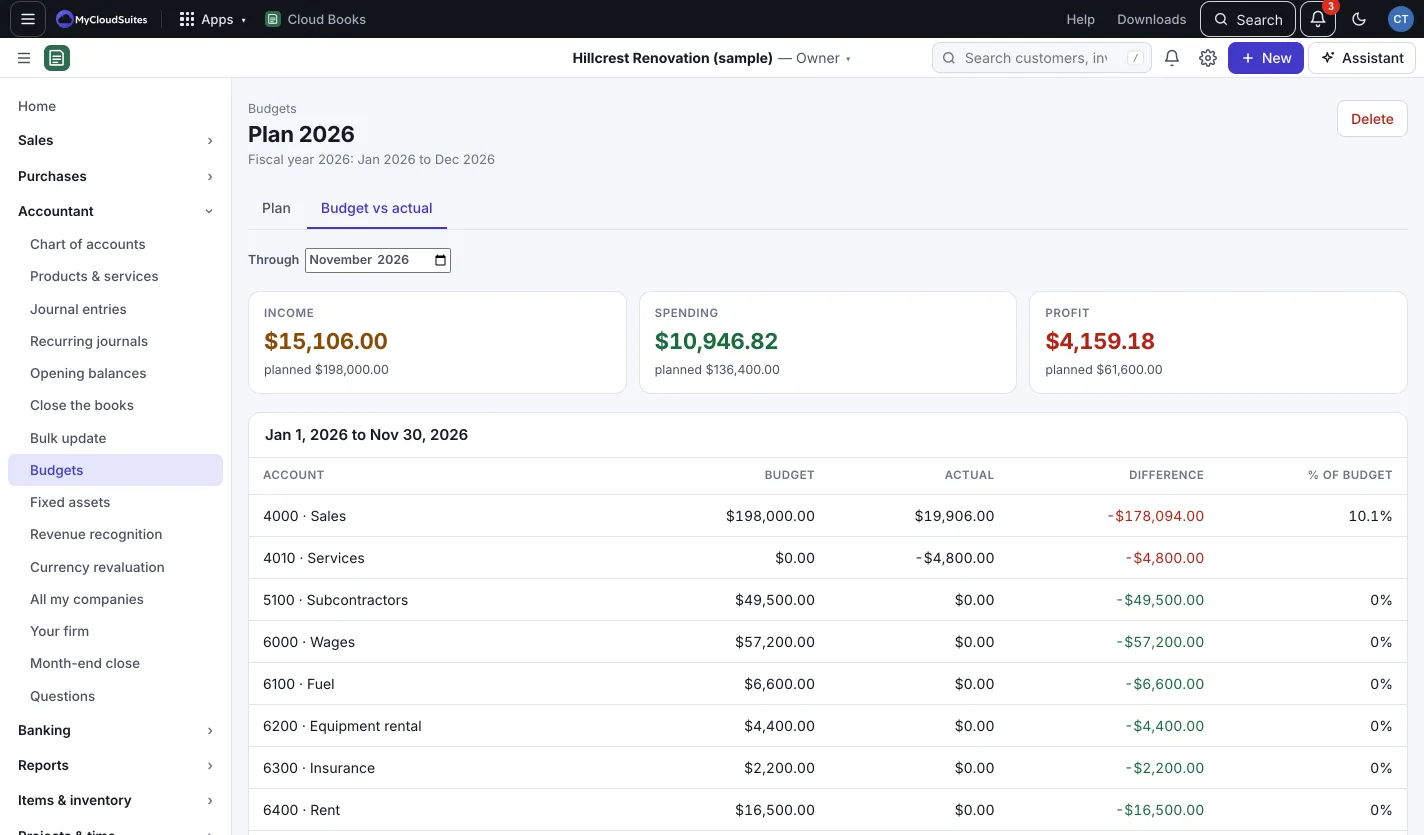
Open the Budget vs actual tab and pick the month it runs Through. The tiles show Income, Spending and Profit against the plan. Each account shows the Budget, Actual, Difference and % of budget. Green means better than planned: more income, or less spending.
Good to know
- A report pack can include Budget vs actual when a budget exists for the year. See Report packs.
- Press Delete on a budget to remove it. Your books don’t change.