

Recurring journals
Updated November 13, 2026
A recurring journal posts the same journal entry on a schedule. Use it for amounts you spread over time, like a yearly insurance policy paid up front.
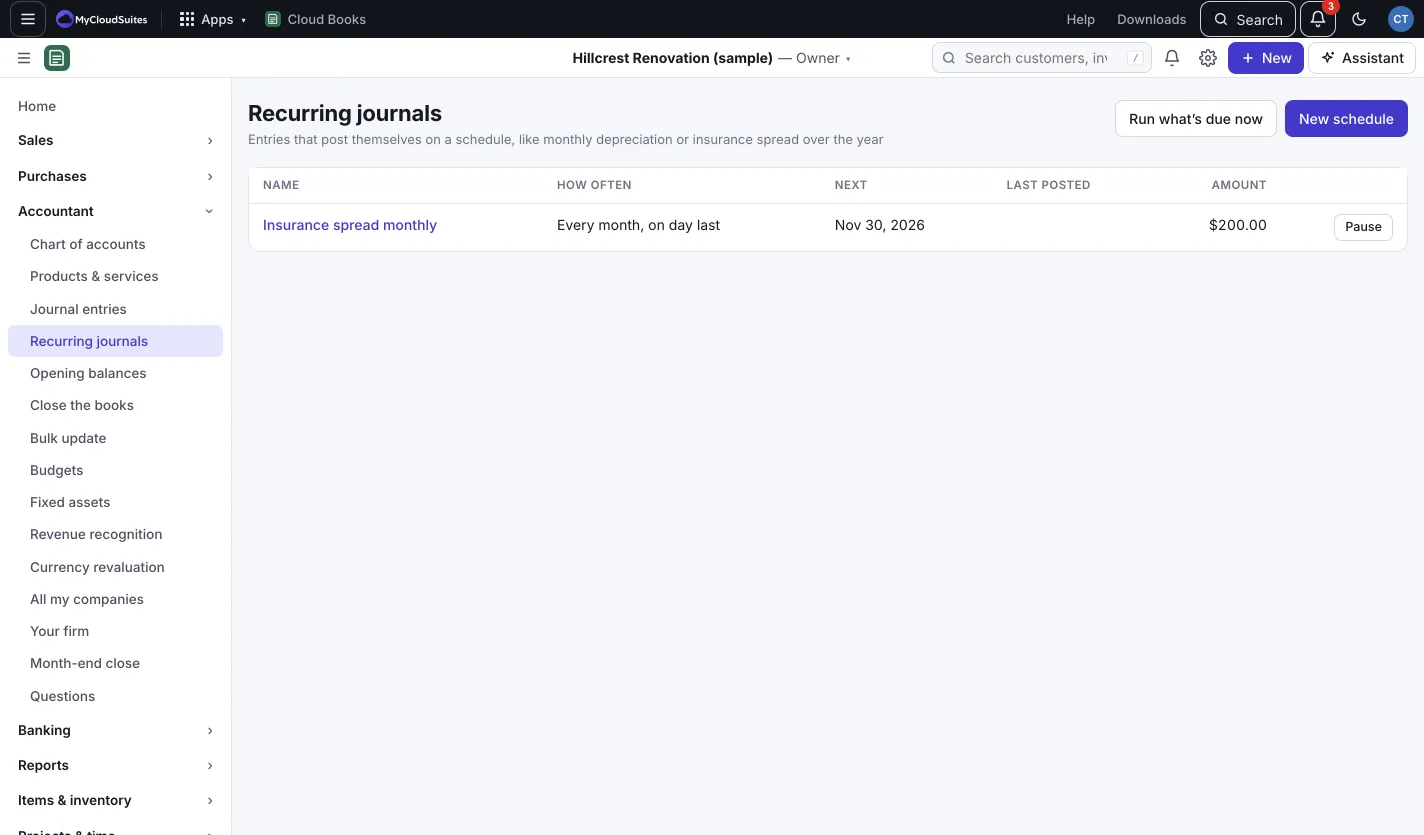
Set up a schedule
- Go to Accountant › Recurring journals and press New schedule. Or open a journal entry and press Make recurring to start from its lines.
- Give it a Name and a Memo on each entry.
- Pick How often: Every month, Every 3 months or Every year.
- Pick On day, from 1 to 28 or Last day of the month.
- Set Starting and, if it should stop, Ending (optional).
- Add the lines. Debits and credits must be equal.
- Press Save schedule.
Manage a schedule
- Press Pause to stop it for now, and Resume to start again.
- Click a schedule’s name to see its lines and what it Posted so far. Press Delete schedule to remove it. Entries it already posted stay in your books.
- Run what’s due now (owners and admins) posts anything due today straight away.
Good to know
- Each entry posts on its date. If that date is in a closed period, it’s skipped and the reason shows in Posted so far.
- Depreciation on fixed assets has its own tool. See Fixed assets and depreciation.