

The chart of accounts and account registers
Updated November 13, 2026
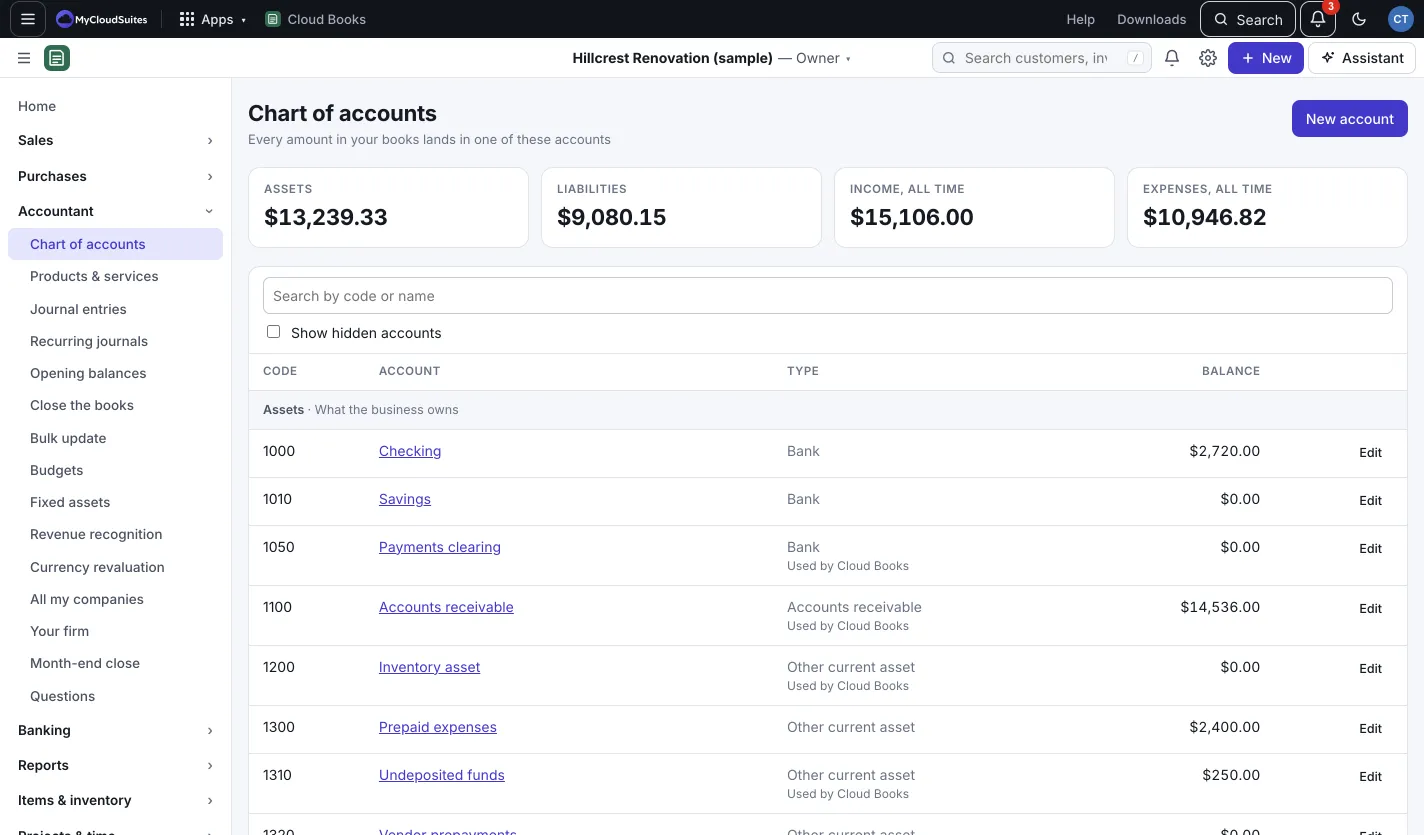
The chart of accounts is the list of categories your money is sorted into: bank accounts, what customers owe you, what you owe, income and expenses. Cloud Books sets up a standard list when you make your company. You can add, rename or hide accounts any time.
Add an account
- Go to Accountant › Chart of accounts and press New account. (Or New › Account.)
- Type a Code if you use account numbers (for example 6120), and a Name.
- Pick the Type, such as Bank, Credit card, Income or Expense.
- To put it under another account, pick it in Sub-account of. Leave None (top level) otherwise.
- Add a Description if you like, then press Save.
Rename or hide an account
Press Edit beside the account. Change the name or code, or untick Show this account in lists to hide it. Hidden accounts keep their history. Tick Show hidden accounts on the page to see them again.
Accounts marked Used by Cloud Books are ones Books posts to itself, like Accounts receivable or Sales tax payable. You can rename them, but not change their type or hide them. An account with transactions can’t change type.
See what’s in an account
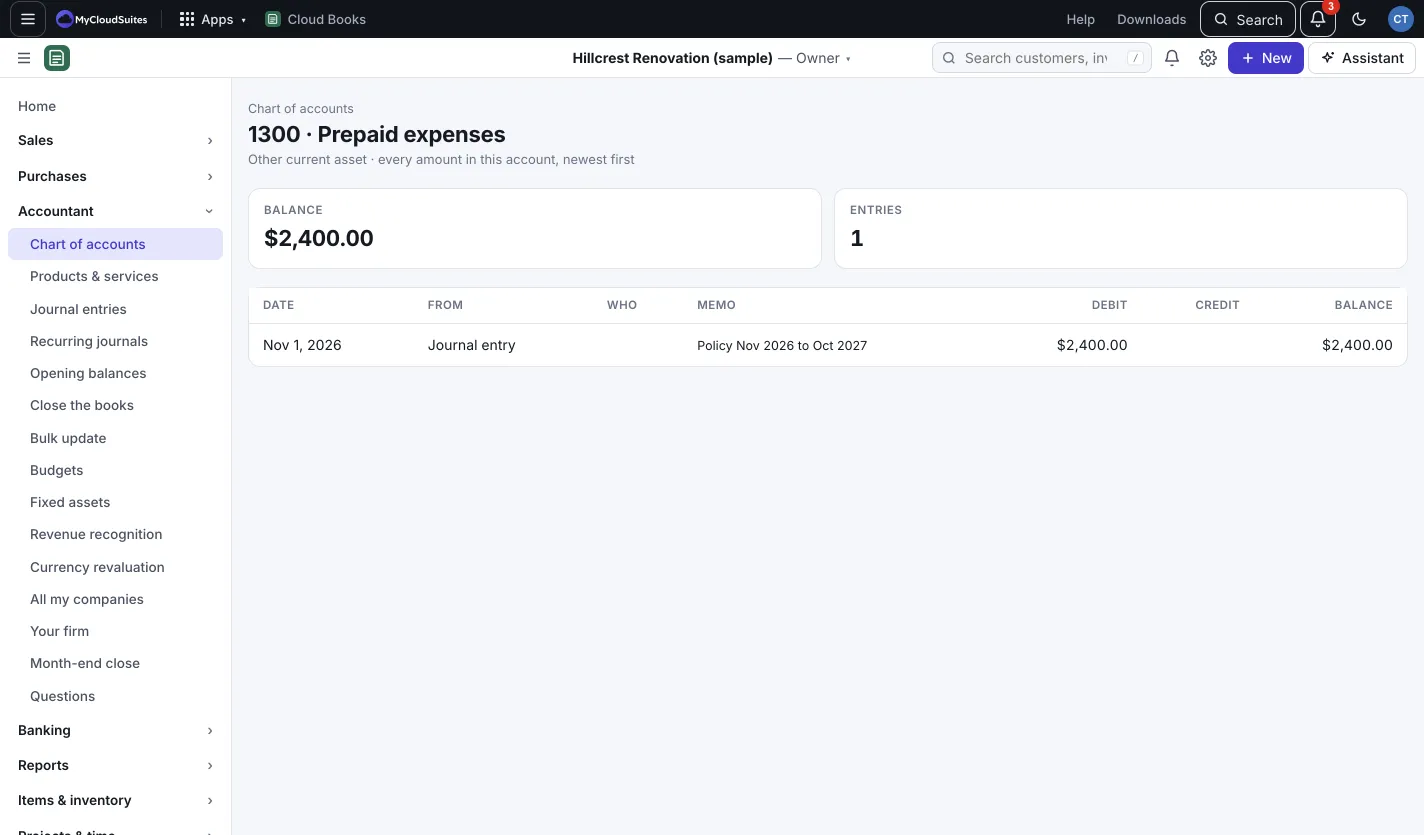
Click an account’s name to open its register: every amount in that account, newest first, with the Date, where it came From, Who, the Memo, Debit, Credit and the running Balance. Click a document in From to open it.
Good to know
- Search by code or name with the box at the top of the list.
- The tiles show your Assets and Liabilities today, and Income, all time and Expenses, all time.
- To move many transactions from one account to another, use Bulk update.