

Invite your team and set roles
Updated November 13, 2026
Give your team access to your books, and choose what each person can do.
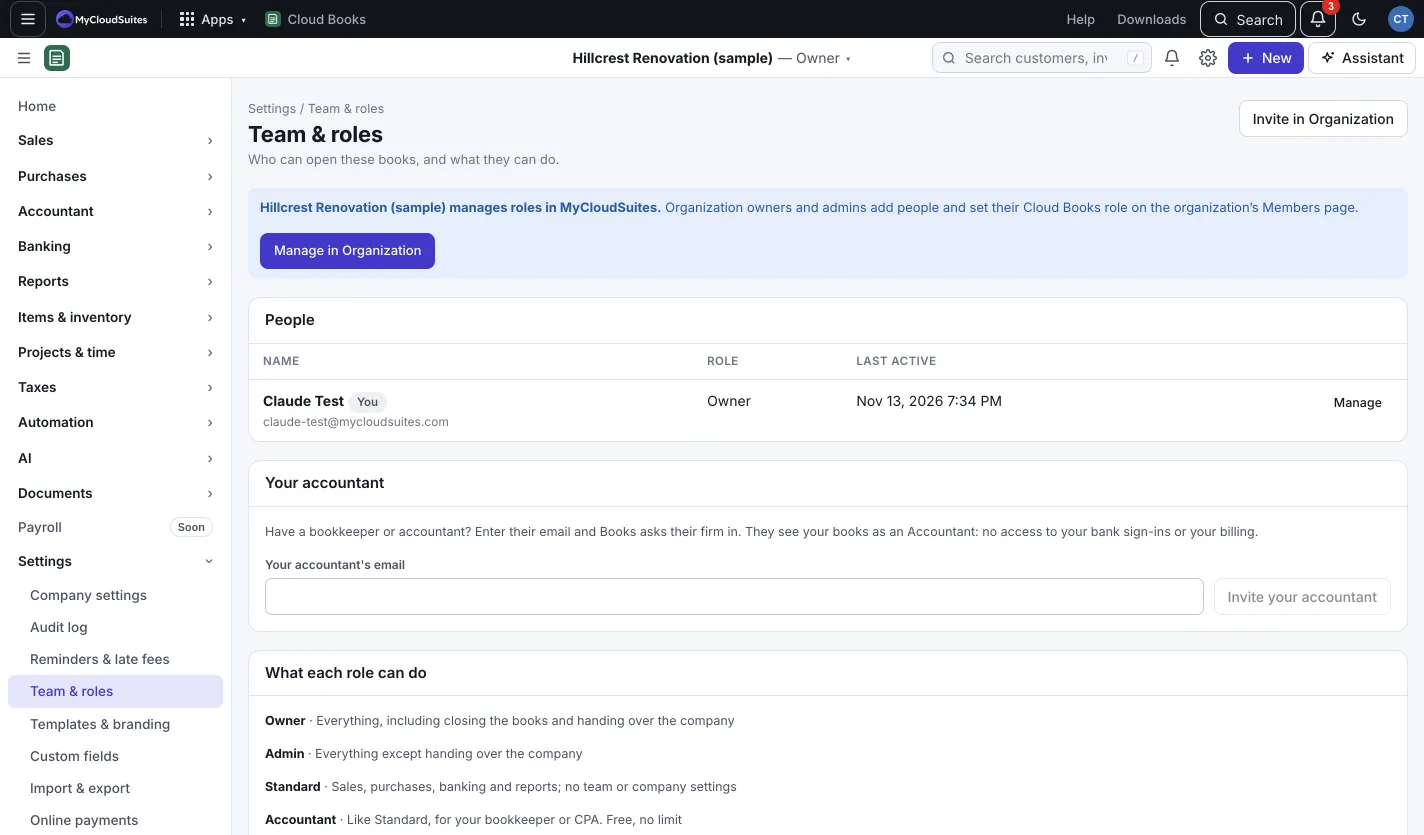
The built-in roles
- Owner: everything, including closing the books and handing over the company.
- Admin: everything except handing over the company.
- Standard: sales, purchases, banking and reports; no team or company settings.
- Accountant: like Standard, for your bookkeeper or CPA. Free, no limit.
- View only: sees everything, changes nothing.
Invite someone
- Go to Settings › Team & roles and press Invite someone. (Owners and admins.)
- Type Their email. They sign in, or make a free MyCloudSuites account, with this address to join.
- Pick a Role and add a note if you like.
- Press Send invite.
The link works once, for 14 days. Under Invites waiting you can Send again or Cancel.
Change or remove someone
On Team & roles, change a person’s Role from the list, or press Remove. They lose access right away. To leave a company yourself, press Leave.
To hand the company to someone else, the owner picks Owner for that person and presses Hand over. You become an admin.
Make your own role
- Go to Settings › Roles and press + New role.
- Give it a Name and pick what it Starts from: Standard, Accountant or View only.
- Untick what it shouldn’t do, area by area (See, Create, Edit, Approve, Delete / void).
- Optionally set Bills and expenses up to: bigger ones are saved as drafts for approval.
- Press Save role, then pick the role for a person under People.
A custom role can only narrow its built-in starting role.
Good to know
- Accountants and bookkeepers are free and unlimited. See Invite your accountant.
- If your company belongs to a MyCloudSuites organization that manages roles, you add people and set their roles on the organization’s Members page instead. Press Manage in Organization, or Invite in Organization in place of Invite someone.
- A personal book is only ever yours; nobody can be invited to it.