

All my companies
Updated November 13, 2026
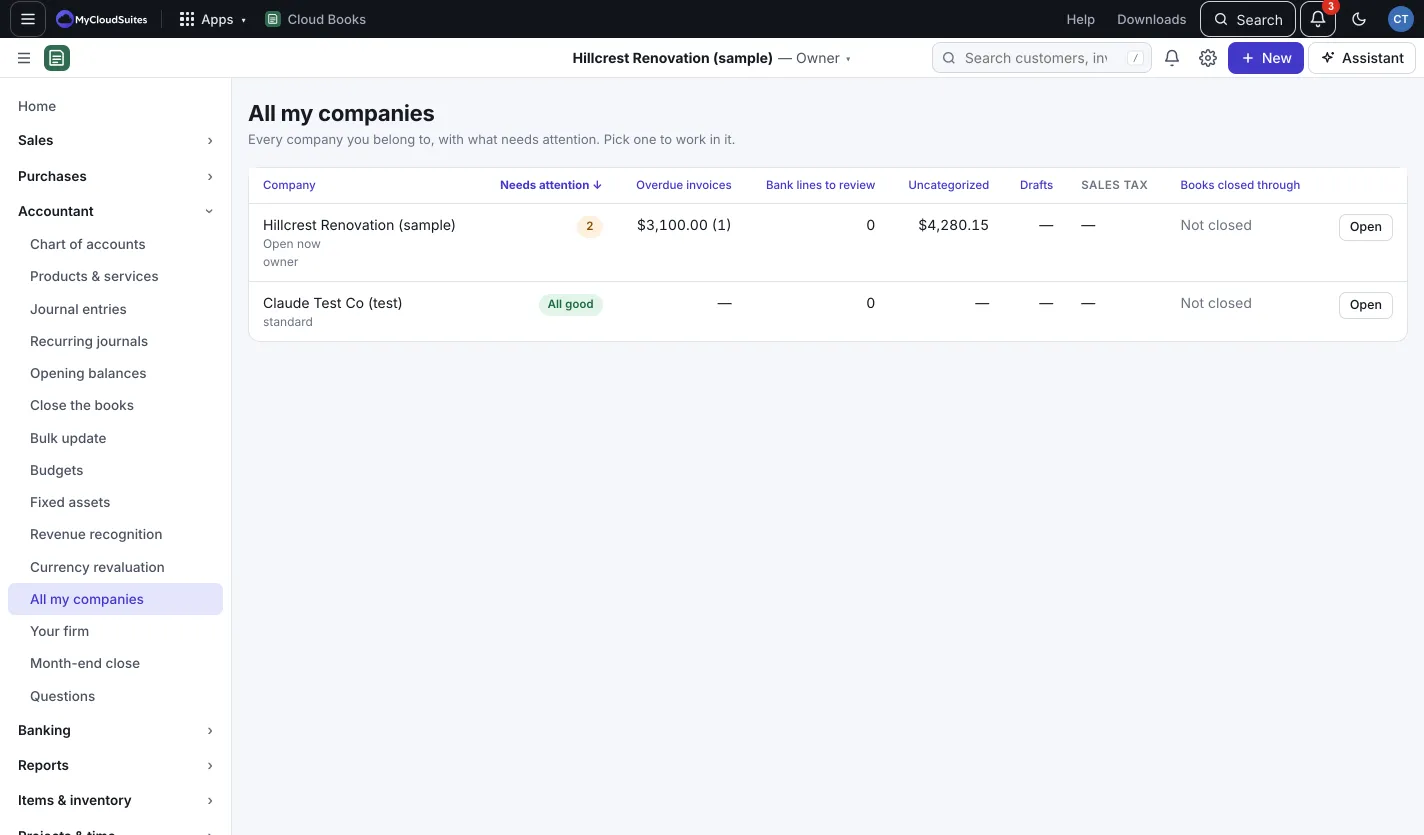
If you work in more than one company, like a bookkeeper with several clients or an owner with two businesses, All my companies shows them all on one page with what needs attention in each.
Use it
- Go to Accountant › All my companies.
- Each company shows your role, and:
- Needs attention: how many things are waiting, or All good.
- Overdue invoices: the amount and how many.
- Bank lines to review.
- Uncategorized: money still in an uncategorized account.
- Drafts: documents not sent or posted yet.
- Sales tax: the next return and when it’s due.
- Books closed through: the lock date, or Not closed.
- Click a column heading to sort by it. It starts with the companies that need the most attention.
- Press Open to work in that company.
Good to know
- You see every company you belong to, whatever your role.
- Bookkeeping firms also get a client list with staff assignments in Your firm.