

Sales tax
Updated November 13, 2026
Cloud Books adds up the sales tax on your invoices and sales receipts, and tracks each filing period. You file the return on your tax agency’s website, then record it here.
Add your sales tax rate
- Go to Company settings and find Sales tax rates.
- Press Add a rate. Give it a Name (like “San Jose, CA”) and the Rate (%): the combined state, county and city rate.
- Save it.
- On each customer, pick their Usual tax rate. New documents for them use it.
Changing a rate only affects documents saved from now on. Saved ones keep the rate they had.
Tell Books how you file
- Go to Taxes › Sales tax and open the Settings tab.
- Under How you file, pick the Filing frequency and type the Tax agency (for example “California CDTFA”).
- Press Save.
File a return
- On the Returns tab, find the period under Filing periods. Next return at the top shows what’s due.
- Press Prepare return.
- Check What you collected. Add any Adjustments: positive adds to what you pay (a penalty, interest); negative lowers it (a timely-filing discount).
- Pick Pay from, the Payment date and the Confirmation number from the agency.
- File on your agency’s website, then press Mark filed and record (the amount).
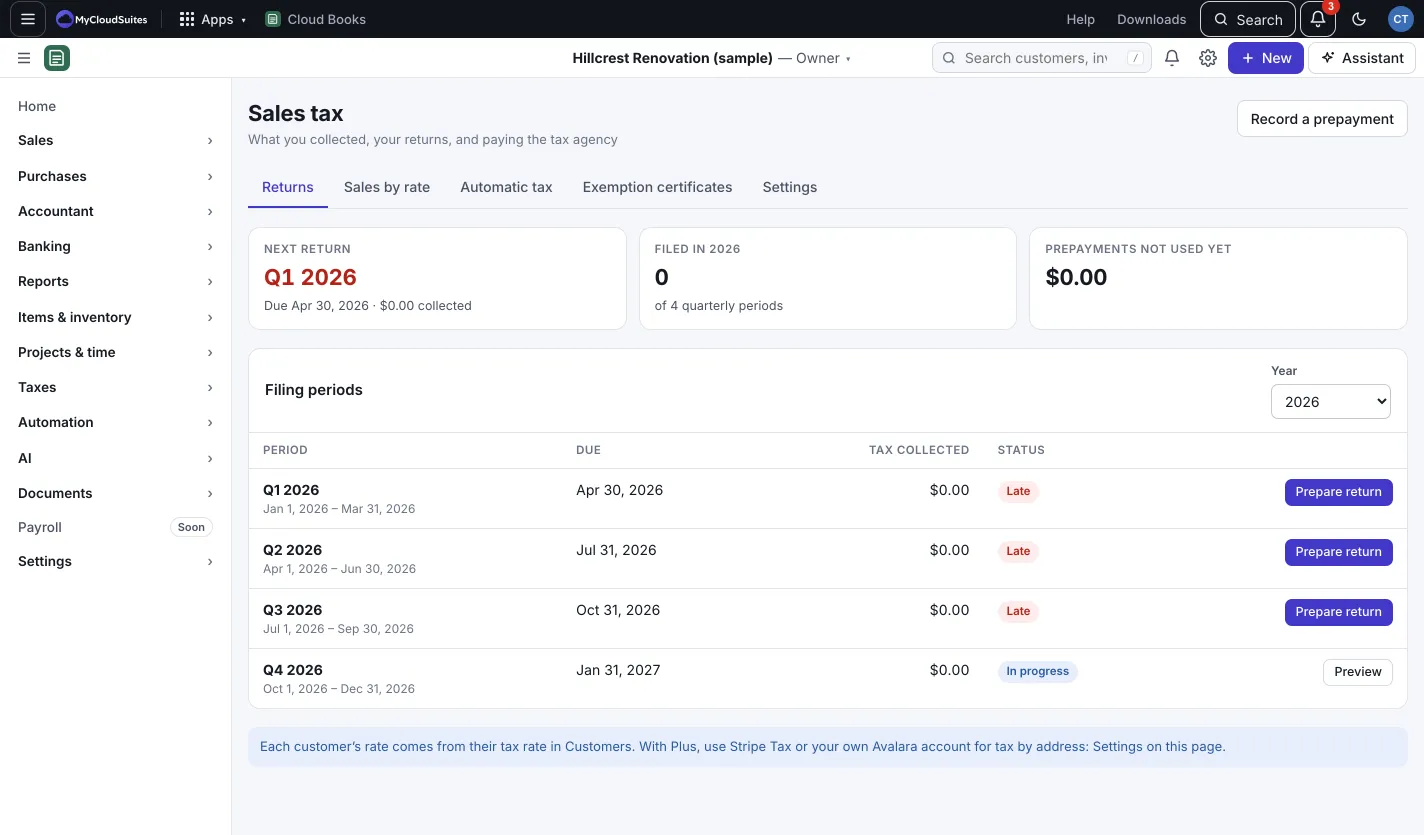
Made a mistake? Press Undo on that period (owners and admins). Its payment comes out of your books and the period can be filed again.
Prepayments and exemptions
- Some states ask larger sellers to pay part of the tax early. Press Record a prepayment; it counts against that period’s return.
- On the Exemption certificates tab, press Add a certificate to keep track of resale and other exemption certificates and when they expire. Keep the signed certificate itself in your files.
Good to know
- Sales by rate shows taxable, non-taxable and exempt sales for any dates.
- A customer’s sales count as exempt when the customer is marked exempt.
- Home’s Sales tax owed tile shows what’s on your books now.