

Business tax return draft (1065, 1120-S, 1120)
Updated November 13, 2026
For a partnership, S corporation or C corporation, Taxes › Business return drafts Form 1065, 1120-S or 1120 from your books for a tax year. It’s a draft for you or your tax preparer to check and file. Cloud Books never files returns.
Only the owner, an admin or the company’s accountant can see it, because it shows each owner’s share of the income.
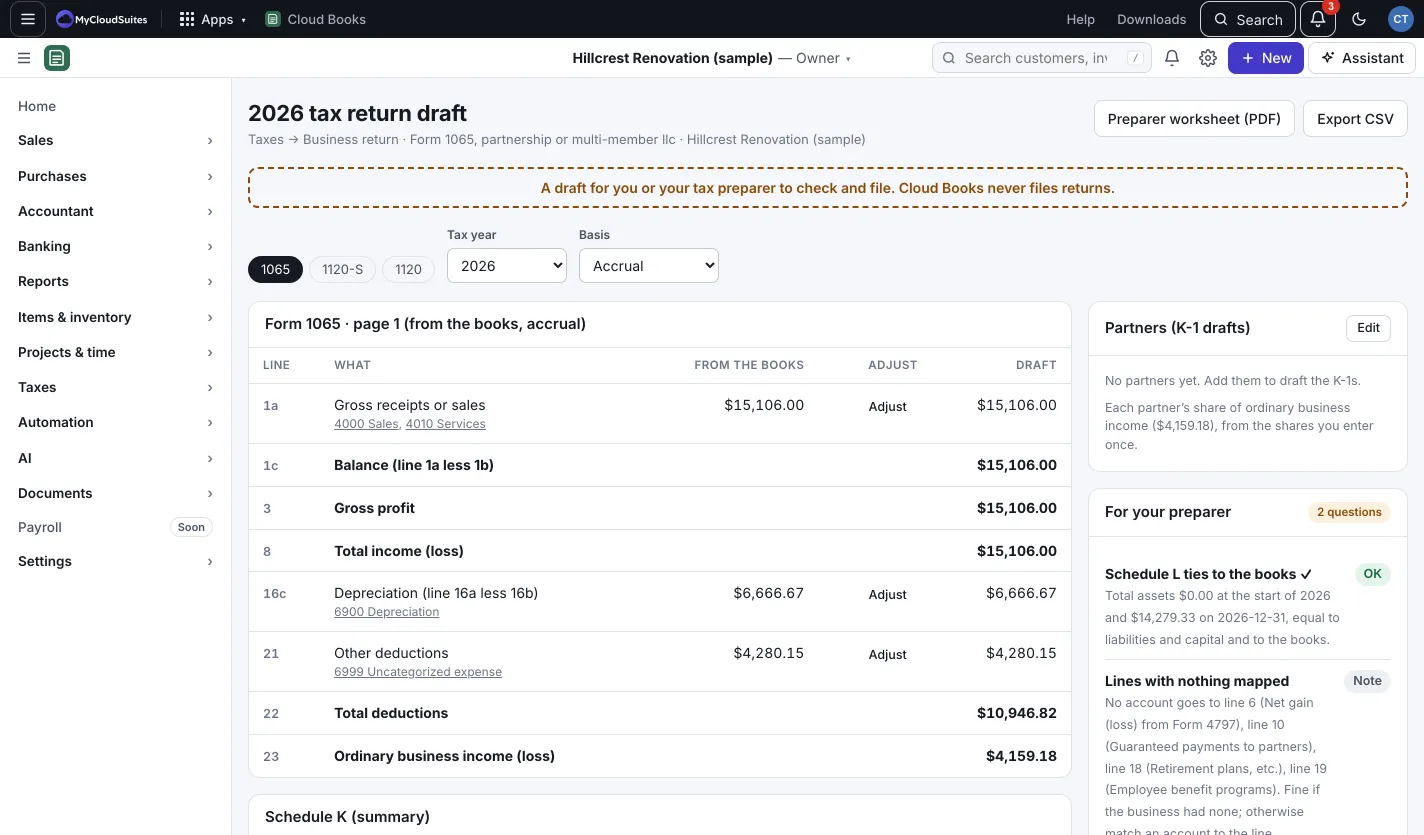
Get the draft
- Go to Taxes › Business return.
- Pick the form: 1065, 1120-S or 1120. Press This is the return we file to remember it.
- Pick the Tax year and the Basis (Accrual or Cash).
- Read page 1 line by line. Each line shows the accounts behind it, the amount From the books, and the Draft amount. Schedule K (summary), Schedule M-1 and Schedule L follow, each marked when it ties to the books.
Adjust a line
Press Adjust on a line, enter the Adjustment (minus to lower the line) and a Note for your preparer, and press Save. Adjustments change the draft only. Your books stay as they are; the difference shows on Schedule M-1.
Owners and K-1s
For a 1065 or 1120-S, press Edit on the partners or shareholders panel and add each owner’s name and share (shares should add up to 100%). Books drafts each owner’s K-1 share. A C corporation pays its own tax, so Form 1120 has no K-1s.
For your preparer
- For your preparer lists questions to check, such as lines with no account matched.
- Account to line shows how accounts are matched to the form’s lines. Press Change matches to fix any.
- Press Preparer worksheet (PDF) or Export CSV to hand it over.
Good to know
Line numbers follow the 2025 IRS forms. Check them against the form for the year you file. A sole proprietor or single-member LLC uses Schedule C instead: see Income tax prep.