

Income tax prep, quarterly estimates and your tax pack
Updated November 17, 2026
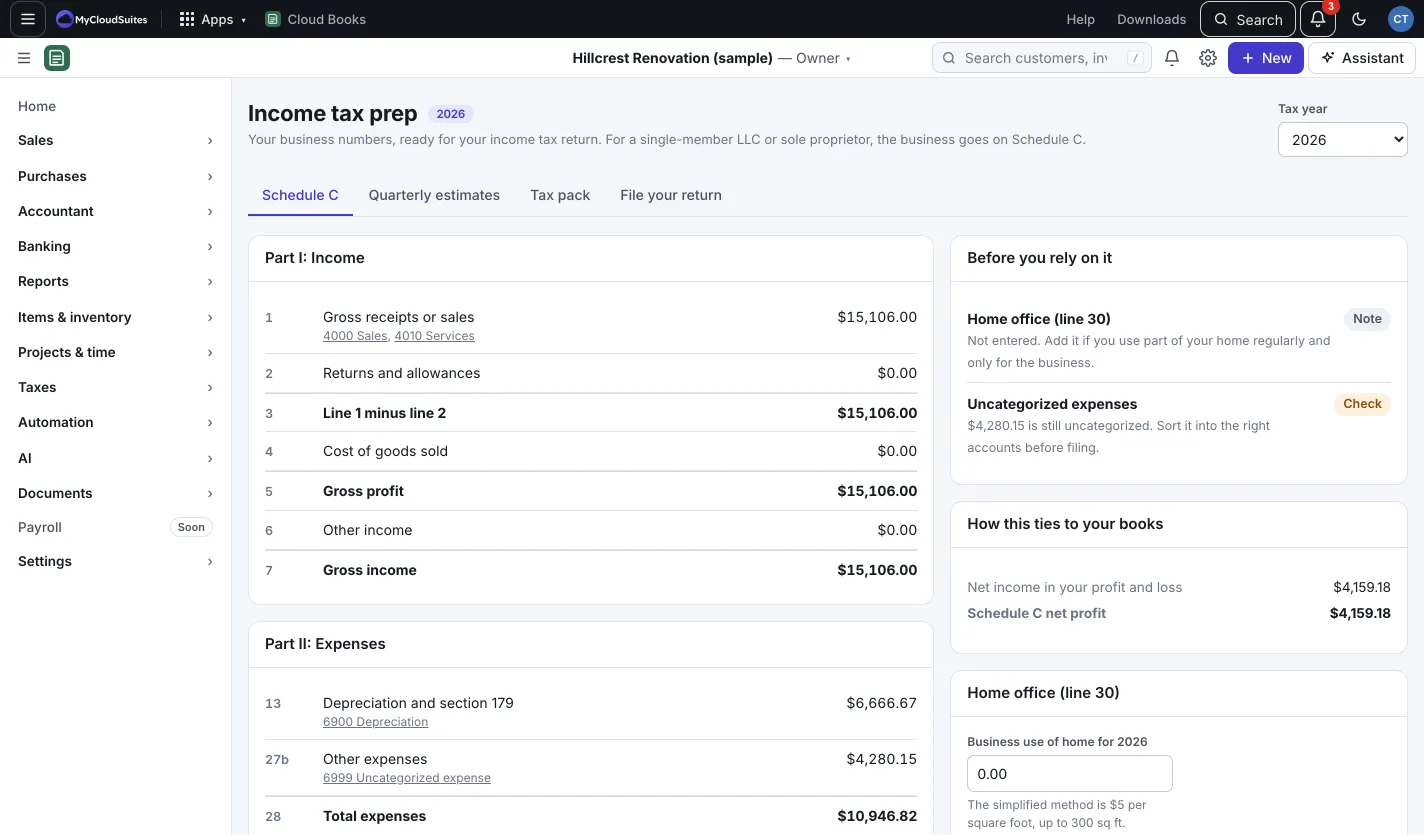
Taxes › Income tax prep gets your business numbers ready for your income tax return. For a single-member LLC or sole proprietor, the business goes on Schedule C. Pick the Tax year at the top.
Schedule C
The Schedule C tab shows Part I: Income and Part II: Expenses, line by line, with the accounts behind each line.
- Account to line: each income and expense account is matched to a Schedule C line. Press Change matches to fix any.
- Before you rely on it flags things to check, like meals or owner’s draws.
- Home office (line 30): enter your business use of your home. The simplified method is $5 per square foot, up to 300 sq ft.
Quarterly estimates
The Quarterly estimates tab projects this year’s profit and federal tax, and shows the Safe-harbor amount (paying it in four equal, on-time parts avoids the underpayment penalty).
- Under What these are based on, enter Last year’s total federal tax (Form 1040, line 24), Last year’s adjusted gross income and Your federal income tax rate on this profit (%), plus state estimates if you pay them. Press Update.
- When you pay a quarter, press Record payment on it.
This is an estimate from your books, not tax advice.
Tax pack
The Tax pack tab bundles your year for your accountant: press Download PDF (it opens the PDF and saves a copy) or Spreadsheet (CSV). Using TurboTax Desktop? Press Download for TurboTax and import the .txf file (File, Import, From Accounting Software).
Good to know
- Invite your accountant and they can open every number behind the pack. See Invite your accountant.
- The File your return tab shows Cloud Tax, which isn’t part of Cloud Books yet. Press Tell me when it opens to hear when it does.