

Win or lose a deal
Updated November 14, 2026
Close a deal as Won or Lost, and reopen it if you need to.
Mark a deal won
- Drag it to Won on the board, or open it and choose Won in its stage steps.
- Cloud CRM celebrates, and the message at the bottom says what your automations did (for example, a draft invoice made in Cloud Books). See Automations.
- The deal’s person becomes a Customer.
Mark a deal lost
- Drop it on Drop here to mark a deal Lost, or open it and choose Mark lost.
- Choose why it was lost. A reason is needed. Pick one of your lost reasons, or choose Other… and type it.
- Choose Mark lost.
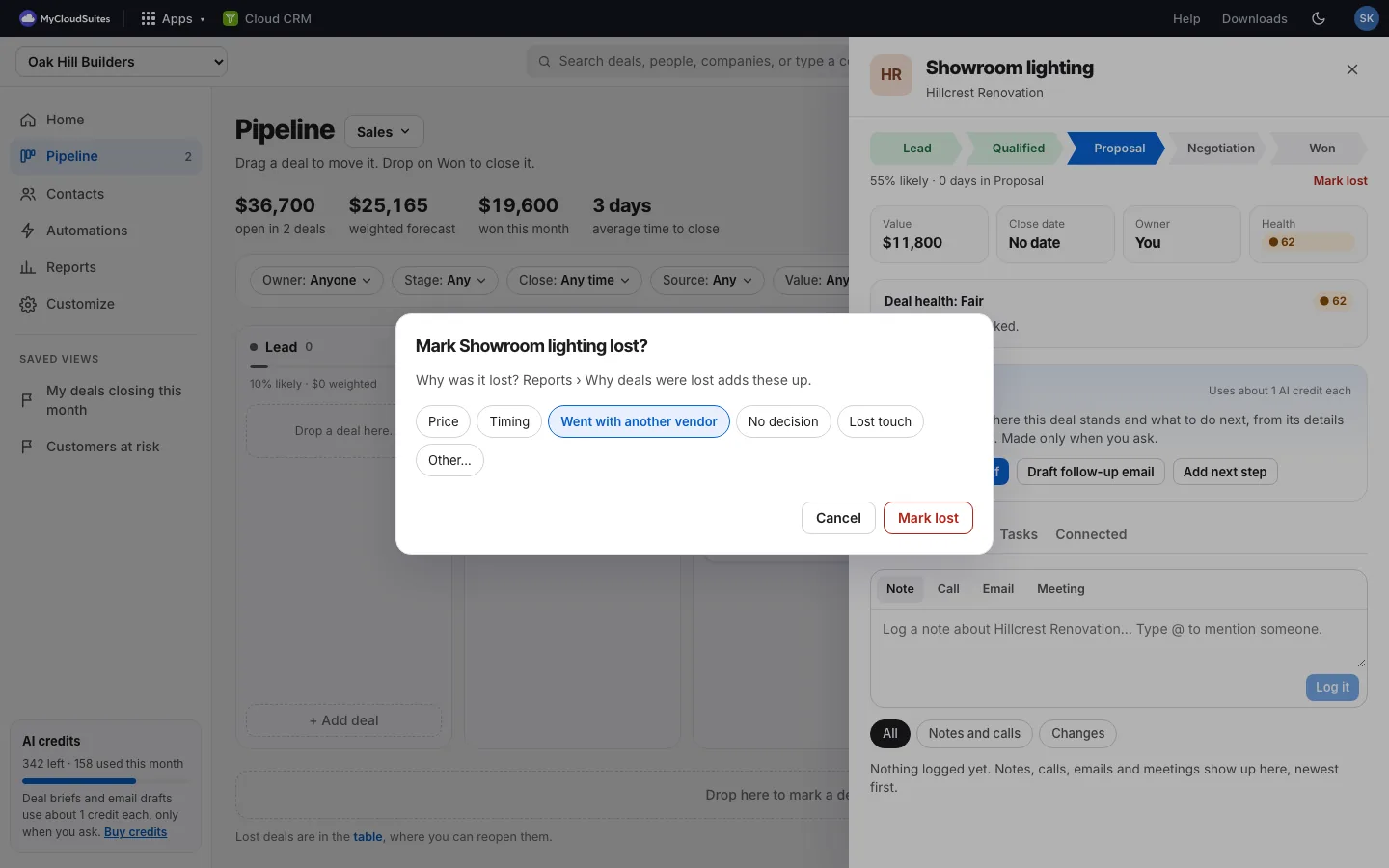
Marking several deals Lost at once from the table asks for one reason for all of them.
Reopen a deal
Open it and pick a stage. A lost deal says “Pick a stage to reopen it.”
Good to know
- Won deals count toward this month’s total, your monthly target and each person’s goal.
- Reports › Why deals were lost adds up the reasons from the last 90 days.
- If you reduce motion in your device’s settings, there’s no celebration.