

See every change to a deal
Updated November 14, 2026
Every change to a deal is kept: who made it, when, and what it was before. Nobody can edit or delete it.
See the changes
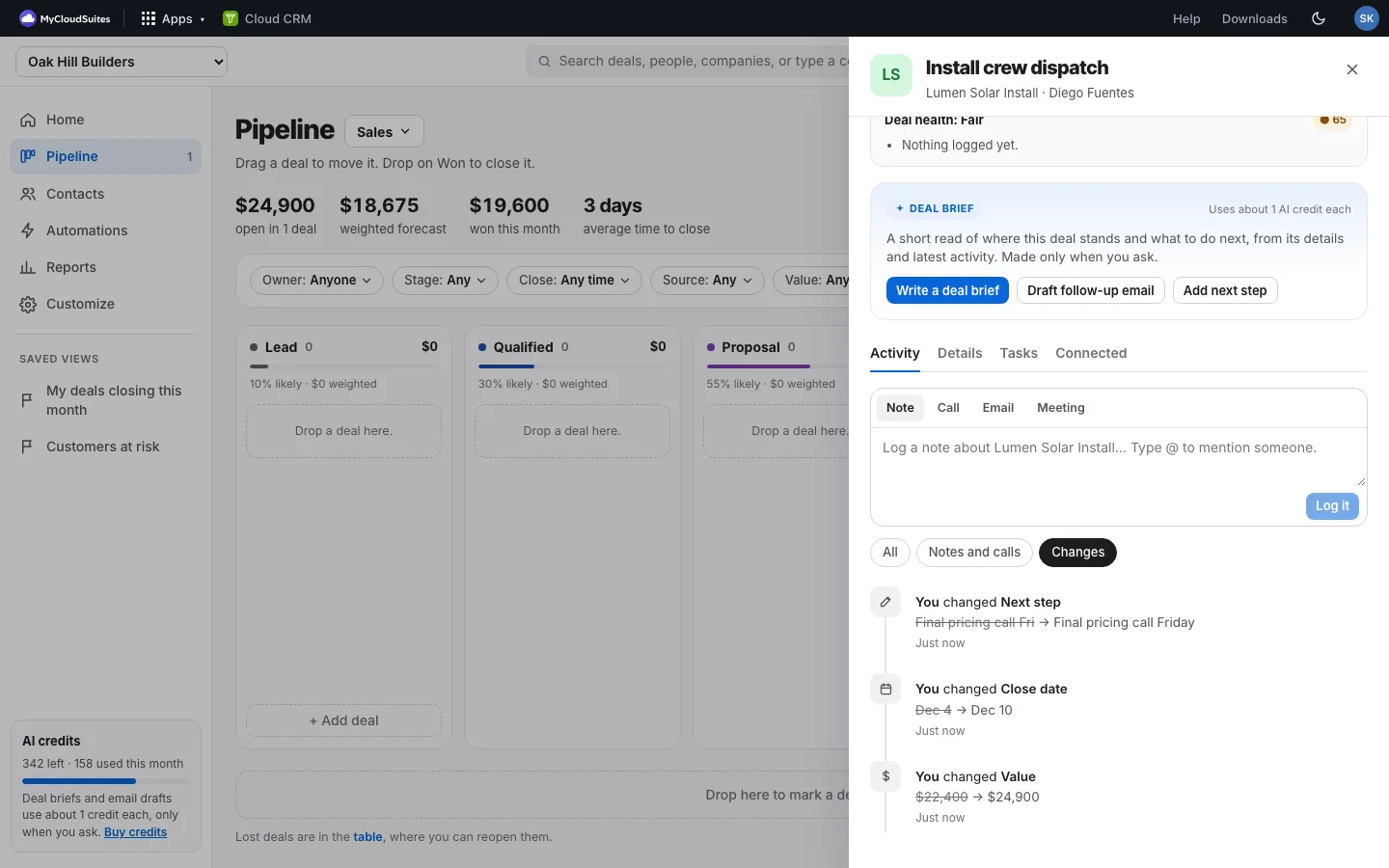
- Open the deal. The Activity tab is open.
- Above the timeline, choose Changes.
Each line says who changed which field, with the old value crossed out and the new one after it.
Show only what you need
- All: notes, calls, emails, meetings, stage moves and changes together, newest first.
- Notes and calls: only what people logged.
- Changes: only changes to the deal’s fields.
What’s kept
- Name, value, close date, stage, owner, next step, lead source, company, contact, lost reason and pipeline.
- Your own custom fields too, by their name.
- Changes made from the board, from the table, many at once, and by automations. An automation’s changes say Cloud CRM.
Good to know
- Changes start from when this feature arrived (November 2026). Older changes aren’t shown.