

Mention a teammate in a note
Updated November 14, 2026
Type @ in a note, call, email or meeting to bring a teammate in. They get a message in Cloud Chat with a link straight to the deal.
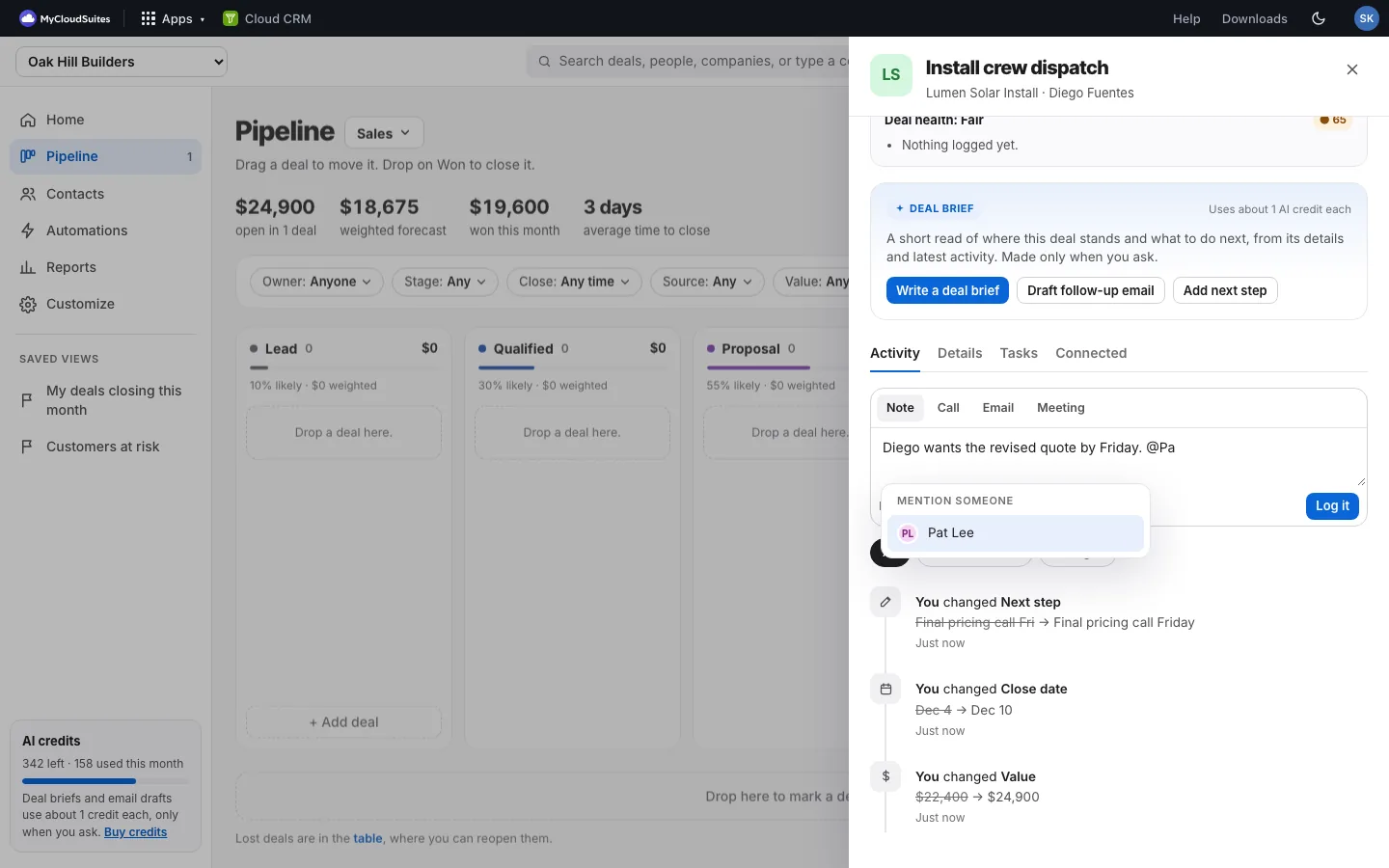
Mention someone
- Open the deal. The Activity tab is open.
- In the box where you log a note, type @ and the start of their name.
- Pick them from Mention someone: click their name, or use the arrow keys and press Enter or Tab. The deal’s owner is listed first.
- Finish your note and choose Log it.
What they see
- A message in Cloud Chat from Cloud CRM: “Sam Kim mentioned you on Install crew dispatch”, with your note and a link that opens the deal.
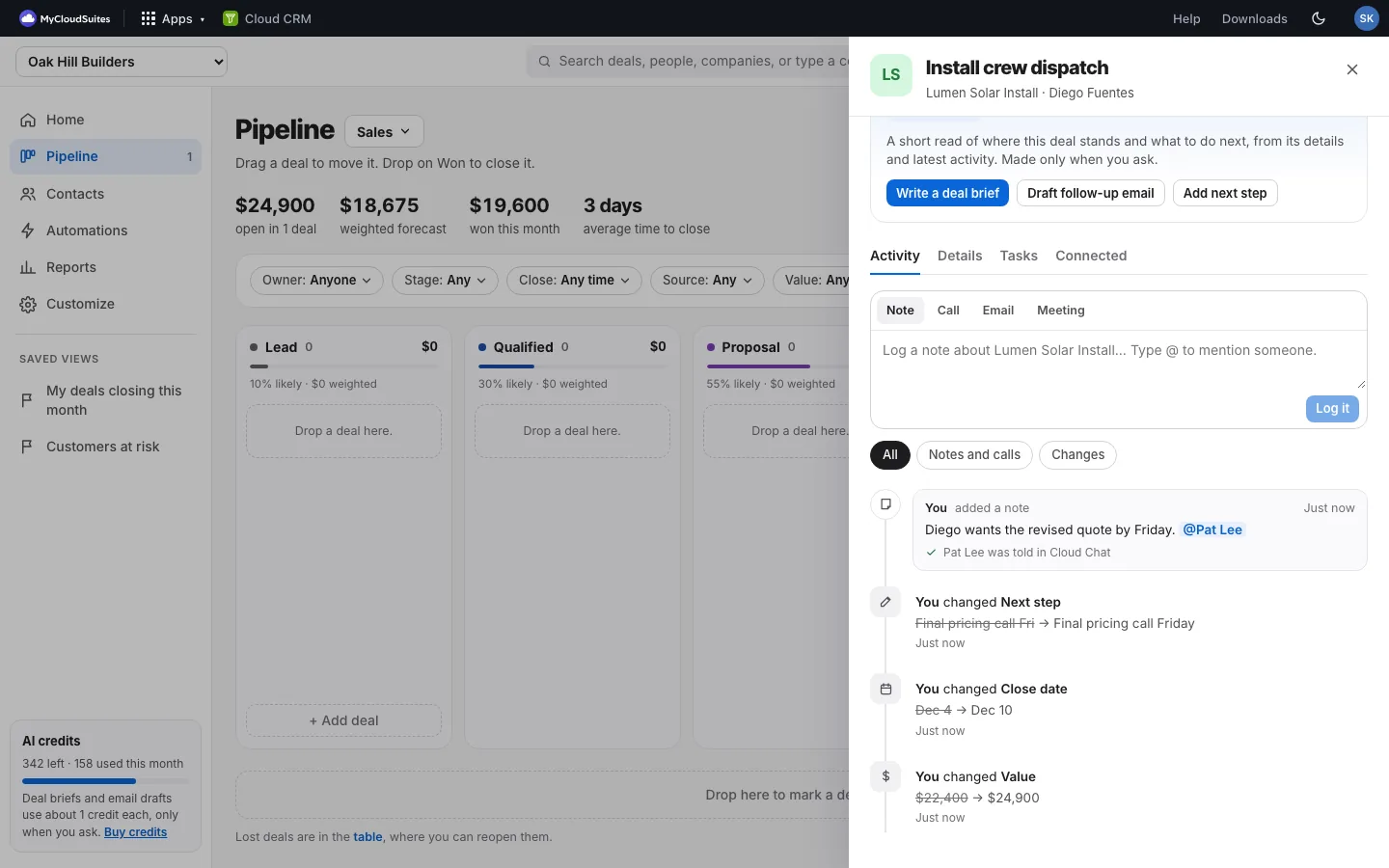
- In the deal, the name stands out in the note, and a line under it says who was told.
Good to know
- You can mention people who can open this organization’s CRM, including people who can only view it. Mentions aren’t in your Personal CRM.
- Mentions only go to Cloud Chat. No email is sent.
- You aren’t told about your own notes.
- Press Escape to close the list and keep typing.