

Log notes, calls, emails and meetings
Updated November 14, 2026
Keep a record of every touch on a deal, so anyone can pick it up.
Steps
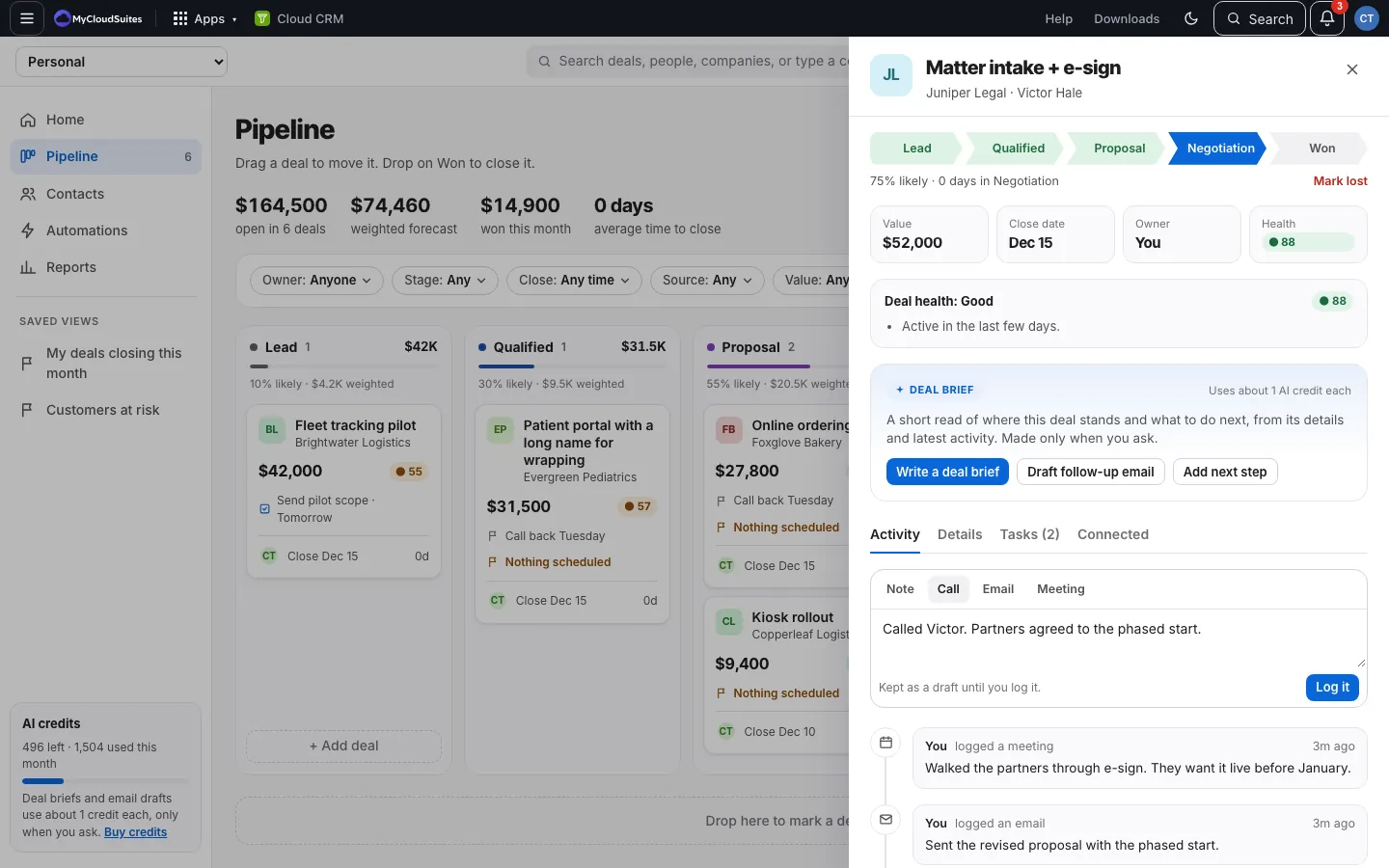
- Open the deal. The Activity tab is open.
- Choose Note, Call, Email or Meeting.
- Type what happened.
- Choose Log it, or press ⌘ Enter (Mac) or Ctrl Enter (Windows).
How it works
- The timeline shows everything, newest first: what people logged, stage changes, and what automations did.
- Type @ to mention a teammate; they’re told in Cloud Chat.
- Choose Notes and calls above the timeline to hide stage moves and changes.
- Logging also updates the deal’s person’s Last touch, and helps the deal’s health.
Good to know
- A note you haven’t logged yet is kept as a draft (“Kept as a draft until you log it.”). Close the deal, switch CRMs, or leave Cloud CRM, and it’s still there when you come back. See Your unsent notes are kept.