

Filter the pipeline and contacts
Updated November 13, 2026
Narrow down what you see by owner, stage, close date, source or value.
Steps
- Open Pipeline (board or table) or Contacts.
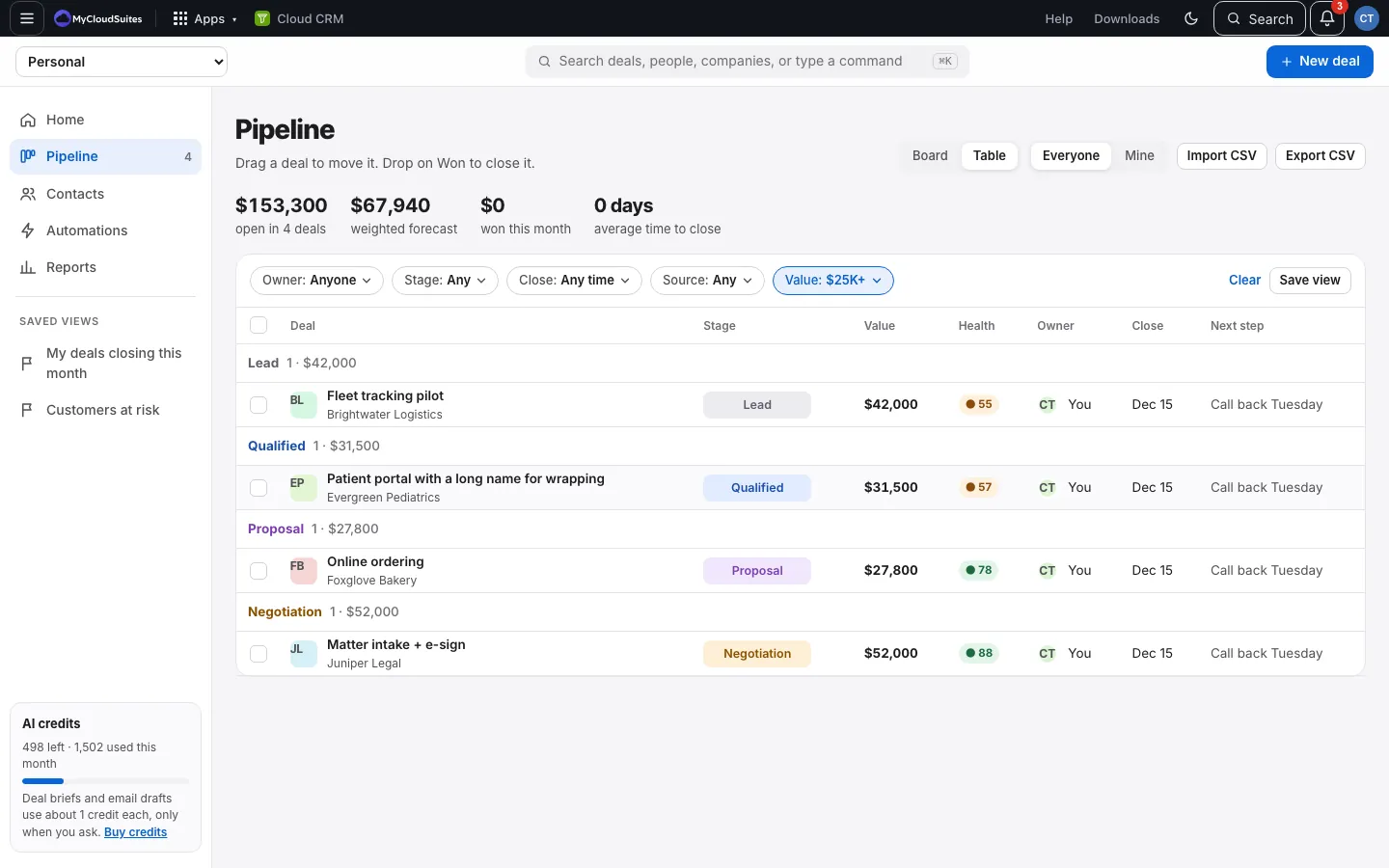
- Use the filters above the list:
- Pipeline: Owner, Stage (pick one or more), Close (Overdue, This month, Next month, This quarter), Source, Value ($1,000 or more, up to $100,000 or more).
- People: Owner, Company, and the lifecycle buttons.
- Companies: Owner.
- A filter in use turns blue. Clear removes them all.
Good to know
- On a phone, each filter opens as a list from the bottom of the screen, and the row of filters scrolls sideways.
- Everyone and Mine are the same as the Owner filter.
- Like a set of filters? Save it as a view.