

Edit a deal's details
Updated November 15, 2026
Change any field right where it is. It saves as soon as you’re done.
Steps
- Open the deal. Value, Close date and Owner are at the top of the deal: click one to change it there.
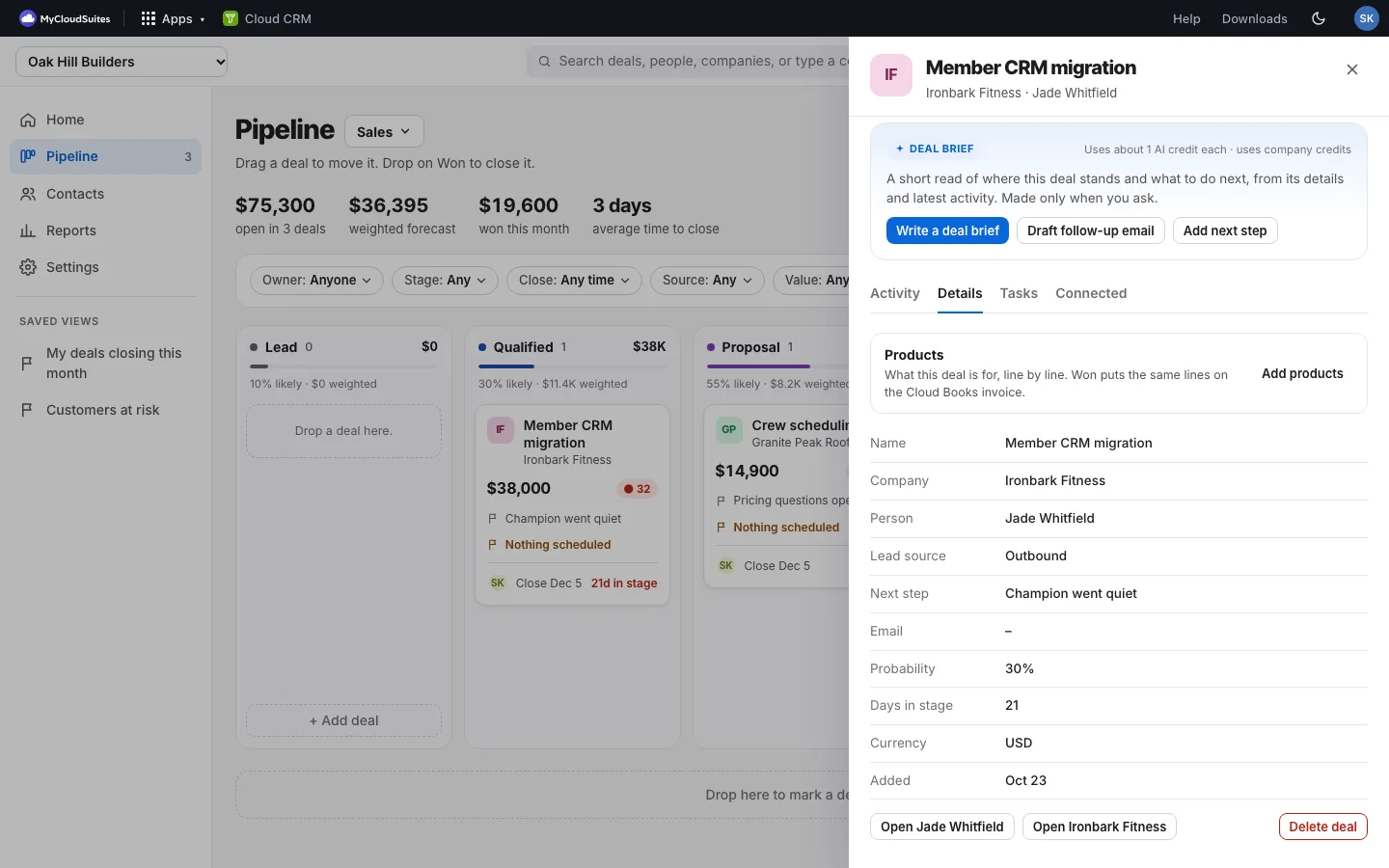
- Everything else is on the Details tab: Name, Company, Person, Lead source, Next step and Currency. Click a field.
- Type the change, then press Enter or click away. It says Saved.
- Changed your mind? Press Escape before you leave the field.
Good to know
- Company and Person: type a name or pick one from the list. A name that’s not in your CRM yet adds it.
- Value: type an amount like 8400 or 8,400.
- Lead source (Website, Referral…) powers the “Won deals by lead source” chart in Reports.
- Details also shows the person’s Email (with a link to email them), the Probability, Days in stage, Currency (choose it to change it) and the day it was Added.
- Every change is kept in the deal’s history. See See every change to a deal.