

The pipeline table
Updated November 13, 2026
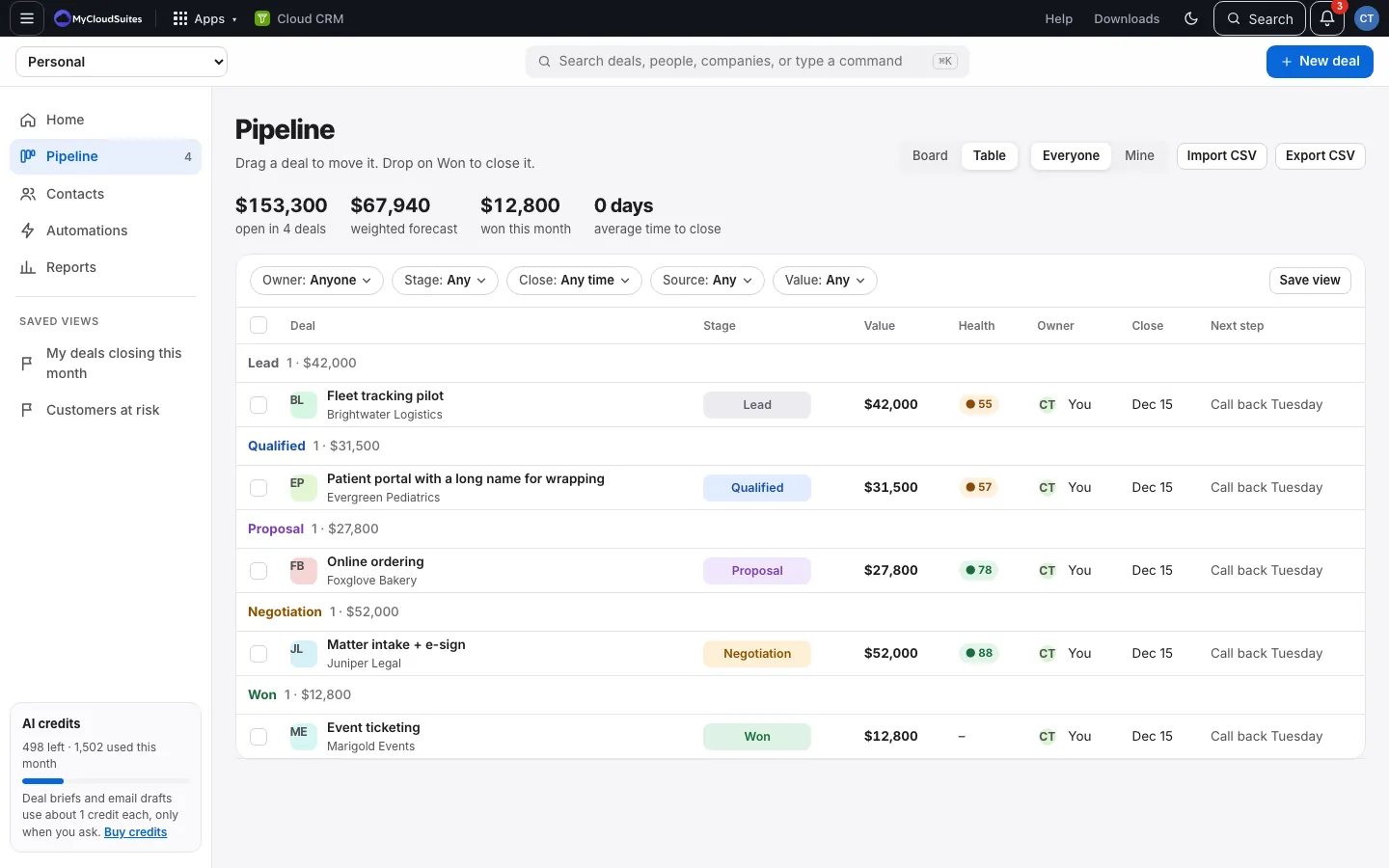
The table lists deals grouped by stage, with lost deals included.
Steps
- Open Pipeline and choose Table at the top.
- Click a deal to open it.
- To change a deal’s stage, use the stage in its row.
Good to know
- Each stage group shows its count and total.
- Lost deals show their reason in the Next step column (“Lost: Went with a cheaper option”).
- To reopen a lost deal, change its stage in the table, or open it and pick a stage.
- The table shows open deals plus the deals won or lost in the last 90 days. Older closed deals are still in Reports, on their person’s and company’s pages, and in Export CSV.
- Cloud CRM remembers whether you last used Board or Table.