

Sales orders, delivery notes and sales receipts
Updated November 13, 2026
Three documents for selling that sit beside invoices. A sales order confirms what a customer ordered. A delivery note is a packing slip for what you handed over. A sales receipt records a sale paid on the spot.
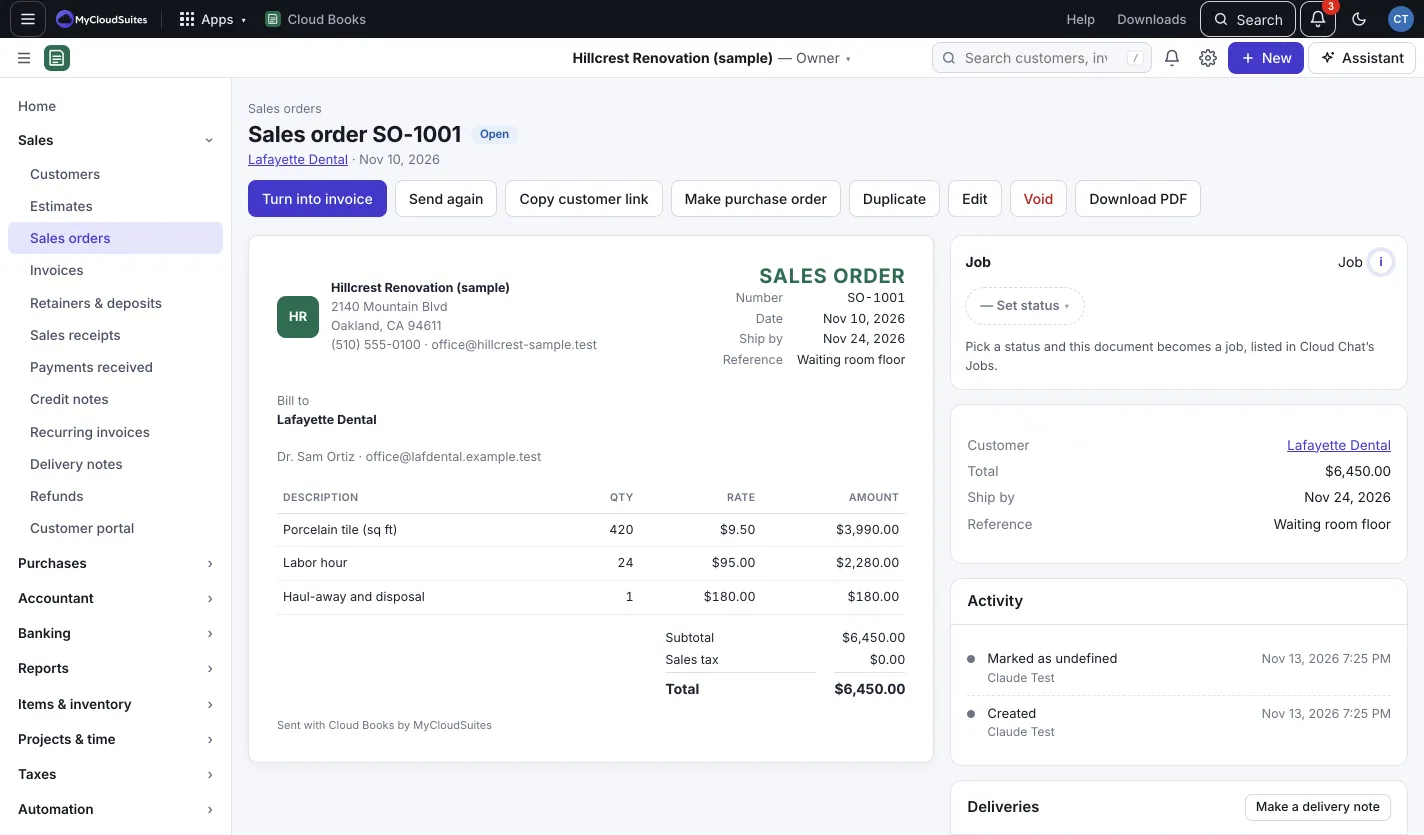
Make a sales order
- Press New › Sales order, or open an estimate and press Turn into sales order.
- Pick the Customer, add the lines, and set the Ship by date if you like.
- Press Save and mark as open, or Save as draft to keep it for later. On a draft, Send emails it and Mark as open without emailing opens it without an email.
- When you’re ready to bill, open the sales order and press Turn into invoice. The invoice opens for editing with the order’s lines.
A sales order doesn’t touch your books. The invoice you make from it does. Make purchase order on a sales order makes a draft purchase order for its products, at their cost.
Send a delivery note
- Open an open sales order or a sent invoice.
- In Deliveries, press Make a delivery note.
- Set Delivered on, add a Note on the packing slip if you like, and enter the Quantity delivered for each line.
- Press Make delivery note.
Each note is a PDF with quantities only, no prices. Deliver in parts if you need to: the panel shows how much of each line is delivered so far. All your notes are listed in Sales › Delivery notes. To take one back, press Void beside it in Deliveries.
Record a sales receipt
- Press New › Sales receipt.
- Pick the Customer and add what they bought.
- Press Save.
The money goes to Undeposited funds until you take it to the bank. See Record a payment you received for making the deposit.
Good to know
- Sales receipts have no draft: saving puts them straight in your books.
- Copy customer link gives your customer a private page for a sales order or sales receipt, the same as for an invoice.
- A delivery note can only be made from an open sales order or a sent invoice, never a draft.