

What Cloud Time does
Updated November 17, 2026
Cloud Time is a time clock for crews who work at more than one job. It runs in the browser at mycloudsuites.com/apps/time on any phone or computer, and in the Cloud Time app for Android. The iPhone app is with Apple for review.
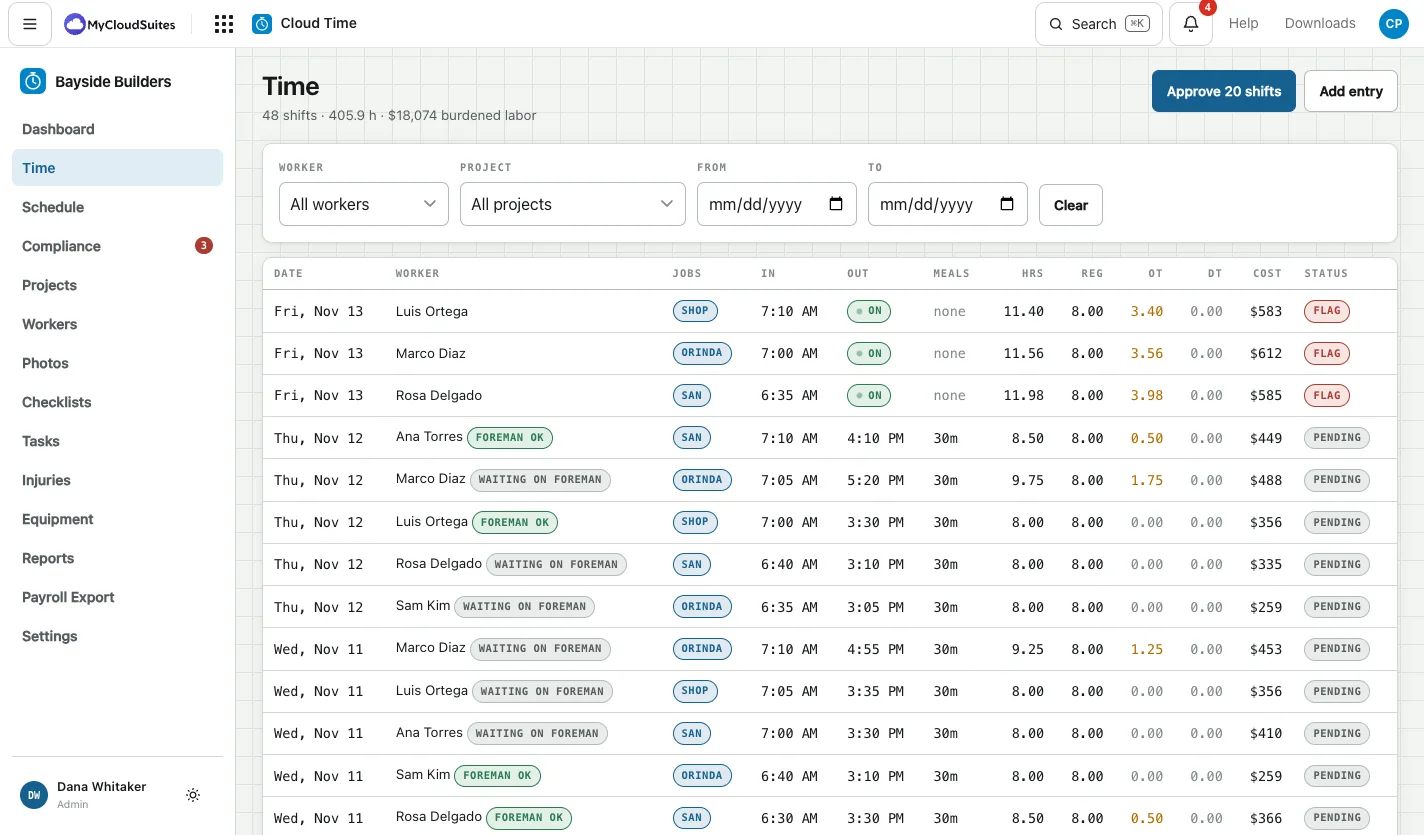
For the crew
- Clock in and out from their phone, by scanning the job’s QR poster, or on a shared tablet with a PIN. See Clock in and out.
- Take their breaks. Workers stamp their own meal breaks, and Cloud Time warns them before one is due. Lunch is never taken off automatically. See Meal and rest breaks.
- Switch jobs during the day, so each job gets its own hours. See Switch jobs.
- Send photos of the work to the office. See Add job photos.
- Ask for days off, pick up open shifts and swap days. See Ask for days off and Pick up an open shift.
- See their week: hours, and on the website an estimate of the week’s pay before taxes. See Your estimated pay.
For foremen
- See who is on the clock, clock someone in or out, and correct a day. See Who is on the clock.
- Tick the crew’s days before the office approves them, if the office turns on Foreman OK. See Foreman OK.
- Give the crew tasks, and see what’s late. See Give the crew tasks.
For the office
- Plan the week on the Schedule, and see the overtime before it is worked. See Plan the week.
- Approve the hours. Days with a missed or short break, or a forgotten clock-out, are flagged. See Approve timesheets.
- Export for payroll as a CSV any payroll provider can import. Files made for Gusto, ADP and Paychex are coming soon. See Payroll Export.
- Know what each job cost, at each worker’s full cost. See Jobs, cost codes and budgets.
Good to know
- The time of every punch comes from our server, not the phone’s clock.
- Every correction is kept in an audit log.
- Breaks and overtime are checked against your state’s rules where we have reviewed them, and the federal rules everywhere else. See Break and overtime rules.
- Free for up to 5 workers, then $5 a worker a month.
- Need to talk to the crew? Cloud Chat is in the Apps menu: channels and messages for your company’s people.
Ready? Start your company.