

Mark up a drawing: clouds, pins, pen and arrows
Updated November 13, 2026
Markup goes on its own red MARKUP layer, so it shows, hides, prints and deletes together.
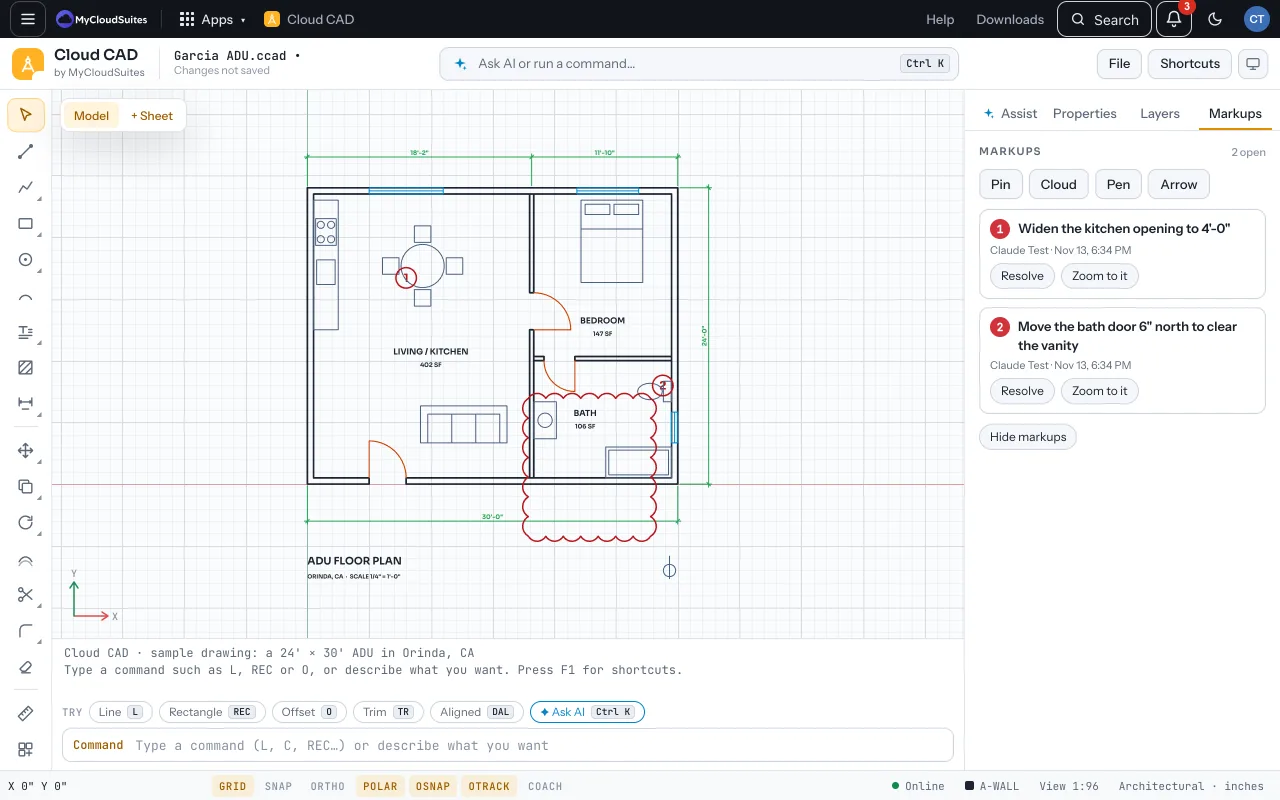
Mark it up
Open Markups on the right, or on a phone use the bar under the drawing.
- Cloud (RC): drag a box, or click points around an area.
- Pin (PIN): click a spot and type the note. Pins are numbered and say who wrote them and when.
- Pen (PEN): draw freehand; it smooths the stroke.
- Arrow (ARROW): click where it points, then where its note goes.
Work through the notes
- In Markups, each note has Resolve (or Reopen) and Zoom to it.
- Hide markups hides the whole layer; Delete resolved clears what’s done.
Tips
- In DWG and DXF, each note goes as text beside its pin, so it isn’t lost in other programs.
- Erasing a pin takes its note with it.
Need more? Send to a person, an app, or a job, or contact us.