

Print to PDF and export PNG, SVG and DXF
Updated November 13, 2026
Cloud CAD prints by making a PDF you can print anywhere.
A PDF to scale
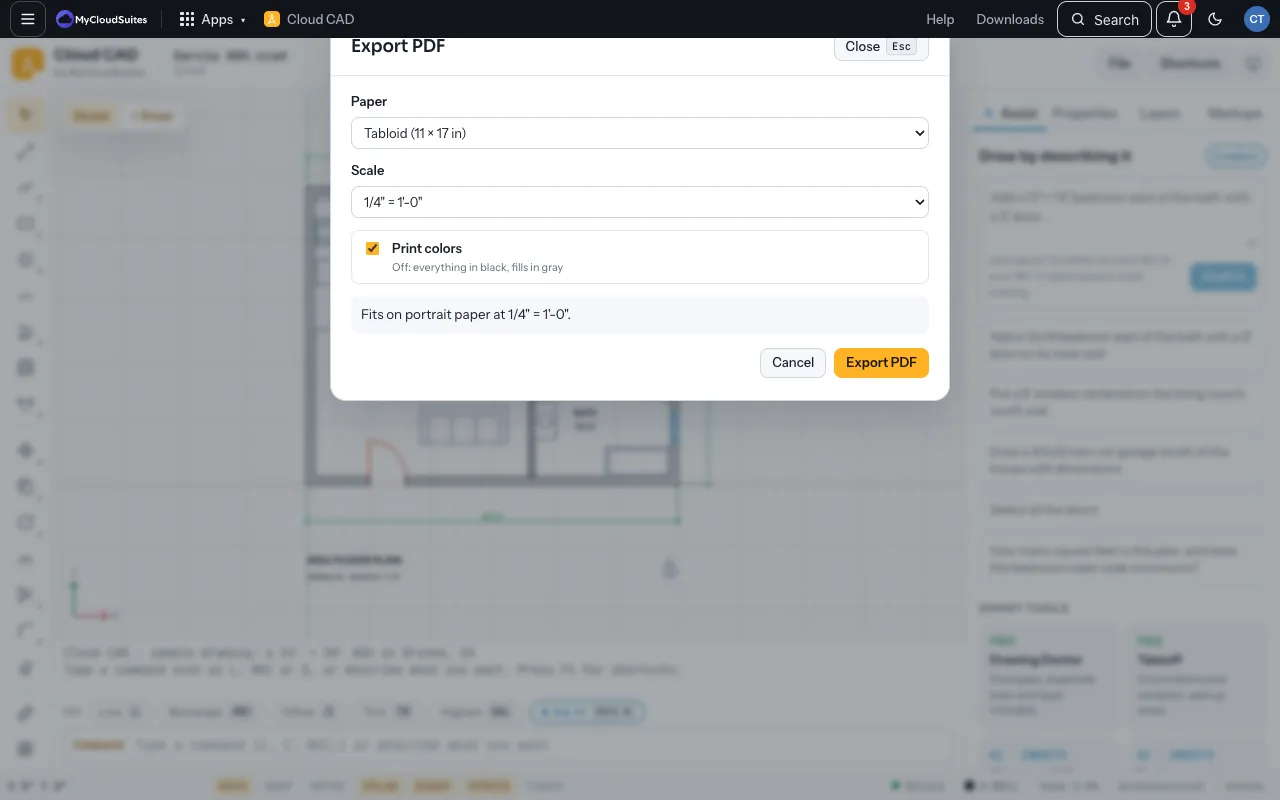
- Choose File › Export PDF… (or Ctrl P).
- Choose the Paper (Letter, Legal, Tabloid, Arch C, Arch D, A4 or A3) and the Scale, or Fit to page.
- Untick Print colors for everything in black with gray fills. It says whether the drawing fits.
- Choose Export PDF.
On a sheet, Ctrl P prints that sheet with its own paper and scale. File › Export Sheet Set PDF… makes every sheet into one PDF with a bookmark each.
Other formats
- Export PNG…: a picture 1,600, 3,200 or 6,400 pixels wide, for email or documents.
- Export SVG: a vector drawing for the web.
- Export DXF (R2000) or Export DXF R12 for older programs, and Export DWG. See DWG and DXF.
Need more? Sheets, or contact us.