

Lay out sheets with a title block
Updated November 18, 2026
A sheet is a printable page: a border, a title block, and views of the drawing at a scale.
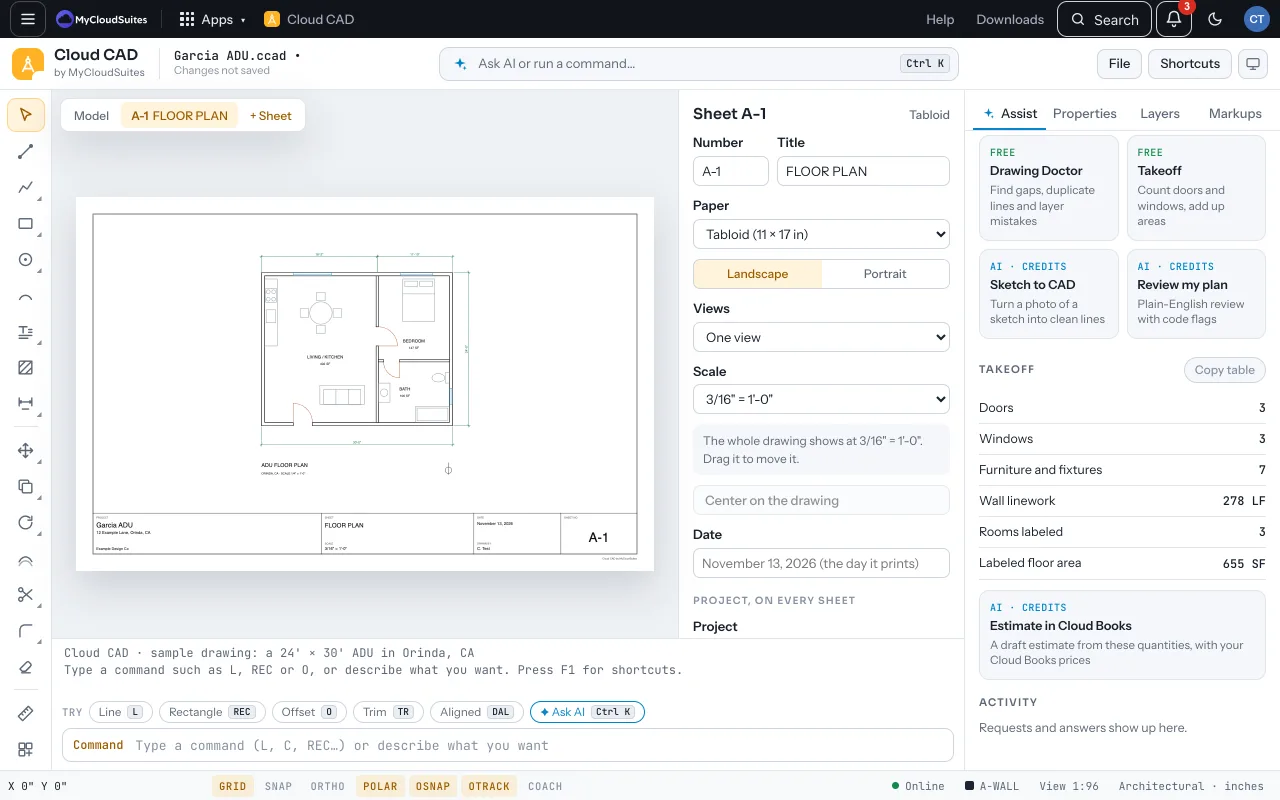
Make a sheet
- Choose + Sheet above the drawing. It makes A-1 with the plan at the largest standard scale that fits.
- On the sheet card, set the Paper and Orientation, the sheet’s number and title, and the Date, Revision and Checked by.
- Choose an arrangement for several views (a plan and a detail, a plan and two details, four). Drag a view into place, set each view’s scale, or choose Center on the drawing.
- Fill in the project (name, address, company, drawn by) once; it’s on every sheet.
Add a view of part of the drawing
Put a detail anywhere on the sheet, at its own scale: a bath at 1/2" = 1’-0" beside the plan at 1/4".
- On the sheet card, choose Add a view. The drawing comes up.
- Click one corner of the part to show, then the opposite corner. (You can also type SHEETVIEW or MV on the drawing; the view goes on the sheet you looked at last.)
- The view comes onto the sheet at the largest standard scale that leaves room, in the space with the fewest other views. The sheet’s Views setting changes to Placed by hand.
- Drag the view to move it on the sheet. Pick its scale from the chips (1/8", 1/4", 1/2", 1") or the full list, and give it a name.
- Change what it shows draws a new box for the picked view. Remove view takes it off the sheet.
- On the drawing, each view’s box shows dashed, tagged with its sheet and view (A-1 / 2). The boxes show only on screen; they don’t print.
- A sheet holds up to 8 views. To go back to an arrangement, choose one under Views.
- PDFs print every view at its scale. In DWG and DXF each view is a layout viewport, so other CAD apps show the same sheet.
A cover sheet
- Add a cover sheet makes one with the project’s name and an index of every sheet, kept up to date.
Tips
- Each sheet has a tab above the drawing. Model goes back to the drawing.
- Delete sheet removes the page only; the drawing stays.
- Sheets go into DWG and DXF as layouts, and a DXF’s layouts open as sheets.
Need more? Print and export, or contact us.