

Send to a person, an app, or a job
Updated November 13, 2026
Send to passes a drawing to another MyCloudSuites app without saving and uploading it yourself.
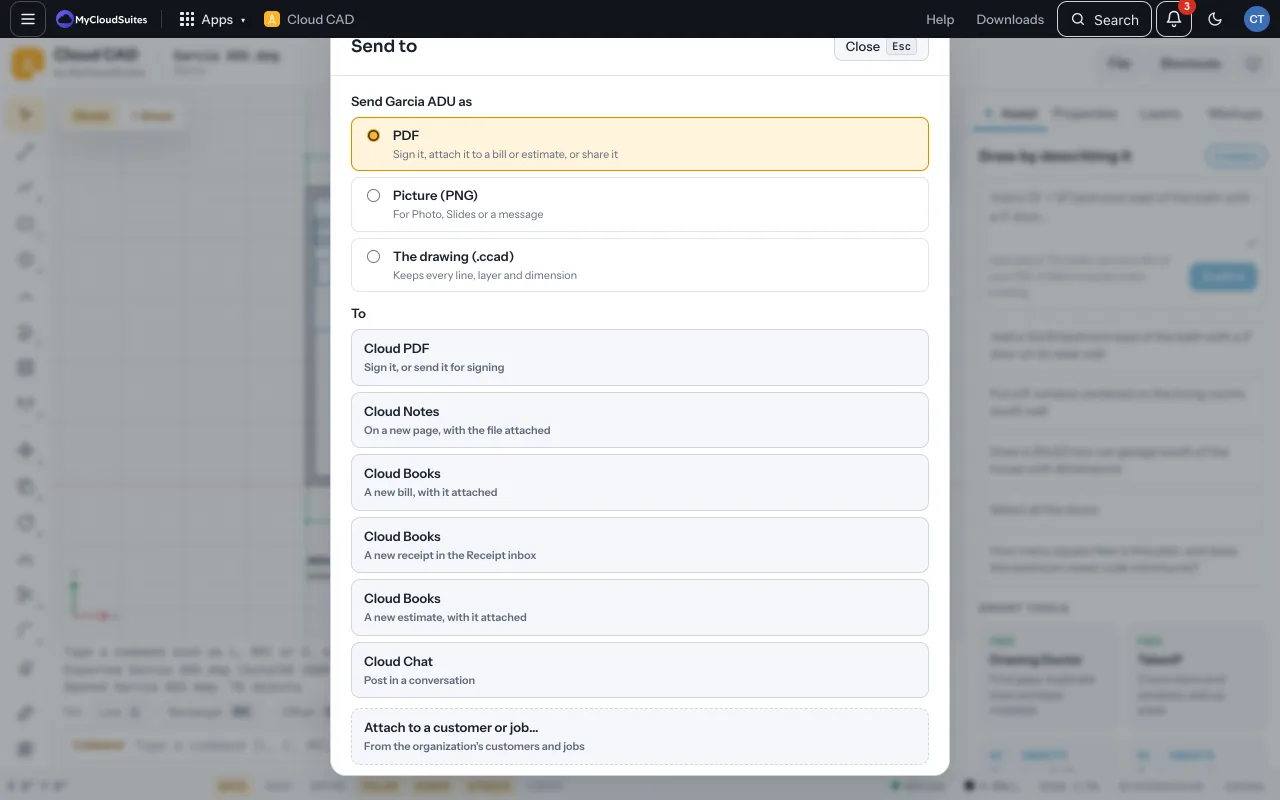
Send it
- Choose File › Send to….
- Choose what to send: PDF, Picture (PNG) or The drawing (.ccad).
- Choose where: Cloud PDF to sign or send for signing, Cloud Notes on a new page, Cloud Books on a bill, receipt or estimate, or Cloud Chat in a conversation.
Attach it to a customer or job
- In Send to, choose Attach to a customer or job….
- Pick the customer or job from your organization and choose Attach.
- It’s in that customer’s or job’s files, where everyone on it can find it.
Tips
- Send to needs a connection and signing in. The desktop app attaches to customers and jobs.
Need more? Save to MyCloudSuites, or contact us.